LinkCom 5 User Manual
Page 51
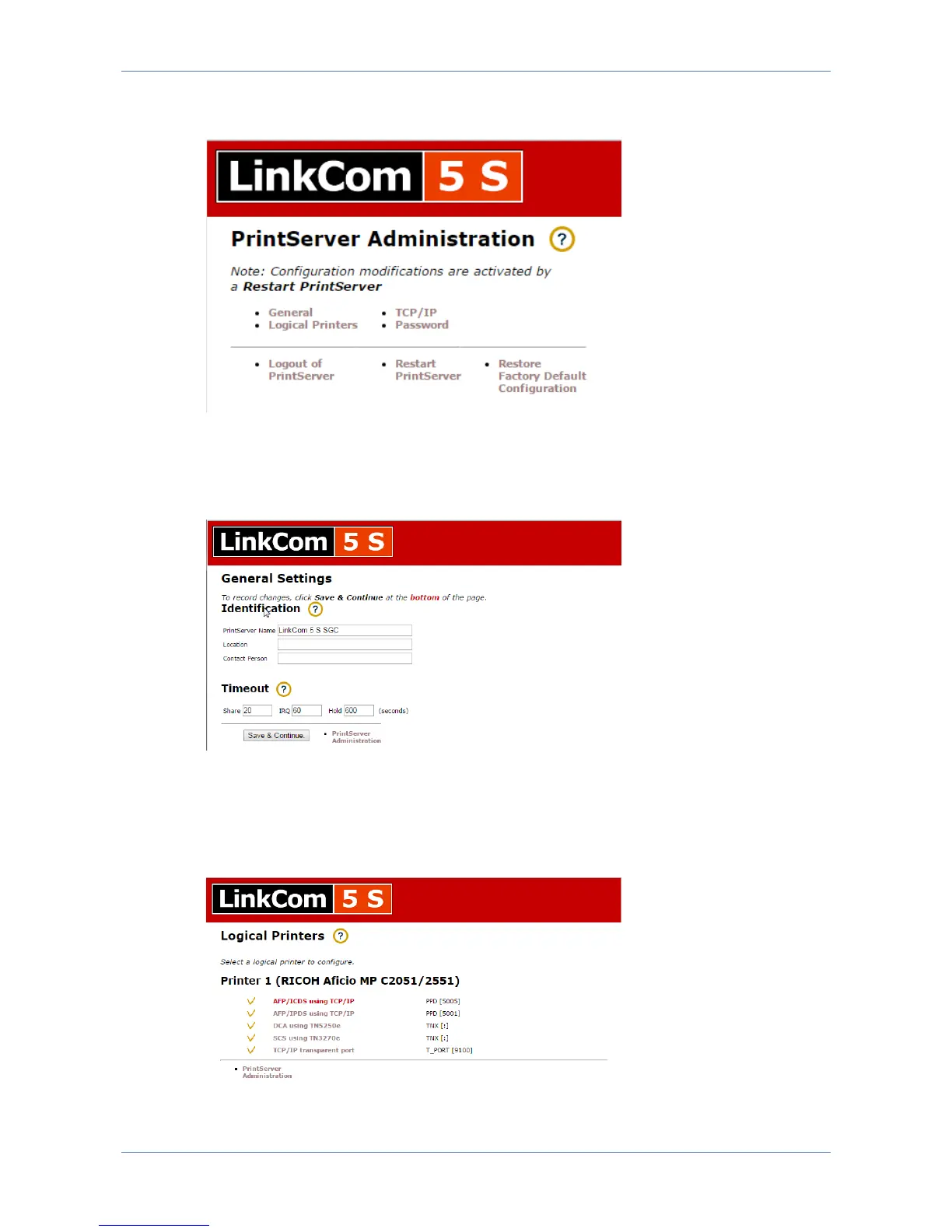
After changing a setting make sure to click “Save” and “Restart PrintServer”
otherwise changes will not take effect.
7.10.4 General
The “General Settings” controls settings for PrintServer name, Location information,
Contact person as well as different timeout settings for the PrintServer.
7.10.5 Logical Printers
This section controls settings with regards to the logical printers that are licensed
for this PrintServer. If a printer definition has been loaded this will also be
displayed.



 To Next Page