LinkCom 5 User Manual
Page 72
12 Using PrintGuide to add new features
New features purchased after the initial purchase can be enabled via PrintGuide.
12.1 Prerequisites
An updated license key that covers additional features is issued by MPI Tech.
The LinkCom 5 PrintServer must be online and available through PrintGuide.
The PrintGuide version used must be S42 065.490 or newer.
12.2 Installing new features
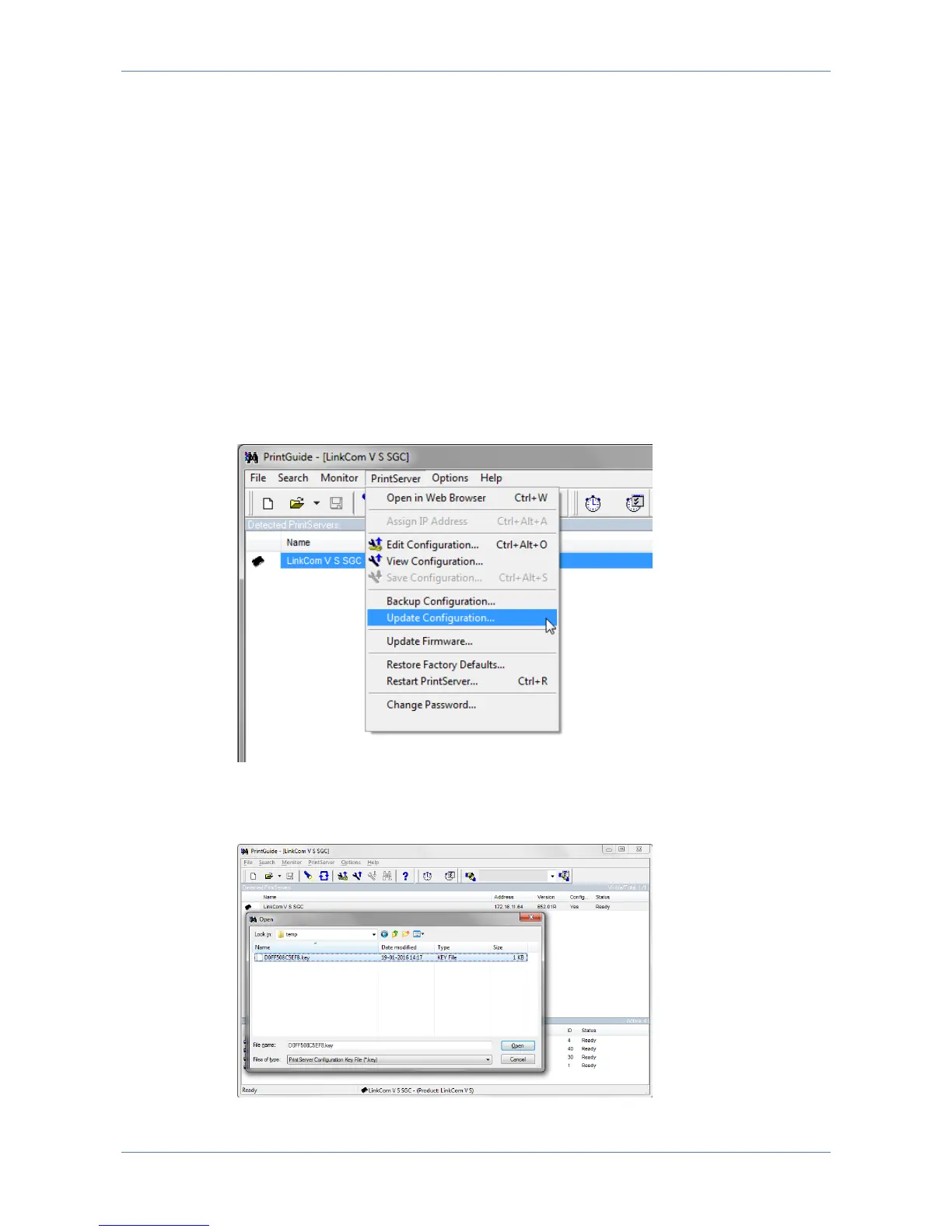
Open PrintGuide, and highlight the LinkCom 5 PrintServer to be feature
updated.
Go to menu “PrintServer”, “Update Configuration”.
Change file type to “PrintServer Configuration key file” and browse to the
location of your feature *.key file
Select file, and click Open.



 To Next Page