LinkCom 5 User Manual
Page 79
Solution 2
Use PrintGuide (version 065.490 or newer) to back up the PrintServer configuration
before restoring to factory defaults. A xxxxxx.upd file is created.
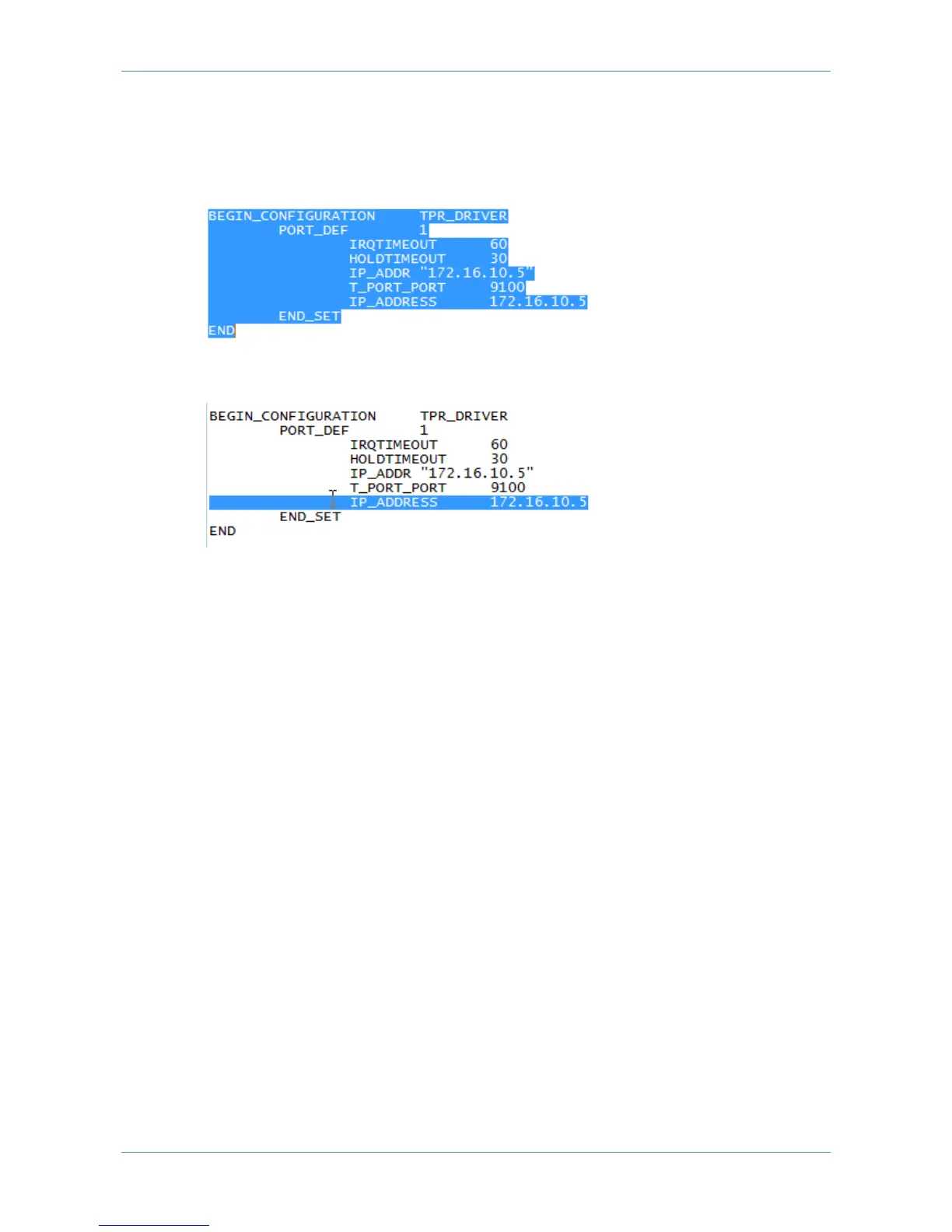
Open the xxxxxx.upd file in Notepad, and locate the following section:
Remove the entire line starting with IP_ADDRESS (representing the old printer
address format).
Save the updated backup file.
Use PrintGuide to restore to factory defaults, restart the PrintServer and wait for it
to come online again.
Use PrintGuide to upload the corrected settings file. From menu “PrintServer”
,”Update Configuration”.
Accept to import settings and restart the PrintServer.
After the PrintServer restart, printer address settings can again be modified using
PrintGuide.
15.2 LinkCom 5 hangs during a restart
Problem:
In some special cases the LinkCom 5 PrintServer hangs during start up after a
reconfiguration.
The PrintServer will most likely end in a situation where the LAN LED flashes slowly
and continues to do so.
Solution:
Power cycle the PrintServer. It should become available after a restart.
15.3 Not able to see options for Matrix printing
Problem:



 To Next Page