LinkCom 5 User Manual
Page 53
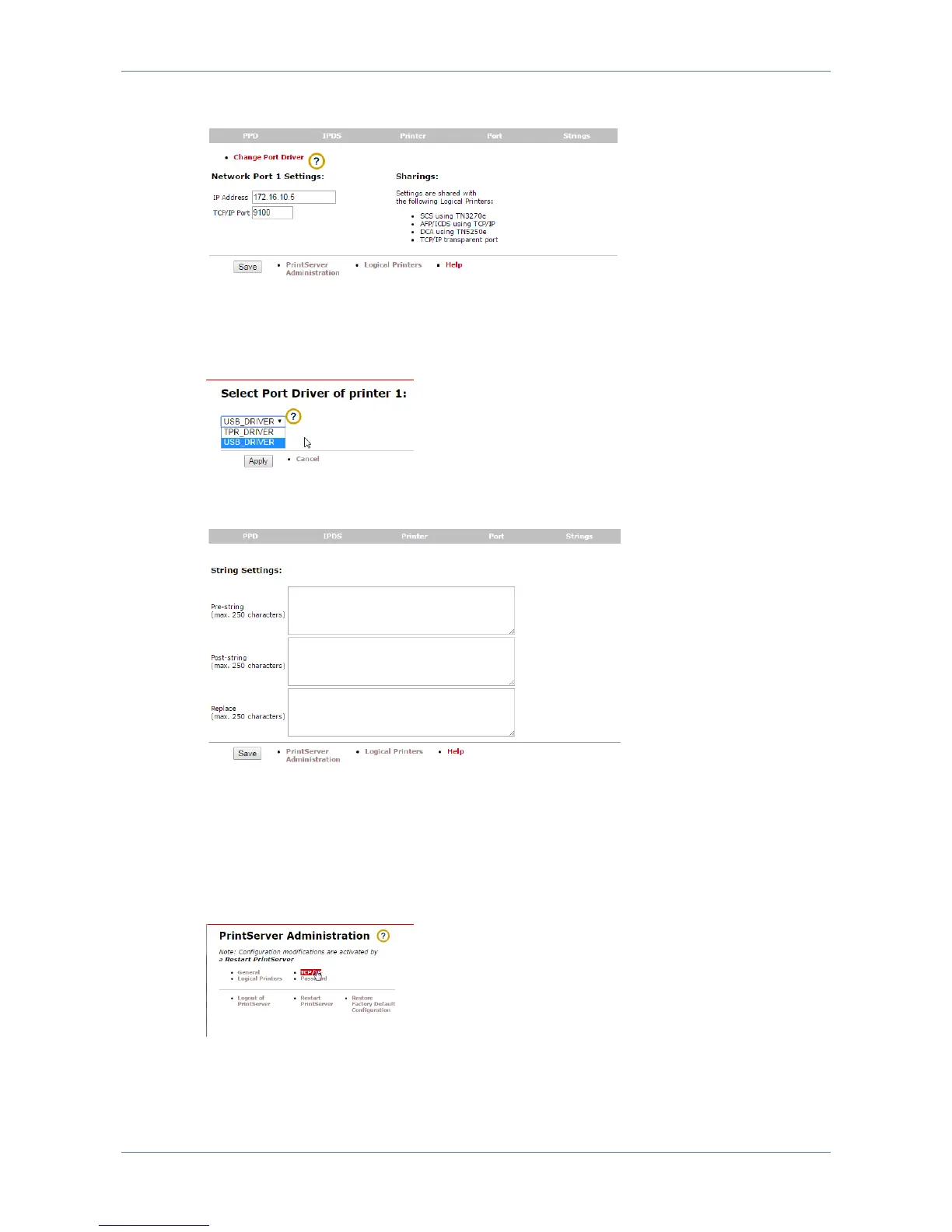
Network port settings
The Port sections allows for entering TCP/IP port as well as IP Address or DNS
name for the output printer. By clicking the “Change Port Driver” option, it is also
possible to change between USB and TCP/IP printing.
Sting settings
The Strings section options include entering Pre-,Post-, or Replace-strings to the
output printer. This is handy if the host sends commands to e.g. change fonts, and
this requires a special command sequence in order for the output printer to
understand.
7.10.6 TCP/IP section
The TCP/IP section gives access to network settings for the LinkCom 5 PrintServer.
It includes DHCP assigned or manual assigned IP address, hostname, Gateway and
DNS server entries.



 To Next Page