© Munters AB, 2020 64
In order to calibrate the inlets/vents using a potentiometer:
•
Install and map at least one potentiometer
•
Calibrate the potentiometer. Calibration must be successful.
In for any reason potentiometer calibration does not function:
•
calibration is by time (auto and/or at power up). Time calibration does not fail.
•
A potentiometer alarm is generated (if alarms are enabled) . The alarm must be reset to enable
potentiometer calibration to function.
7.7.2.2
Calibrating the Inlets/Tunnel Door
During installation, the user enables auto-calibration or power up calibration in digital output (relay) inlets.
Calibration automatically takes place after the number of inlet movements equals the number of
movements required to start calibration or at Trio power up..
Only one inlet or tunnel curtain can be calibrated at a time.
•
Relay open occurs when the target position is 100%.
•
Relay close occurs when the target position is 0%.
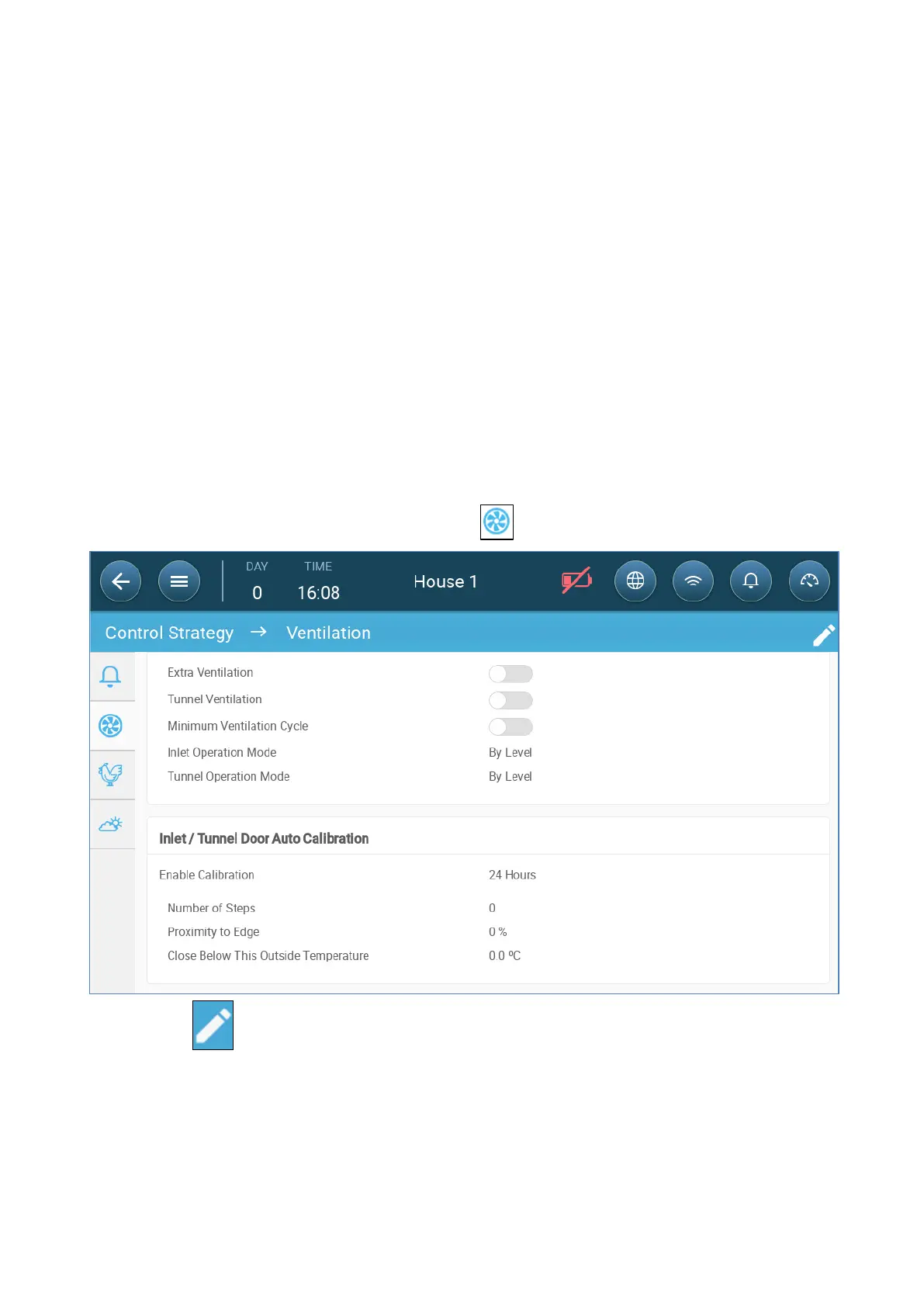
1. Go to System > Control Strategy > Ventilation .
2. Click .
3. Define:
o
Enable Calibration: Select 24 hours a day or define a specific time frame.
o
Number of steps: Set up the number of steps (number of movements).
o
Proximity to Edge: Inlets will open or close based on this proximity to the edge. For
example, when set to 10%, the curtain closes when the opening is less than 10% and
opens completely when the opening is greater than 90%.



 To Next Page