IOM-EZVAVINST
Date: 10-2016 Supersedes: 7-2016
Nailor reserves the right to change any information concerning product or specification without notice or obligation.
Page 12 of 48
Installation and Operation Manual
●
EZvav Digital Controls
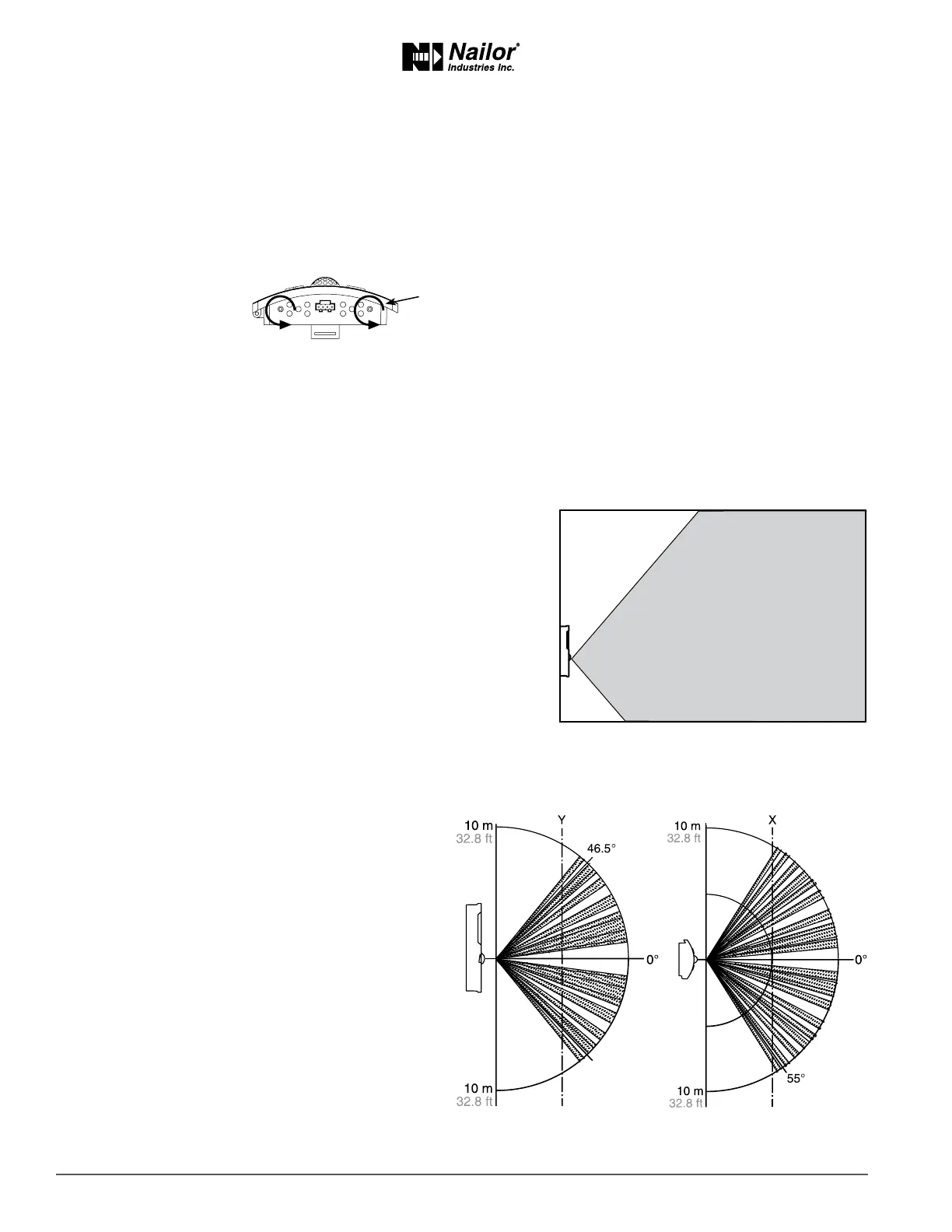
Turncounterclockwiseunlthe
screwsengagethecase.
2. Route the Ethernet cable through the mounng base.
3. Fasten the mounng base directly to a 2 x 4 inch (51 x 102 mm) outlet box or a backplate with the Allen screws toward
the oor.
4. Insert the Ethernet cable coming from the base into the sensor.
5. Place the top of the sensor over the top of the mounng base and swing it down over the Allen screw brackets. Be
careful not to pinch any wiring.
6. Turn the Allen screws counterclockwise unl they back out of the mounng base and engage the case of the sensor.
Operaon
The sensor will become operaonal as soon as it is connected to an operaonal controller. See the following pages to change room
set points or congure a EZvav controller with the sensor.
Maintenance
Remove dust as necessary from holes in top and boom. Clean the display with so, damp cloth and mild soap.
Planningformoonsensing
For moon sensing models only — Mount the sensor on a wall that will
have an unobstructed view of the typical trac in the coverage area. When
choosing a locaon, do not install the sensor in the following areas.
• Behind curtains or other obstrucons.
• In locaons that will expose it to direct sunlight or heat sources.
• Near a heang or cooling inlet or outlet.
The eecve detecon range is approximately 33 feet (10 meters). Factors
that may reduce the range may include the following items.
• The dierence between the surface temperature of the object and
the background temperature of the room is too small.
• Object movement in a direct line toward the sensor.
• Very slow or very fast object movement.
• Obstrucons in the shaded area of the diagram
Typical moon sensing coverage.
False detecons may be triggered by any of the following
condions.
• The temperature inside the detecon range
suddenly changes because of the entry of cold or
warm air from an air-condioning or heang unit.
• The sensor being directly exposed to sunlight, an
incandescent light, or other source of far-infrared
rays.
• Small animal movement.
Typicalmoonsensingcoverage
Moonsensorvercalandhorizontalpaerns
Sideview Topview



 To Next Page