IOM-EZVAVINST
Date: 10-2016 Supersedes: 7-2016
Nailor reserves the right to change any information concerning product or specification without notice or obligation.
Page 13 of 48
Installation and Operation Manual
●
EZvav Digital Controls
Secon4: ChangingtheRoomSetPoint
This secon covers topics for the end user.
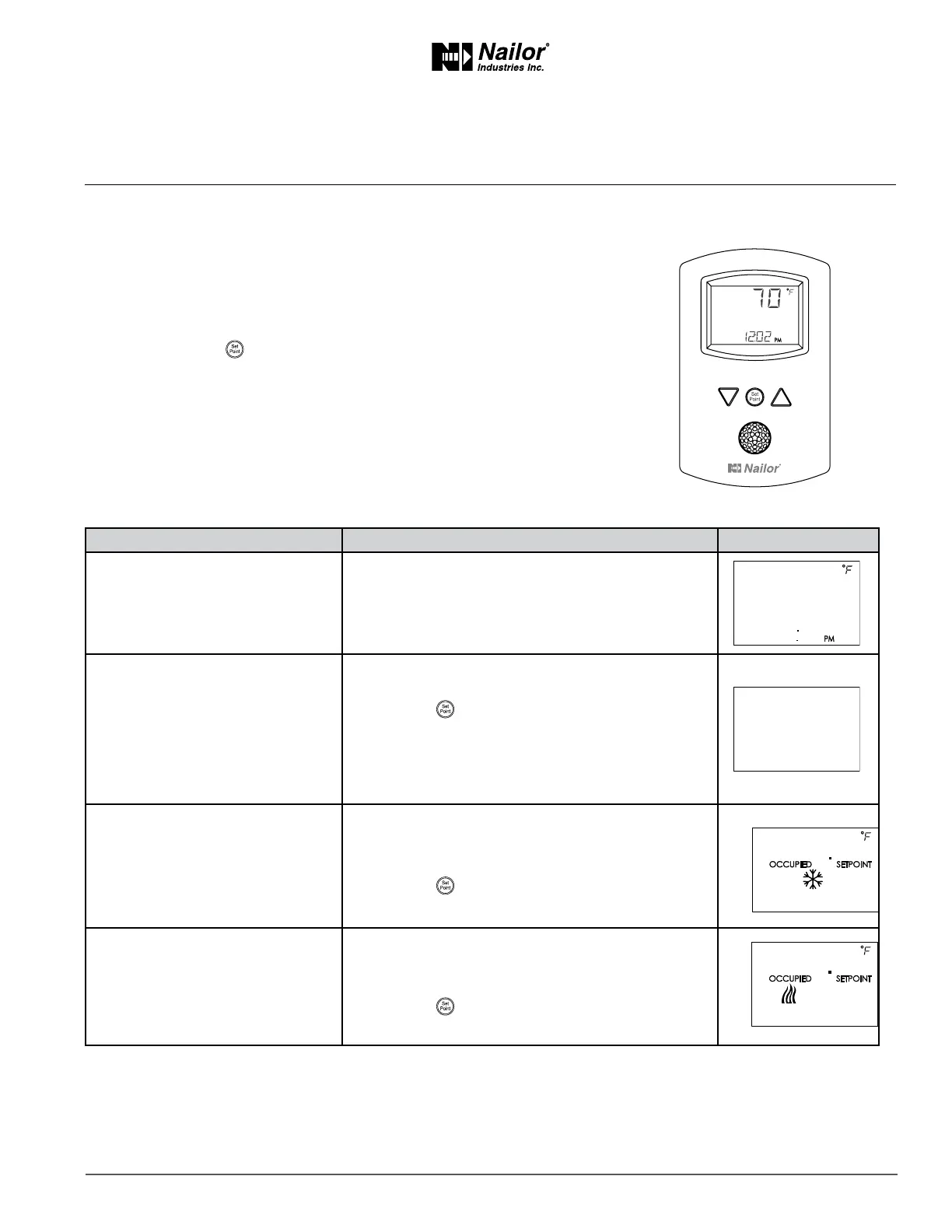
Changing the EZvav user funcons with an STE-8001W36 or STE-8201W36 are limited to changing the acve set points in a room.
The set points are entered or changed using the buons and display on the front of the sensor.
Quick start to changing set points
1. Press any buon to begin changing set points.
2. If required, enter Password 1.
3. Press the up
∆
or down
∆
buons to change a set point value.
4. Press the
buon to save the value or advance to the next funcon.
To enter or change the acve set points you may need Password 1 .
Tip: Once the following procedure is started, all steps must be completed in order.
ChangingRoomSetPoints
PROCEDURE STEPS STEDISPLAY
1 Starng display Start from the temperature display.
2 Enter Password 1
1. Press any buon. The display changes to PSW1.
2. Press the
∆
or
buons to change the rst digit.
3. Press the
buon to select the next digit. Repeat
for all four digits.
Note: If Password 1 has not previously been entered,
the display will change to the occupied cooling set point
display aer Step 1.
3 Set the acve cooling set point.
1. Press the
∆
or
buons to change the cooling
set point temperature. The set point changes in
increments of 0.5 degrees.
2. Press the
buon to save the value.
The display advances to set the heang set point.
4 Set the acve heang set point.
1. Press the
∆
or
buons to change the heang
set point temperature. The set point changes in
increments of 0.5 degrees.
2. Press the
buon to save the value.
The display returns to the temperature display.
∆
∆
∆



 To Next Page