IOM-EZVAVINST
Date: 10-2016 Supersedes: 7-2016
Nailor reserves the right to change any information concerning product or specification without notice or obligation.
Page 16 of 48
Installation and Operation Manual
●
EZvav Digital Controls
Proceduretosetthetemperaturesetpoints(connue)
PROCEDURE STEPS STEDISPLAY
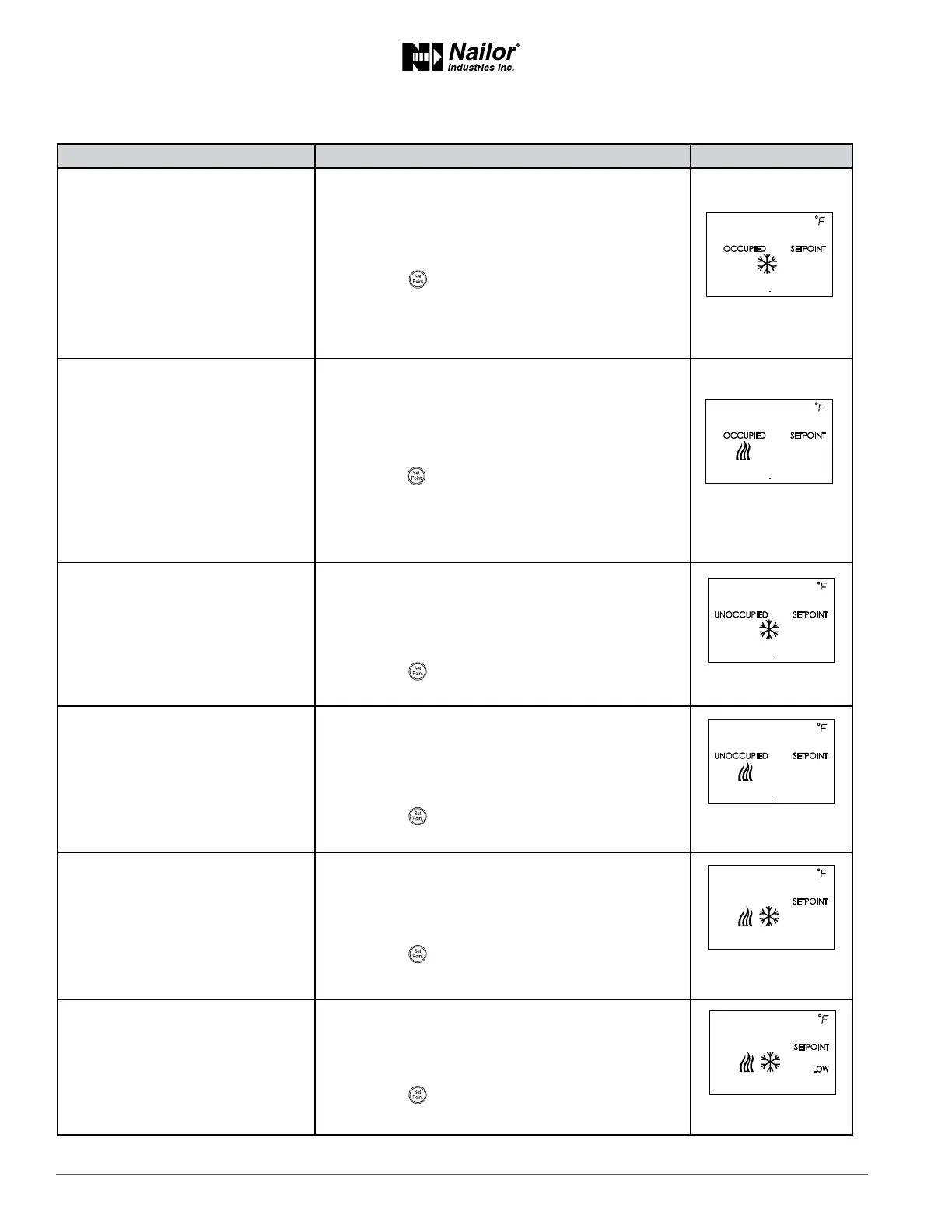
5 Set the occupied cooling set point.
This set point is used as the acve set point when the
space is occupied.
1. Press the
∆
or
buons to set the occupied
cooling set point. The set point will change in 0.5°
increments.
2. Press the buon to save the set point and
advance to the next funcon.
Note: This set point can also be changed as described in
the topic Changing the room set point on page 13.
6 Set the occupied heang set
point.
This set point is used as the acve set point when the
space is occupied.
1. Press the
∆
or
buons to set the occupied
heang set point. The set point will change in 0.5°
increments.
2. Press the buon to save the set point and
advance to the next funcon.
Note: This set point can also be changed as described in
the secon Changing the room set point on page 13.
7 Set the unoccupied cooling set
point.
This set point is used as the acve set point when the
space is unoccupied.
1. Press the
∆
or
buons to set the unoccupied
cooling set point. The set point will change in 0.5°
increments.
2. Press the
buon to save the set point and
advance to the next funcon.
8 Set the unoccupied heang set
point.
This set point is used as the acve set point when the
space is unoccupied.
1. Press the
∆
or
buons to set the unoccupied
heang set point. The set point will change in 0.5°
increments.
2. Press the
buon to save the set point and
advance to the next funcon.
9 Set the supply air temperature
changeover set point.
Not used in all models.
This set point sets the supply air temperature at which
the controller will change between heang to cooling.
1. Press the
∆
or
buons to set the changeover set
point. The set point will change in 1° increments.
2. Press the
buon to save the set point and
advance to the next funcon.
10 Set the minimum temperature
dierenal set point.
The minimum allowable temperature value between
the cooling and heang set points.
1. Press the
∆
or
buons to set the dierenal set
point. The set point will change in 1° increments.
2. Press the
buon to save the set point and
advance to the next funcon.
∆
∆
∆
∆
∆
∆


 To Next Page
 Loading...