VS1 Operations and Maintenance Manual Operating the transmitter
Page 2-114 Issue 3.1 2013-10-01
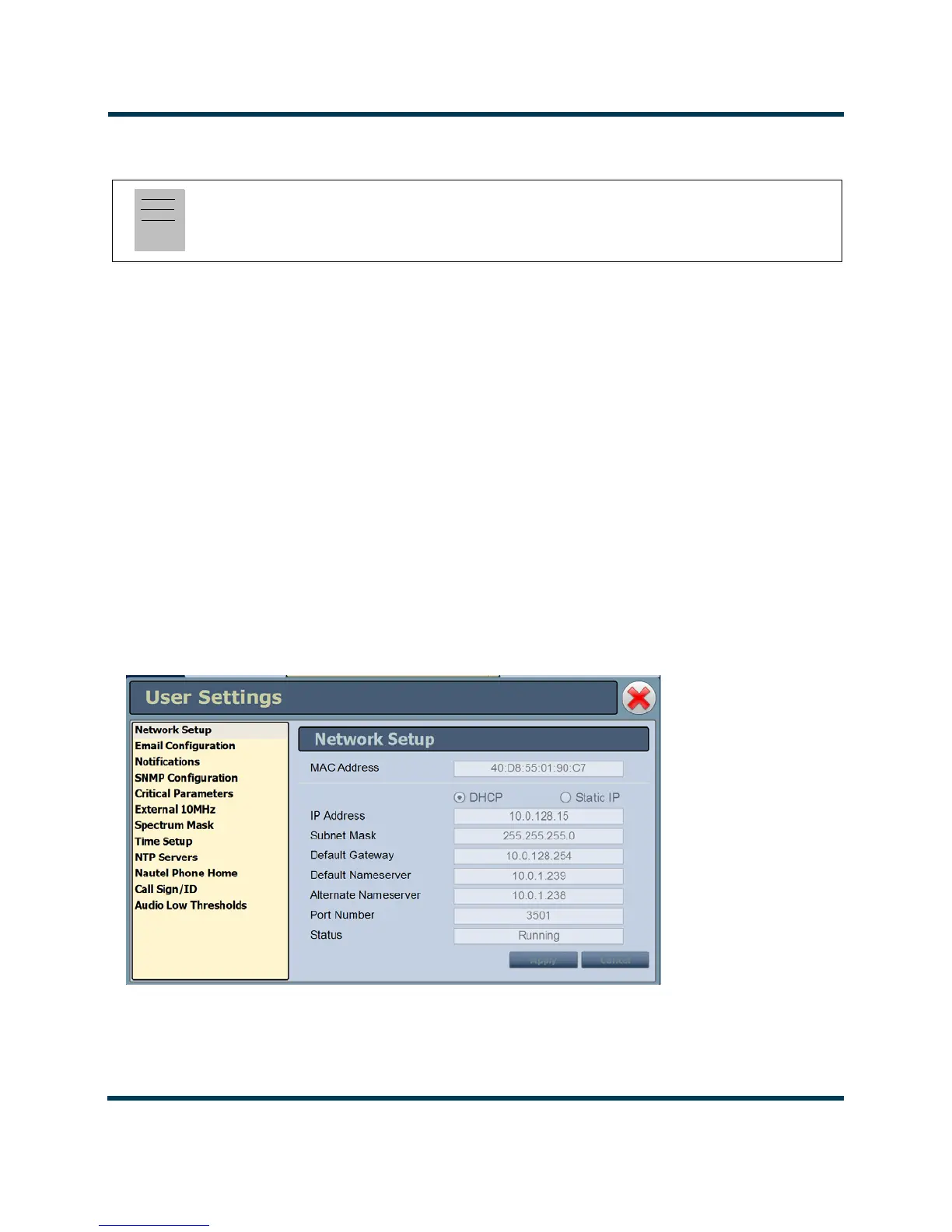
Network Setup - Using the AUI
By entering the VS1’s established IP address into an Internet browser’s address bar, and then logging
into the AUI, you can view and edit the network parameters (see Figure 2.98). You must have remote
control enabled to edit network settings using the remote AUI.
The MAC Address and Status fields are read-only; they cannot be edited.
You must select Static IP to be able to edit the IP Address, Subnet Mask, Default Gateway and
Nameserver fields. If you are in DHCP mode, these fields will be assigned automatically.
The Status field identifies the status of the network.
• Running: transmitter is connected to a network and is functioning properly.
• Not Running: transmitter is not connected or is not functioning properly. When in this
state, remote AUI access is not possible.
Figure 2.98: Network Setup Page
Note:
Nautel recommends that the following settings be entered/vetted by a qualified Network
Administrator.
All IP addresses
shown are for
reference
purposes only



 To Next Page