VS1 Operations and Maintenance Manual Operating the transmitter
Page 2-116 Issue 3.1 2013-10-01
• Transmitter Name: Set to a name that associates to the transmitter such as station
identification (e.g., VS_WXYZ). This name will be included in notification emails.
• Sender Email Address: Enter as a standard email address (e.g., a@b.com). This will be
the sender address that notification email recipients will see. Free web based email
service accounts (Gmail, Hotmail, Yahoo mail etc.) are acceptable here.
• Authentication Required: If your email server requires authentication to send emails,
click the check box and enter the appropriate Username and Password to allow this. If
the check box is not selected, the Username and Password fields do not appear.
2. When complete click Apply or click Cancel to restore the previous setting. Use the Te st
button to enter an email address to test your settings. Click the OK button to run the test or
the Cancel button to return to the Email Configuration page.
Notifications
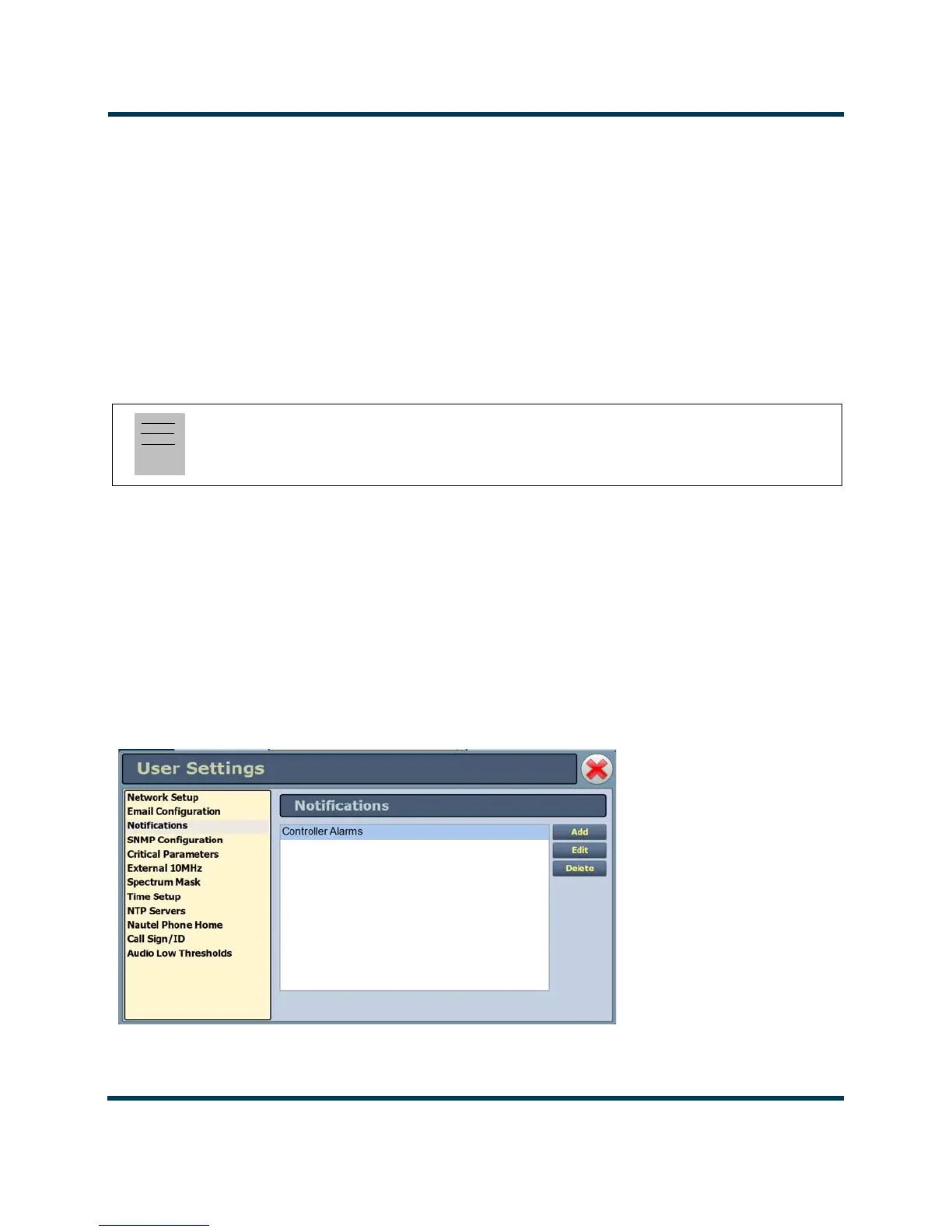
The notifications feature (see Figure 2.100) provides a means for the transmitter to issue emails
triggered by user defined alarm events. If you use this feature, you must also configure an email (see
Upgrading Software on page 2-94).
Figure 2.100: Notifications
Note:
The transmitter will automatically handle encryption if the associated mail server requires it.



 To Next Page