VS1 Operations and Maintenance Manual Operating the transmitter
Issue 3.1 2013-10-01 Page 2-117
To configure the notifications feature, perform the following steps:
1. Pre-existing notifications are displayed in the Notifications list (e.g., “Audio Loss”. Click Add
to create a new item for notification, click Update (after highlighting an existing item) to edit
an existing item or click
Delete to erase an item.
2. When you click
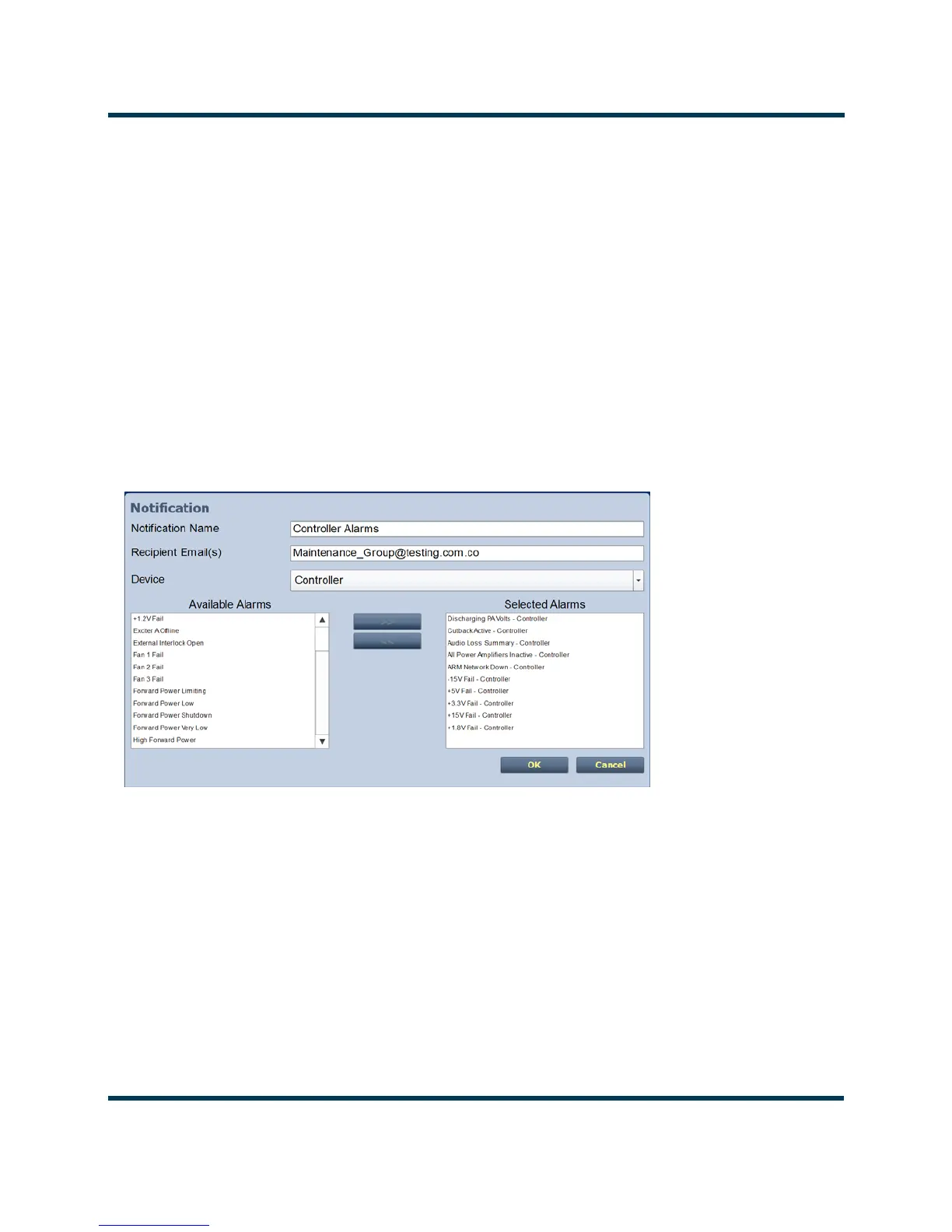
Add or Edit, the screen in Figure 2.101 will appear. This screen allows you to
add or edit a Notification Name, Recipient Email, and define the alarm list by Device type
(Controller, Exciter A or B, Rack #or RF Module #). Add or remove alarms by moving them
(using the >> and << arrow buttons) from the Available Alarms list to the Selected Alarms
list. An email is issued when any alarm in the Selected Alarms list is active.
3. When complete click the OK button to accept changes or the Cancel button to discard
changes and return to the
Notifications page.
Figure 2.101: Notifications Adding/Updating



 To Next Page