VS1 Operations and Maintenance Manual Operating the transmitter
Issue 3.1 2013-10-01 Page 2-171
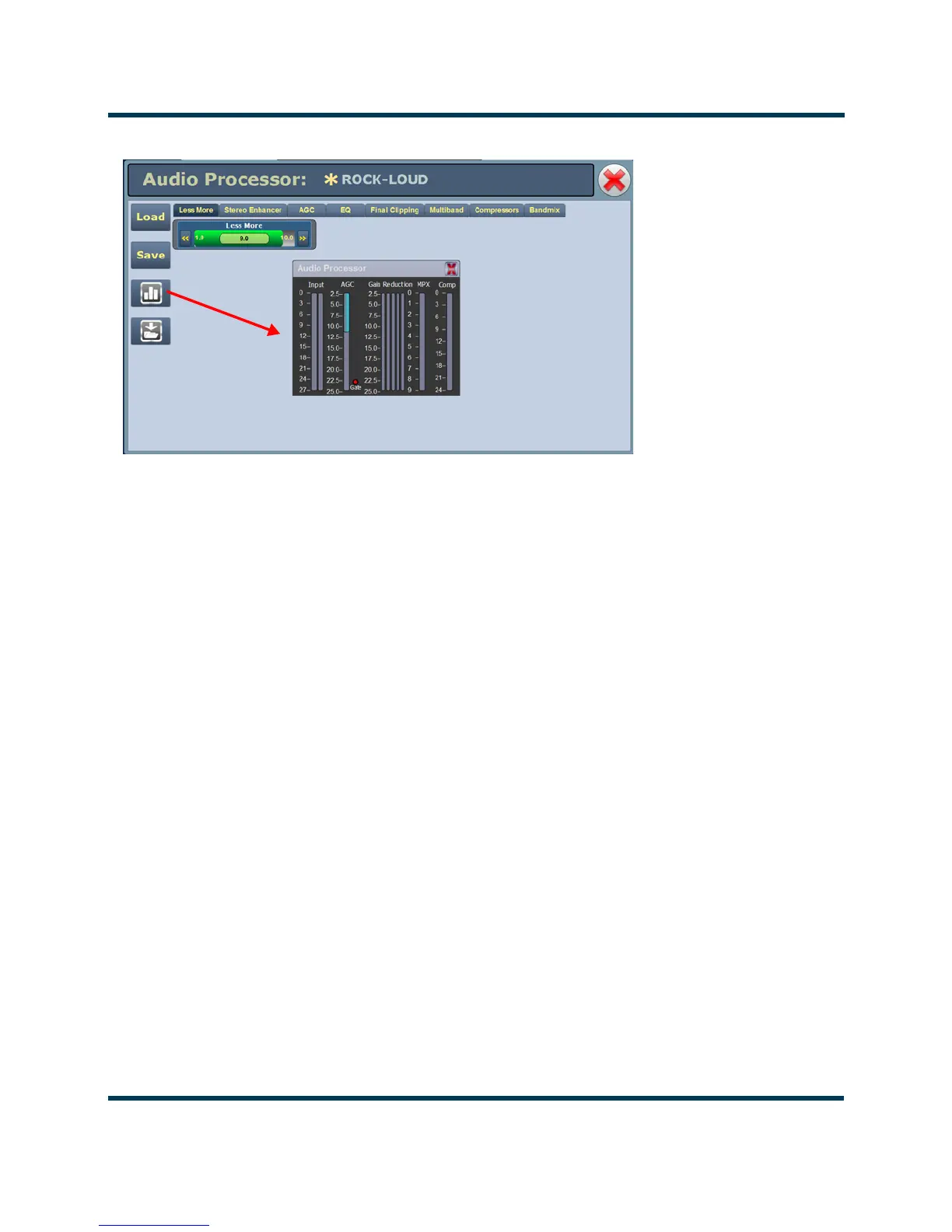
Figure 2.154: Audio Processor meter window
There are two types of Orban audio processor presets: factory presets and user presets. Factory
presets, designated by an 'F' in the Load or Save screens, cannot be modified. When a factory preset
control is changed, a new preset is automatically created. This preset's default name will be the same
as the Orban preset with an asterisk (*) prefix (e.g., * EXTREME). Modified presets should be saved
to a new name, otherwise they will be overwritten by any edits made to subsequent presets. A saved
preset will display as a User preset, designated by a 'U' in the Load or Save screens. User presets can
be modified.
Tab Sections
The following tabs (and referenced Figure numbers) are available on the Audio Processor page. Each
provides specific control functions for the selected preset. Refer to the Orban Optimod 5500 manual
for details on these settings.
• Less More - see Figure 2.153 on page 2-170
• Stereo Enhancer - see Figure 2.155 on page 2-172
•AGC - see Figure 2.156 on page 2-172
• EQ - see Figure 2.157 on page 2-173
• Final Clipping - see Figure 2.158 on page 2-173
• Multiband - see Figure 2.159 on page 2-174
• Compressors - see Figure 2.160 on page 2-174
• Bandmix - see Figure 2.161 on page 2-175



 To Next Page