VS1 Operations and Maintenance Manual Operating the transmitter
Issue 3.1 2013-10-01 Page 2-47
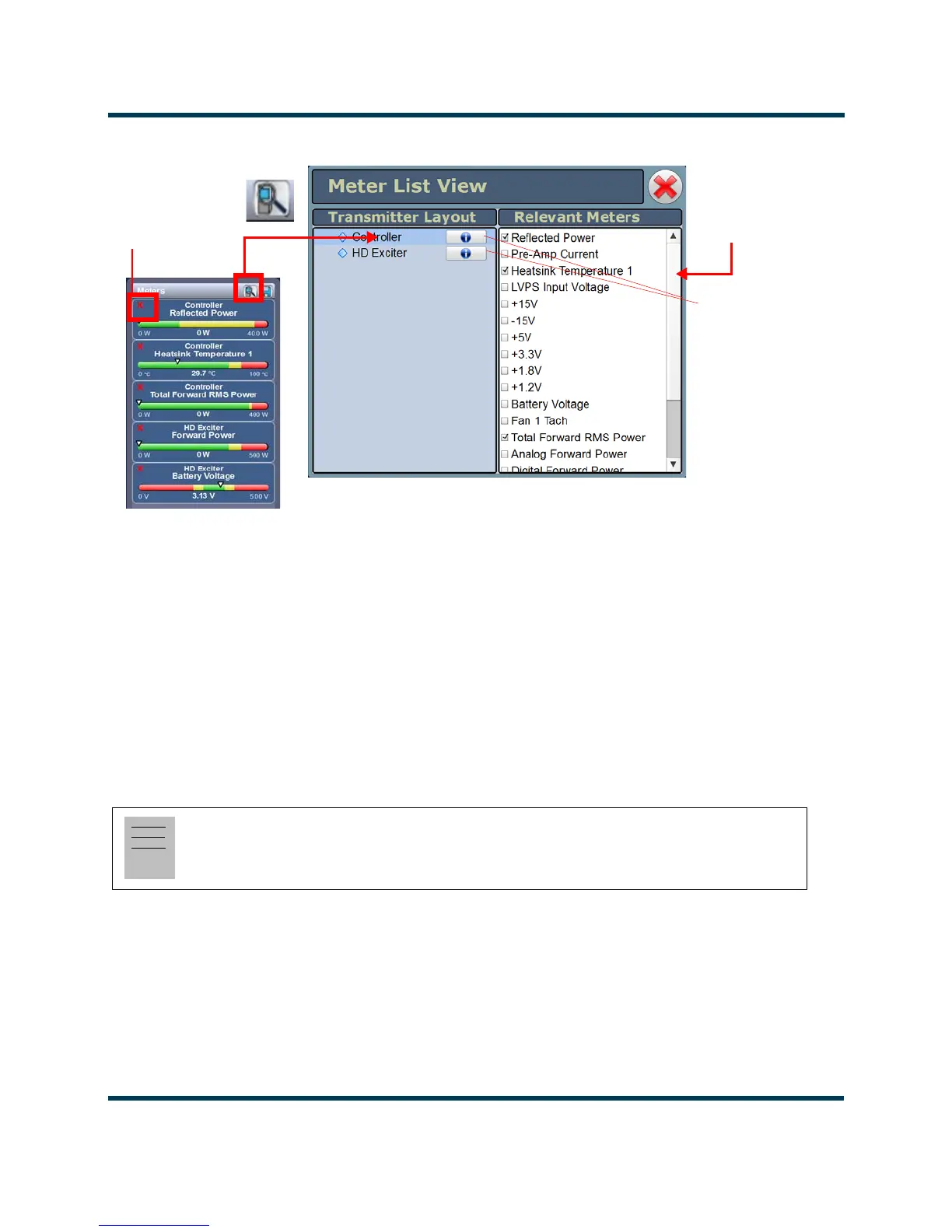
Figure 2.33: VSHD Meter List View Window (Controller Shown)
Identifying meter information on a specific sub-device
1. Open the Meters List View window and select one of the desired transmitter sub-devices.
– Controller
– Exciter
– HD Exciter (with VSHD connected)
2. Under Transmitter Layout, press the information button (i) beside a device type. This will open
an information window in tabular format (see Figure 2.33).
3. To choose individual meters for display in the
Meters window of the Home page: Select the
device type name in the
Transmitter Layout panel and select the checkbox next to the desired
meters shown in the
Relevant Meters panel (see Figure 2.33). If the Relevant Meters panel
contains more than one page of information, use the scroll bar (right-side) to find the desired
meter.
Note:
When a meter value is updated, a blue box briefly appears around that value. Typically, updates
occur every one or two seconds.
X
to close/delete
Scroll Bar
Information
Buttons
(displays full set
of meters for
specific
sub-device)



 To Next Page