VS1 Operations and Maintenance Manual Operating the transmitter
Issue 3.1 2013-10-01 Page 2-49
Saving a meter list
To save meter specifics for display on the Home page:
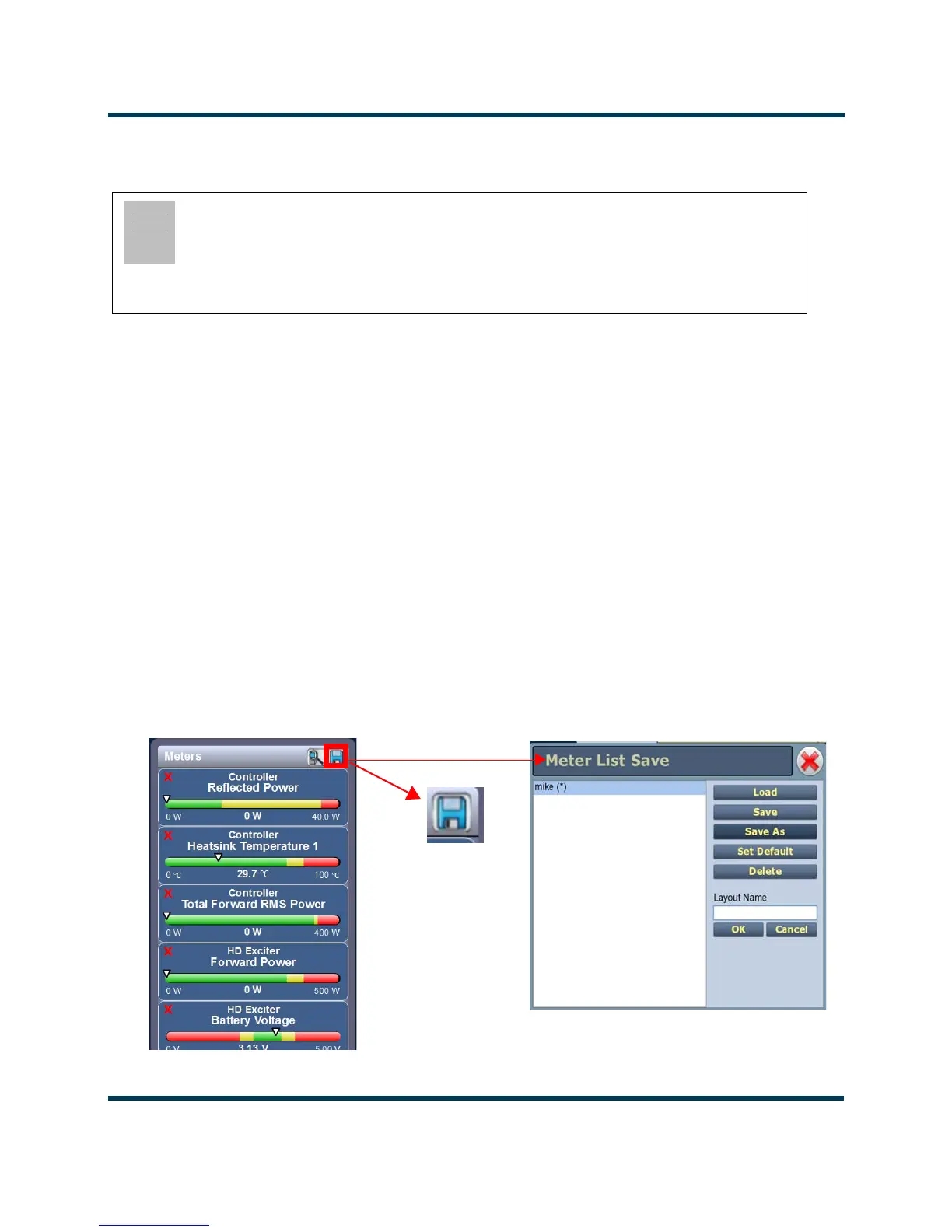
Open the Meter List Save window from the Home page using the floppy disk button (Figure 2.35).
• Press Save As to save the currently displayed meters. Enter a name in the Layout Name
entry box and press OK.
• Press Delete to discard the selected meter list.
• Press Set Default to set the selected meter list as the default for the current user
account. The * symbol shows the default.
• Press Save to overwrite the selected meter list with the currently displayed meters.
• Press Load to display the meters saved under the currently selected meter list in the
Meters panel on the right-hand side of the Home page.
Figure 2.35: Meter List Save Window
Note:
Meter lists are associated with user accounts. Lists saved in this screen are only displayed in the
current user account. Setting a list as default will define the meters that will appear when logging
into the current account (or after an ac power interruption in the local AUI if this is the default
user account).



 To Next Page