Camera/Video Functions
Camera function allows you to take pictures and save as a JPEG file. You can enjoy the picture files in many ways: send it
attached to a MMS message, set it as the wallpaper, etc.
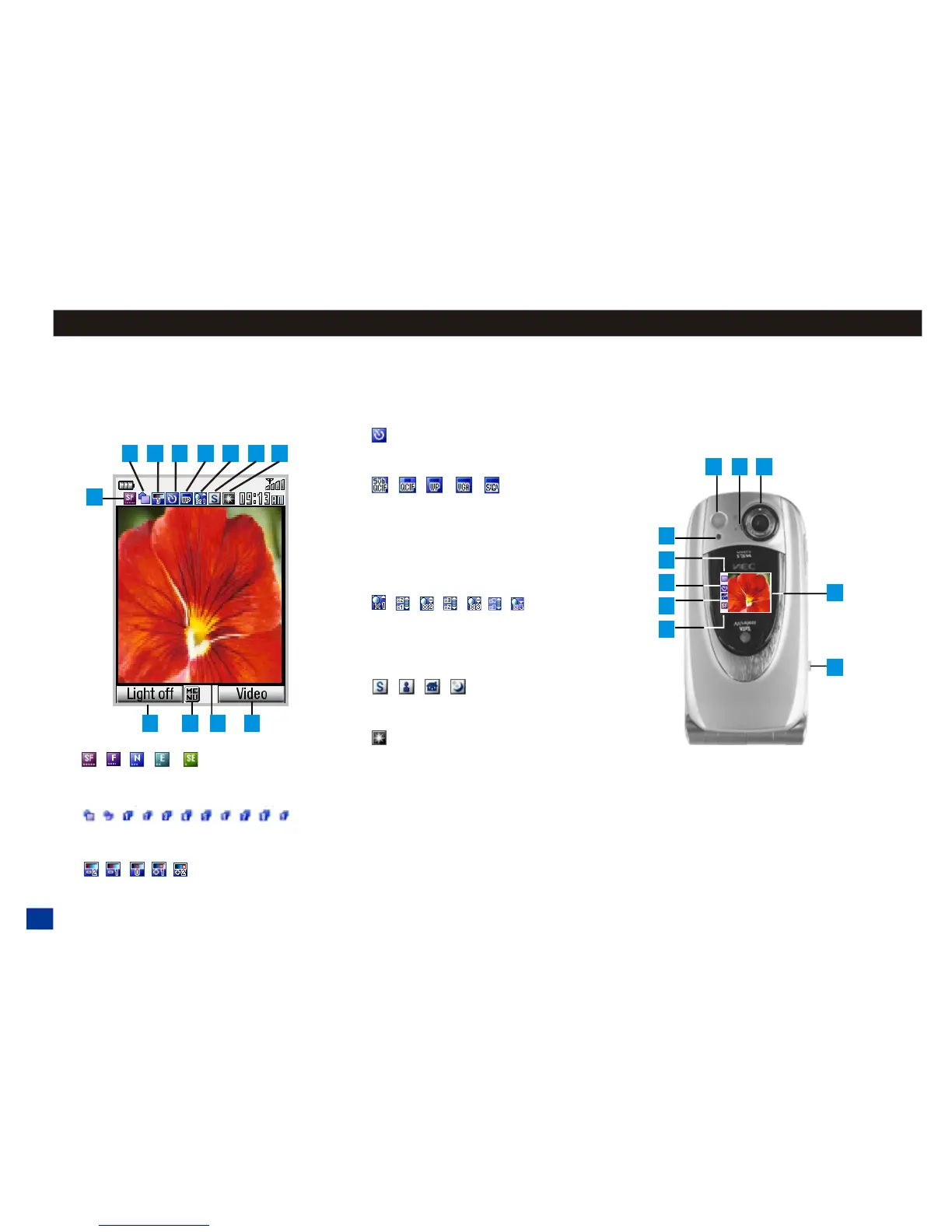
Camera viewfinder Screen
Main LCD (Flip is open)
1.
Image quality (Super fine, Fine, Normal,
Economy, and Super Economy)
2.
Single/burst mode/picture number in
shot mode
3.
Brightness setting
4.
Self timer is set on (The icon does not
display when timer is not set.)
5.
Photo size
Sub-QCIF (W128 x H96)
QCIF (W176 x H144)
Wallpaper (W240 x H320)
VGA (W640 x H480)
SXGA (W960 x H1280)
6.
Zoom level setting (X1, X2, X3, and X4)
Press Up or Down keys for additional
zoom levels between X1 - X2, X2 - X3,
and X3 - X4.
7.
Shoot environment setting
(Standard/Person/Room/Darkness)
8.
Camera light (Icon shows when light is
on. The icon does not display when
light is off.)
9. Softkey 1 to turn camera light on/off
10. Press MENU for Camera Options Menu
11. viewfinder screen
12. Softkey 2 to turn camera to video
13. LED flashes when picture is taken
14. Lens selector switch. Gently move
switch to flower design for close-up shots.
15. Camera lens
16. Side Up key (side key with the
arrow pointing towards the hinged end of
phone) Use the Side Up key or Select
button as the shutter button when taking a
picture.
144



 To Next Page