Additional features
130
Assigning or change a daily alarm
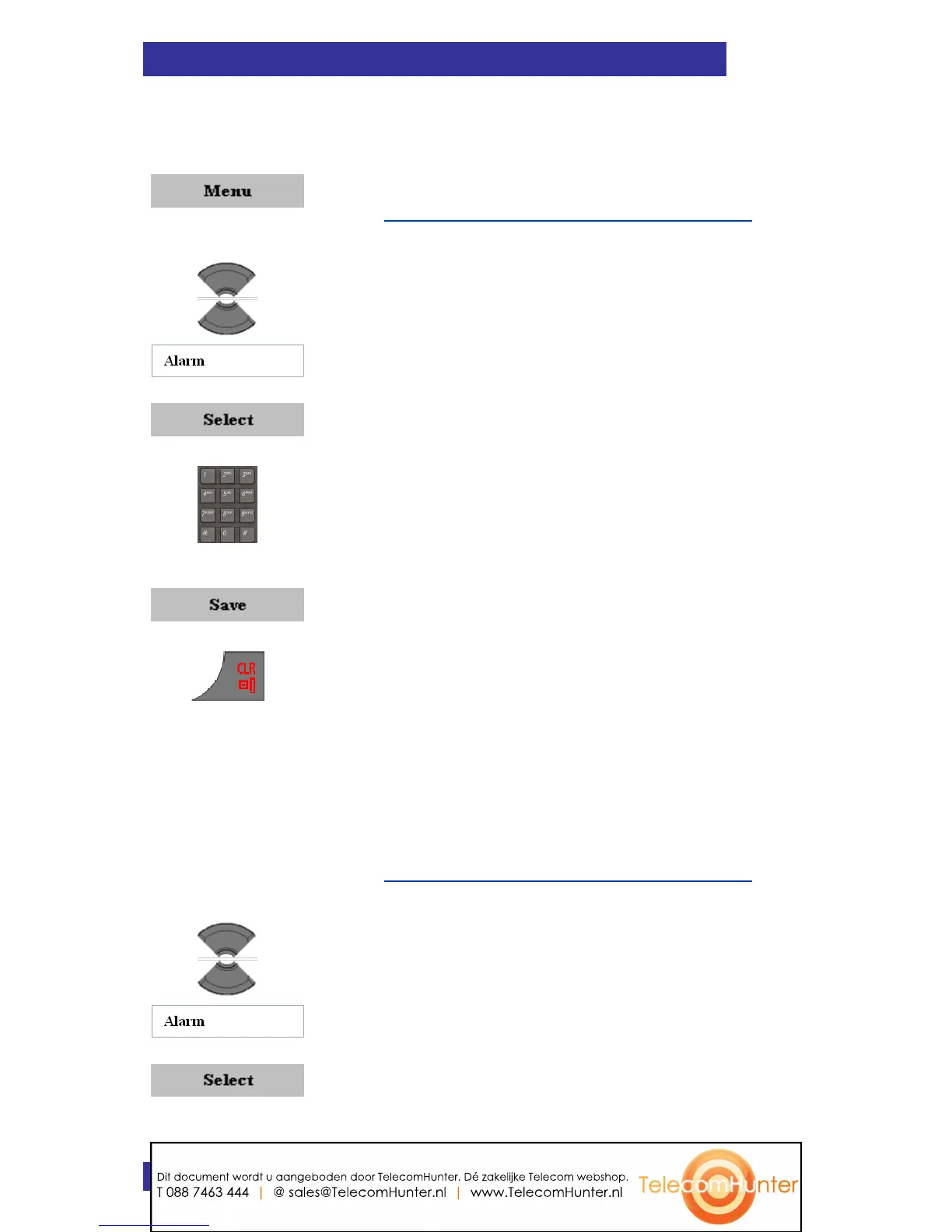
To assign or change a daily alarm, perform the following steps:
1. Open the Alarms menu as shown in
Accessing the Alarms menu (page 129).
2. Highlight the Alarm option.
3. Press the Select soft key.
4. Use the Keypad: Enter the alarm time.
5. Press the Save soft key.
6. Press the Clr key one or more times to return
to the idle display.
Turning off a daily alarm
To turn off a daily alarm, perform the following steps:
1. Open the Alarms menu as shown in
Accessing the Alarms menu (page 129).
2. Highlight the Alarm option.
3. Press the Select soft key.
Dit document wordt u aangeboden door TelecomHunter. Dé zakelijke Telecom webshop.
T 088 7463 444 | @ sales@TelecomHunter.nl | www.TelecomHunter.nl



 To Next Page