NMC-Junior Pro Installation Manual
Page 40
SYSTEM CONFIGURATION PROCEDURE
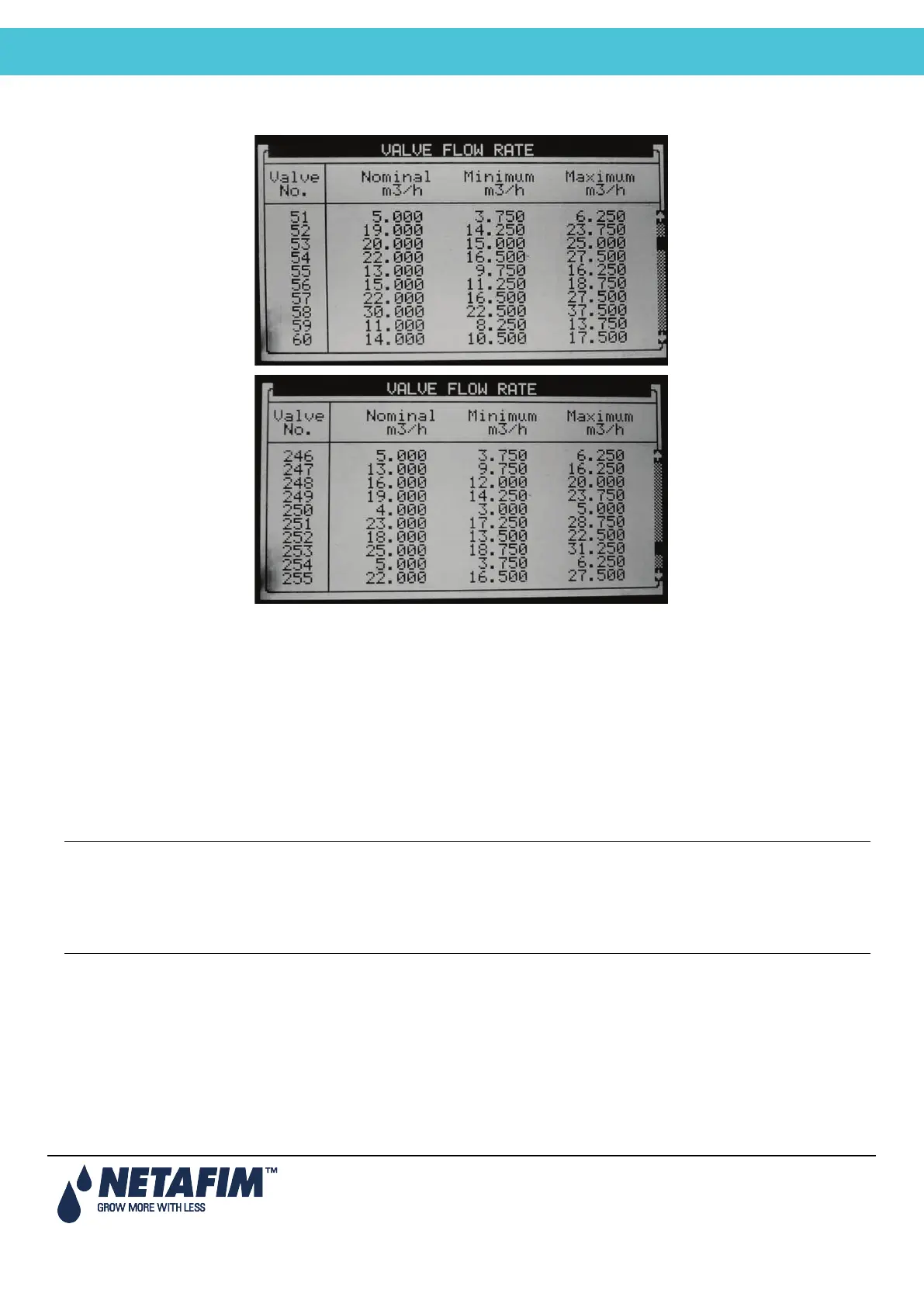
7.4 Valve Flow Rate
• Nominal: Define nominal valve flow rate (m3/h or gallon/min). The NMC-Junior Pro uses the set nominal flow
rate for calculating the ratio between valves when starting a few valves together, the boundaries for alarms,
the total flow rate for calculating how many pumps to start, etc. Therefore it is recommended to try and set the
nominal flow rate as close as possible to the actual flow rate.
• Minimum: Minimum valve flow rate, under which the system will generate a low flow alarm. When changing
the Nominal flow rate this setting is automatically set to 25% under the nominal flow, and can be manually
changed.
• Maximum: Maximum valve flow rate, above which the system will generate a high flow alarm. When changing
the nominal flow rate this setting is automatically set to 25% above the nominal flow, and can be manually
changed.
Note: When starting several valves simultaneously the system will sum their nominal, minimal and maximal flow
rates. An alarm will be generated only if the measured flow rate is lower than the total minimum, or higher than
the total maximum.
Note: When starting several valves simultaneously, the quantities between them will be divided based on the
ratio of their nominal flow.



 To Next Page