NMC-Junior Pro Installation Manual
Page 60
6. In Program > Dosing Program:
a. set the Target EC
b. set EC Dosing Method to Pr. Qty.
Example: A grower’s flower crop requires higher EC levels when the temperature goes above room temperature
(22° C). Using this screen, he can adjust the levels accordingly.
9.3 Water Run Time
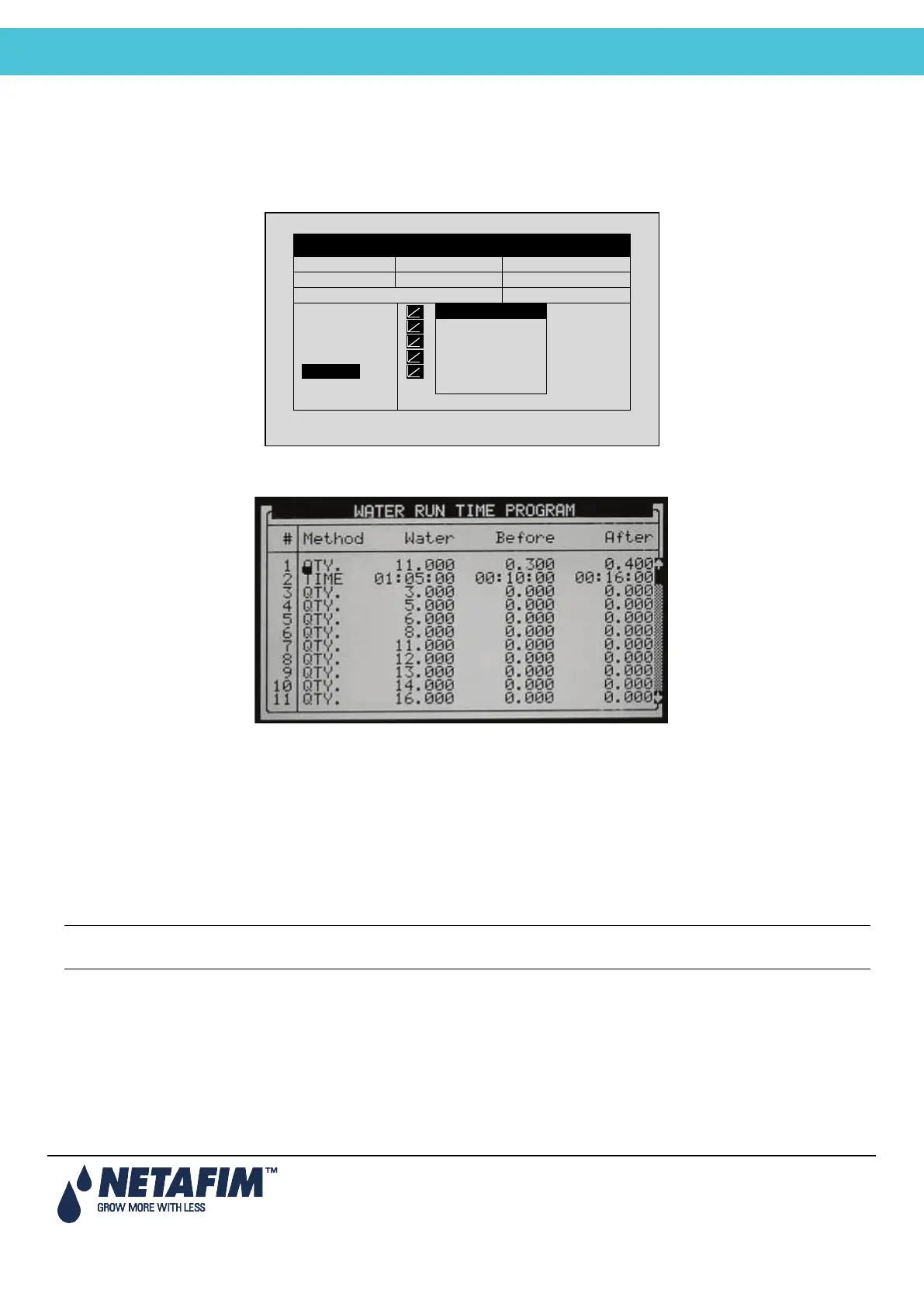
The WATER RUN TIME table has 60 “floating” programs; each program can be configured so that irrigation water is
given in time (HH:MM:SS) or in quantity (m
3
or gallon, depending on definitions in the System Setup, page 74). The
programs can later be connected to a valve or a group of valves through the Irrigation Program. Each program
includes water, water before and water after settings.
• Method: Select the method (QTY. Or Time) with the up/down arrow keys and press ENTER to confirm.
• Water: Set quantity / time for each program (liter or gallon). The water setting is the total quantity / time
including the Before and After settings.
• Before: Set quantity/time without dosing at the beginning of each irrigation cycle.
• After: Set quantity/time without dosing at the end of each irrigation cycle.
Note: Before and After settings are deducted from the Water settings. Therefore Water quantity/time must be
greater than or equal to the Before and After settings.
DATE: 2 –Feb-12 TIME 12:52-08
IRRIGATION PROGRAM
Screen 2 of 3 – In order to view the



 To Next Page