NMC-Junior Pro Installation Manual
Page 79
11.7 Write to Data Plug
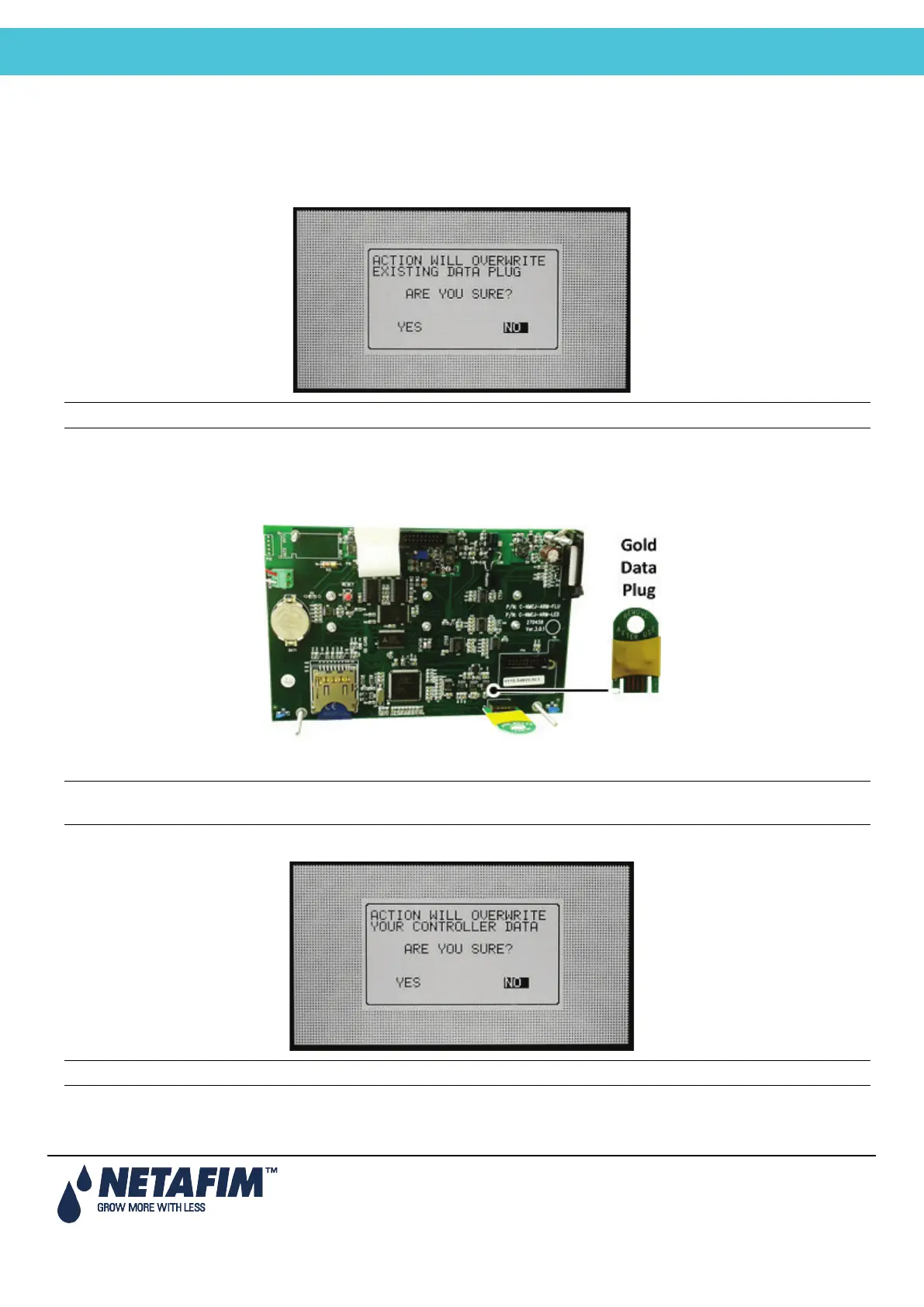
Use a data-plug to save controller settings and restore them when needed. Plug the Gold Data plug into the data-plug
socket (see Figure 2). The data-plug is symmetric so it can be plugged in both directions.
Enter the WRITE TO DATA PLUG screen and confirm your choice.
Note: When writing to a Gold Data-plug, old data on the plug will be overwritten.
11.8 Read from Gold Data Plug
Use a data-plug to upload and restore controller settings when needed. Plug the Gold Data Plug into the
NMC-JUNIOR PRO data-plug socket (see the figure below).
Figure 2: Data Plug
Note: Use the Gold Data plug when the system is idle; otherwise, some of the running programs might be
interrupted and moved to halt.
Enter the READ FROM DATA PLUG screen and confirm your choice.
Note: When reading from the data-plug, the current settings data on the controller will be overwritten.



 To Next Page