32 E2600 Controller-Drive Tray Installation Guide
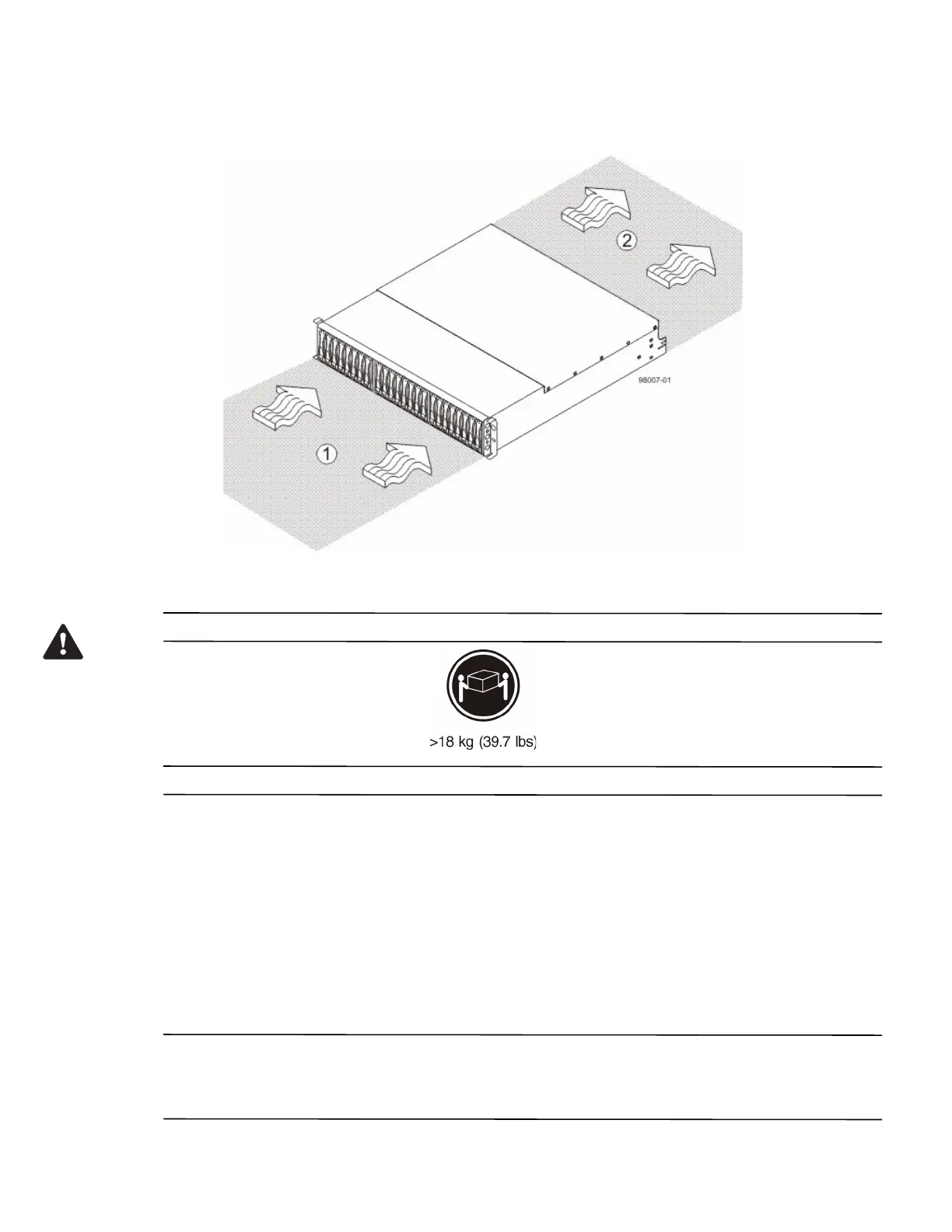
Figure 25 Airflow Direction Through and Clearance Requirements for the E2600 Controller-Drive Tray with 24
Drives
1. 76-cm (30-in.) clearance in front of the cabinet
2. 61-cm (24-in.) clearance behind the cabinet
WARNING (W08) Risk of bodily injury –
Two persons are required to safely lift the component.
1. Make sure that the cabinet is in the final location. Make sure that the cabinet installation site meets the
clearance requirements (see Figure 24 on page 31 and Figure 25).
2. Lower the feet on the cabinet, if required, to keep it from moving.
3. Install the mounting rails in the cabinet. For more information, refer to the installation instructions that are
included with your mounting rails.
— If you are installing the mounting rails above an existing tray, position the mounting rails directly above
the existing tray.
— If you are installing the mounting rails below an existing tray, allow 17.8-cm (7.00-in.) clearance below
the existing tray.
ATTENTION Risk of equipment malfunction – To avoid exceeding the functional and environmental limits,
install only drives that have been provided or approved by the original manufacturer. Not all controller-drive trays
are shipped with pre-populated drives. System integrators, resellers, system administrators, or users of the
controller-drive tray can install the drives.



 To Next Page