36 E2600 Controller-Drive Tray Installation Guide
3. With the help of at least two other persons, remove the drive tray and all of the contents from the shipping
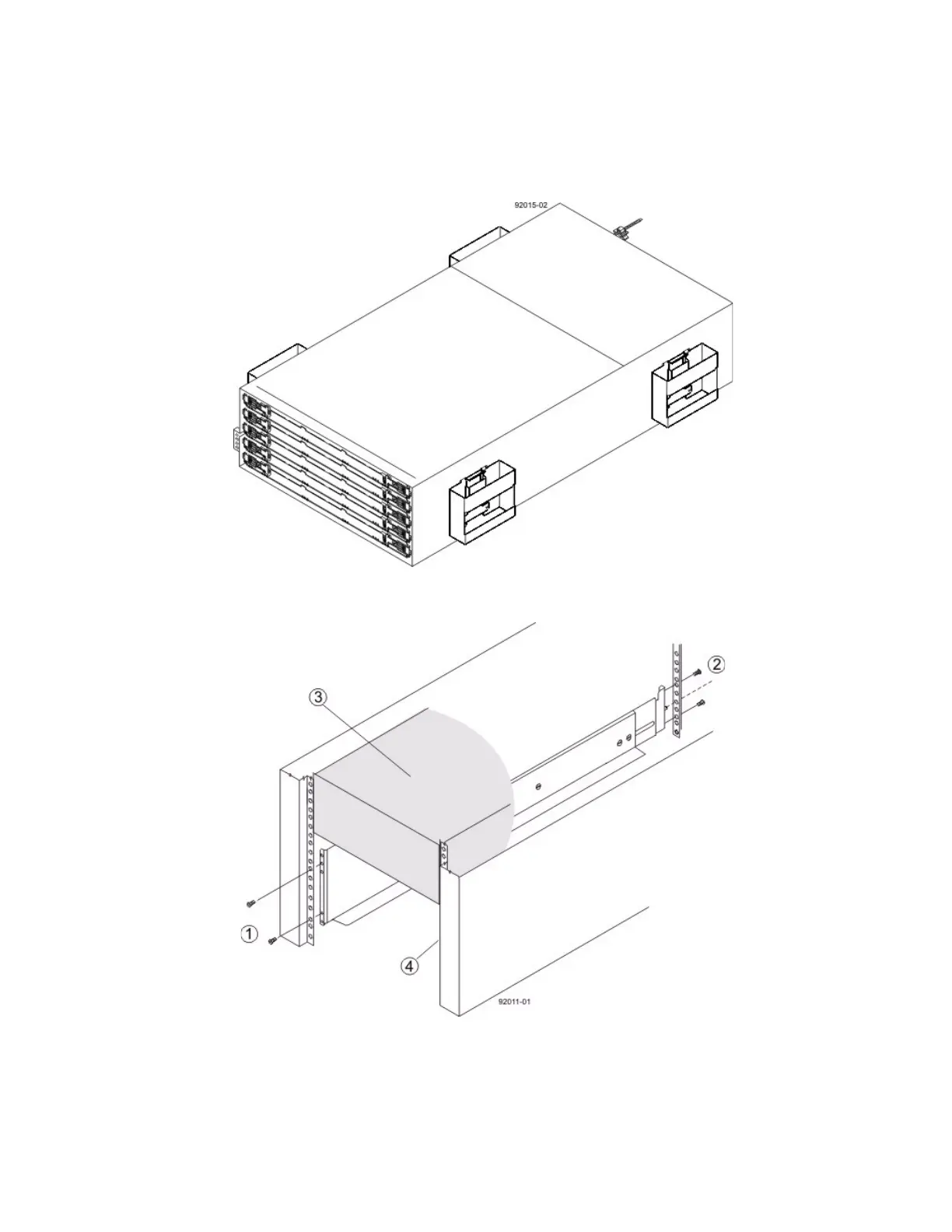
carton, using the four controller-drive tray handles (two to a side) as shown in the figure "E2660
Controller-Drive Tray with Controller-Drive Tray Handles (Two on Each Side)." Set the drive tray aside.
Figure 29 E2660 Controller-Drive Tray with Controller-Drive Tray Handles (Two on Each Side)
4. Position the mounting rails in the cabinet.
Figure 30 Positioning the Mounting Rails in the Cabinet
1. Screws for Securing the Mounting Rail to the Cabinet (Front)
2. Screws for Securing the Mounting Rail to the Cabinet (Rear)
3. Existing Tray
4. Industry Standard Cabinet



 To Next Page