40 E2600 Controller-Drive Tray Installation Guide
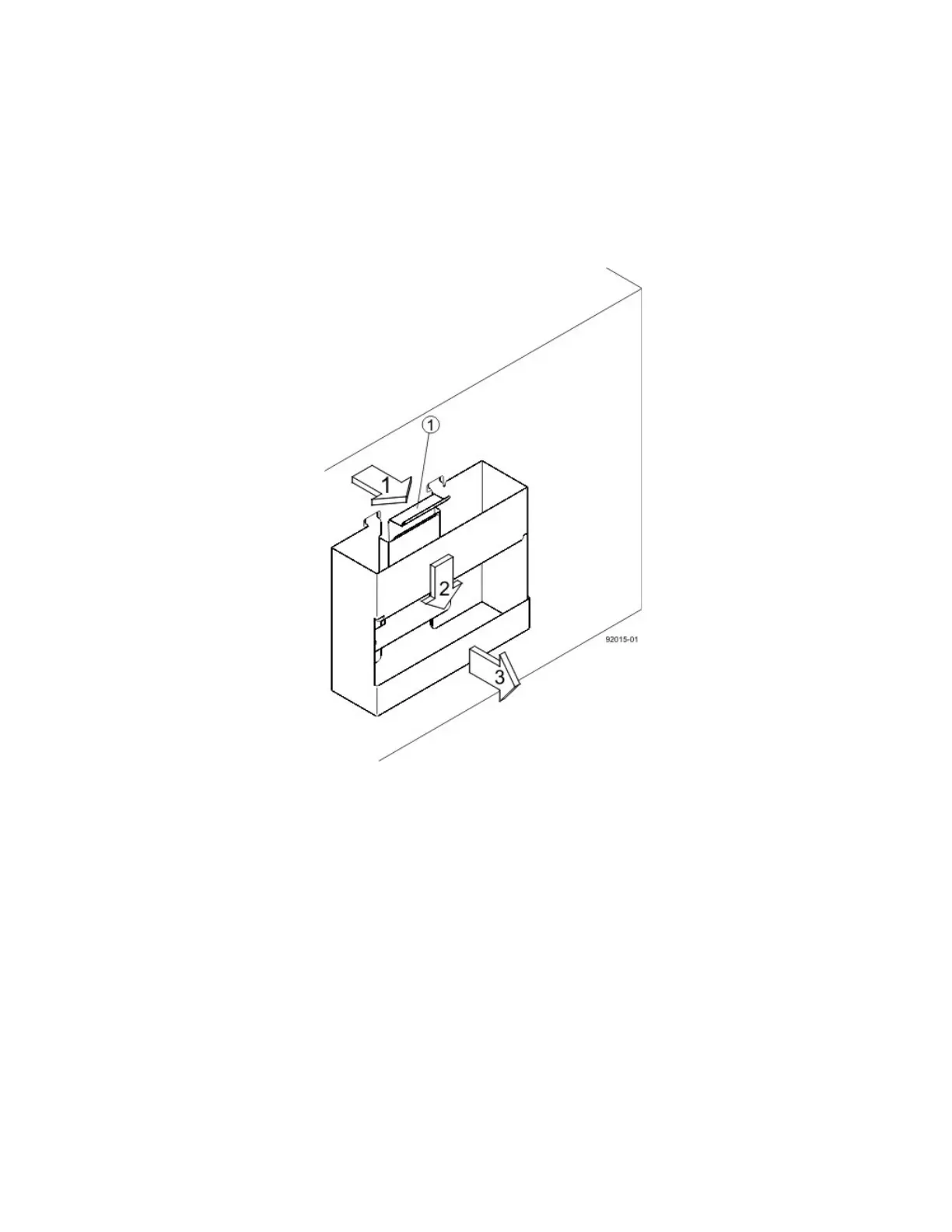
10. After the controller-drive tray is correctly aligned, remove the enclosure lift handles as shown in the figure
"Removing an Enclosure Lift Handle from the Controller-Drive Tray":
a. Use your thumb to unlatch and remove the rear enclosure lift handles (two to a side).
b. Use the front enclosure lift handles to slide the drive tray all the way into the cabinet.
c. After the drive tray is securely in the cabinet, use your thumb to unlatch and remove the front
enclosure lift handles (two to a side).
Figure 34 Removing an Enclosure Lift Handle from the Controller-Drive Tray
1. Pull the thumb latch away from the controller-drive tray to detach the hook.
2. Shift the handle down to release the other four hooks.
3. Move the handle away from the drive tray.



 To Next Page