E2600 Controller-Drive Tray Installation Guide 41
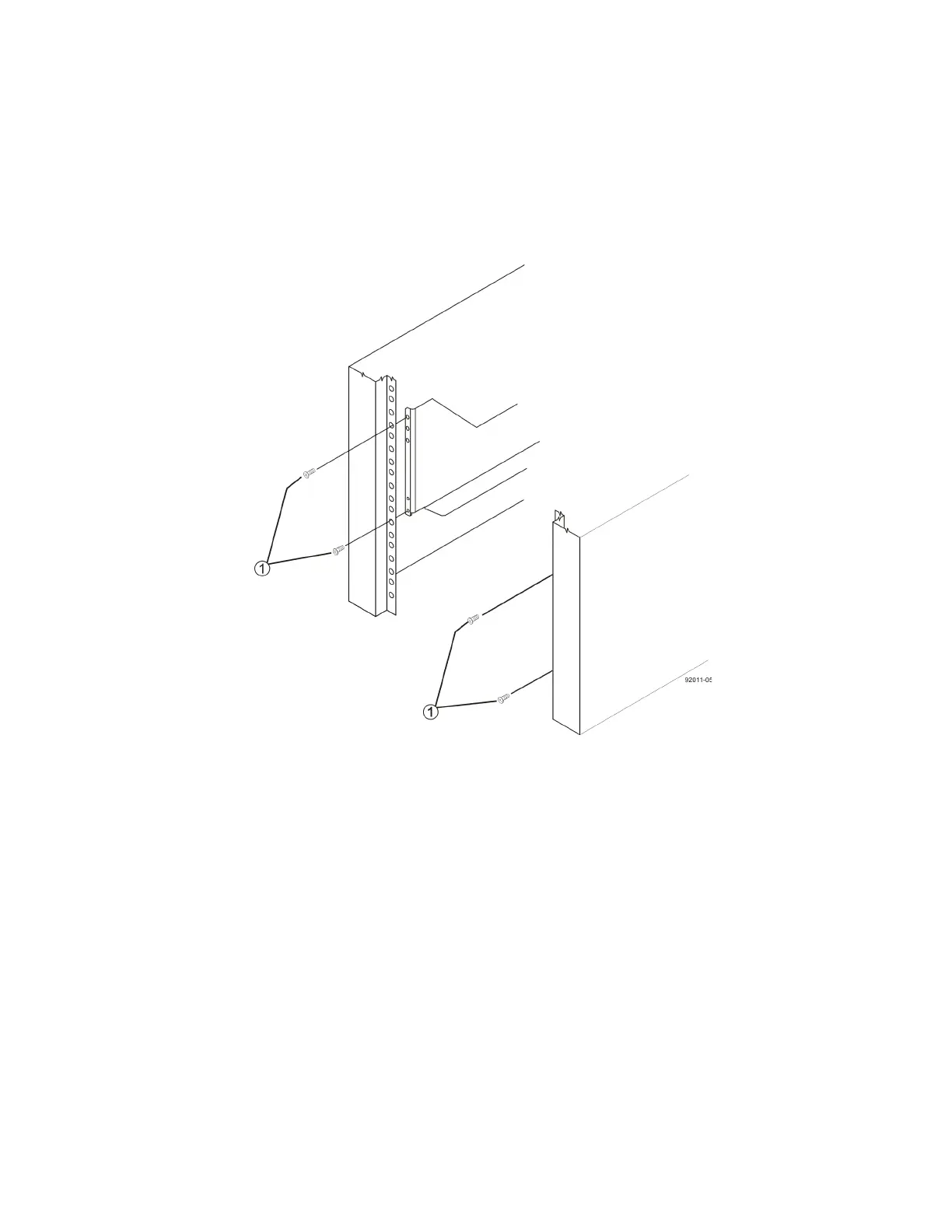
11. Secure the front of the controller-drive tray to the cabinet. Use the four screws to attach the flange on each side
of the front of the controller-drive tray to the mounting rails.
a. Insert two M5 screws through the bottom holes of a flange on the controller-drive tray so that the
screws go through the EIA support rail and engage the bottom captured nuts in the mounting rail.
Tighten the screws.
b. Repeat substep a for the second flange.
Figure 35 Attaching the Front of the Controller-Drive Tray
1. Four Screws for Securing the Front of the Controller-Drive Tray



 To Next Page