26
1. Put on antistatic protection.
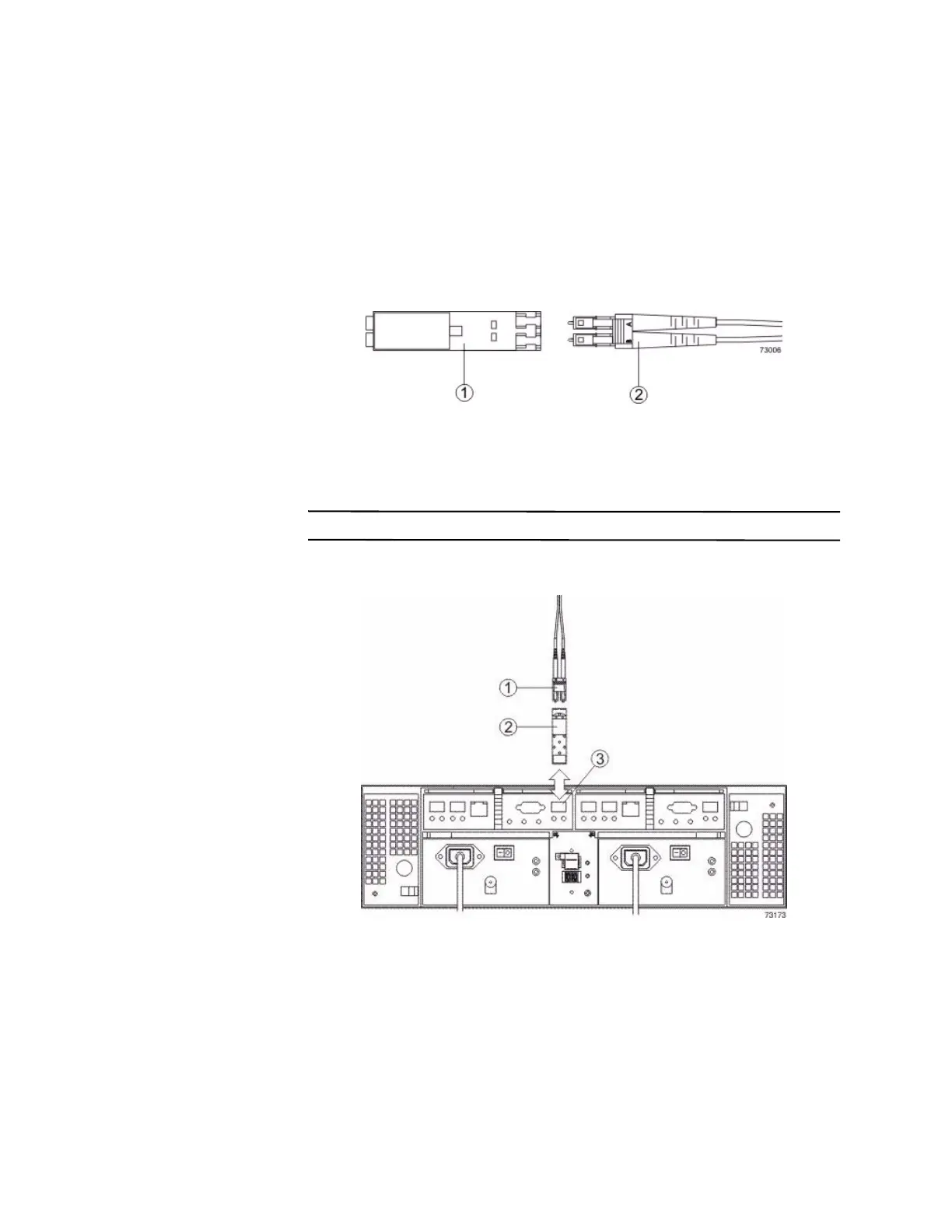
2. Make sure that your cables are fiber-optic cables by comparing them to the
fiber-optic cable shown in the following figure. Your SFP transceivers might
look slightly different from the one shown. The differences do not affect the
performance of the SFP transceiver.
Figure 8 SFP Transceiver and Fiber-Optic Cable
1. SFP Transceiver
2. Fiber-Optic Cable
3. Insert an SFP transceiver into the port in which the fiber-optic cable will be
installed.
NOTE Make sure that the SFP transceiver installs with an audible click.
Figure 9 Installing an SFP Transceiver
1. Fiber-Optic Cable
2. SFP Transceiver
3. Drive Tray Port
4. Install the fiber-optic cable.









 To Next Page