EasyManua.ls Logo

NETGEAR WND930 - User Manual

NETGEAR WND930
67 pages
Print Icon
To Next Page IconTo Next Page
Loading...
350 East Plumeria Drive
San Jose, CA 95134
USA
October 2014
202-11483-01
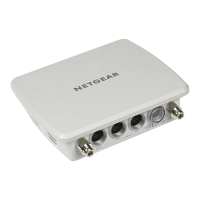
Outdoor High Power Wireless N
Access Point
Model WND930
Reference Manual

Table of Contents

Other manuals for NETGEAR WND930

Questions and Answers

  • F
    fowlerbrittanyAug 10, 2025
    What to do if the LAN LED is off on my NETGEAR WND930?
    • S
      Steven JacobsAug 10, 2025
      If the LAN LED is off on your NETGEAR Wireless Access Point, make sure that the cable connectors are securely plugged into both the access point and the network switch. Also, verify that the network switch is turned on.
  • S
    Sue ShawAug 16, 2025
    Why are no LEDs lit on my NETGEAR Wireless Access Point?
    • E
      Edward DavisAug 16, 2025
      If no LEDs are lit on the NETGEAR Wireless Access Point, ensure that a power source equipment (PSE) is connected via Ethernet to at least one PoE port and that the power source equipment (PSE) is powered on.
  • A
    Angela StevensAug 22, 2025
    How to fix internet or LAN access issues on a NETGEAR WND930 Wireless Access Point?
    • J
      Jessica WoodAug 22, 2025
      If you can't access the internet or LAN from your wireless device when using a NETGEAR Wireless Access Point, first ensure that the SSID and wireless security settings on your wireless device match those of the access point. Also, restart your wireless device and verify that TCP/IP is correctly set up for the network. Finally, the default values of the access point might not work with your network, so compare the access point's default configuration to that of other devices on your network.
  • M
    michael06Aug 28, 2025
    What to do if I cannot configure my NETGEAR Wireless Access Point from a browser?
    • G
      Gary BrownAug 28, 2025
      If you cannot configure the NETGEAR Wireless Access Point from a browser, ensure that the access point is correctly installed, powered on, and the LAN LED is lit. Check that your computer uses an IP address in the same range as the access point (default IP address is 192.168.0.100, and the default subnet mask is 255.255.255.0). Also, try quitting the browser, clearing the cache and cookies, and then relaunching the browser.
  • P
    Patricia WallsSep 2, 2025
    What to do if the Wireless LED is off on my NETGEAR WND930 Wireless Access Point?
    • M
      michaelfisherSep 2, 2025
      If the Wireless LED is off on your NETGEAR Wireless Access Point, ensure the powered device is providing sufficient power to the access point. Log in to the access point and verify that the radio or radios are turned on. Contact NETGEAR if the Wireless LED remains off.

Summary

Hardware Setup

System Requirements

Details necessary hardware and software prerequisites for installation and operation.

Initial Setup

Connect to the Access Point and Log In

Steps to access the web-based management interface and log in.

Configure the Basic IP Settings

Setting up the network IP address, subnet mask, and gateway for the access point.

Configure the Access Point as a DHCP Server for Wireless Clients

Enabling and configuring the device to assign IP addresses to wireless clients.

Configure the Basic Wireless Settings

Setting up essential wireless parameters like SSID, security, and channel.

Turn On the Wireless Signal and Test Connectivity

Activating the wireless radio and verifying client connection.

Plan Your Network Security

Recommendations and strategies for securing the wireless network.

Set Up Security Profiles

Configuring encryption and authentication methods for wireless security.

Network Settings

Set Up a Wireless Point-to-Point Bridge

Configuring two access points to create a wireless link.

Manage the Access Point

Change the admin Password

Procedure for updating the default administrator login password for security.

Upgrade the Firmware

Process for updating the access point's software for new features or fixes.

Troubleshooting and Debugging

Troubleshooting with the LEDs

Using the device's LED indicators to diagnose operational problems.

Cannot Connect to the Access Point to Configure It

Steps to resolve issues preventing access to the device's management interface.

Wireless Access to the Network

Resolving problems related to connecting wireless devices to the network.

NETGEAR WND930 Specifications

General IconGeneral
ModelWND930
Wireless Standard802.11a/b/g/n
PoEYes
Antenna TypeInternal
SecurityWPA, WPA2, WEP
TypeAccess Point
Frequency Band2.4 GHz
Ports2 x Gigabit Ethernet
Operating ModeAccess Point
Mounting OptionsWall, Ceiling
Operating Temperature0°C to 40°C
Storage Temperature-20°C to 70°C
Humidity90% maximum (non-condensing)

Related product manuals