5.8 Starting data playback
Once the dataset has been loaded, either manually or via a download from an existing final
recording medium, the player can then start to perform a playback of the voyage data from the
dataset.
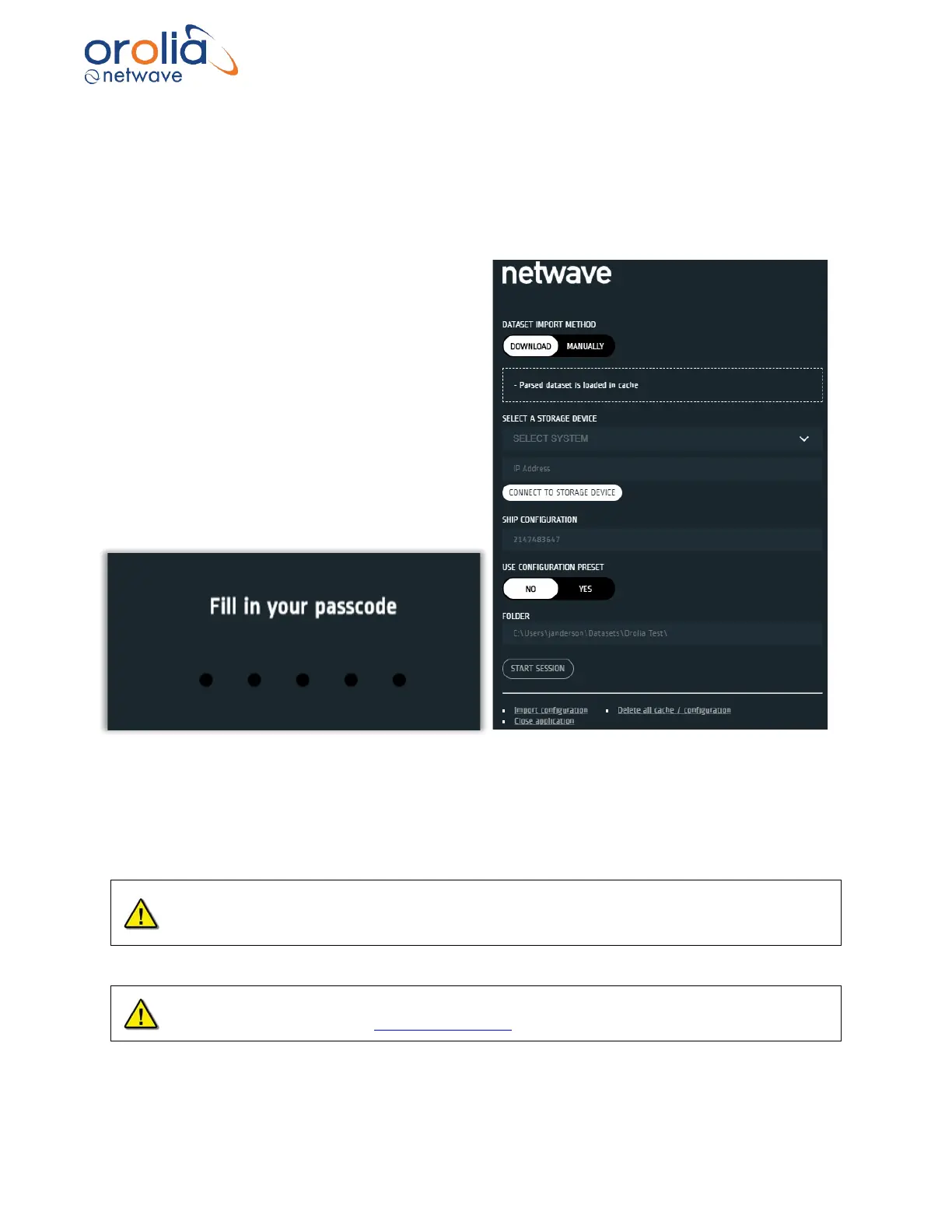
When a dataset has been imported into the Player the screen will contain something similar to
the view on the right.
Further details on this view is available in the
Player V2 operator manual.
To start playing back either a downlaoded or an
existing dataset press the START SESSION
button.
This launches the playback but first a user code
is required.
For replay only, the default pasword is: ocean .
When logged in with this password only replay is possible. Export of data and configuration file
is possible as well as selecting pages.
Once successfully logged in a window like that on the following page should appear.
The playback application interprets information provided in the ship’s player-config.json.xxx
and cm.config.xxx files. Therefore, the playback interface may contain elements and controls
different from what appears below.
An administrator password is required for configuring the Player. The password will be
provided on request by our Service Department.



 To Next Page