6. NW6010 Bridge Control Unit
6.1 General
The Bridge Control Unit (BCU) serves both as an interface for serial/NMEA data as well to display
the operational status and provide user functionality like, but not limited to, operational
performance tests.
6.2 Location and mounting
The BCU may be mounted in a protected environment at any convenient location considering the
compass safe distance as indicated on the unit.
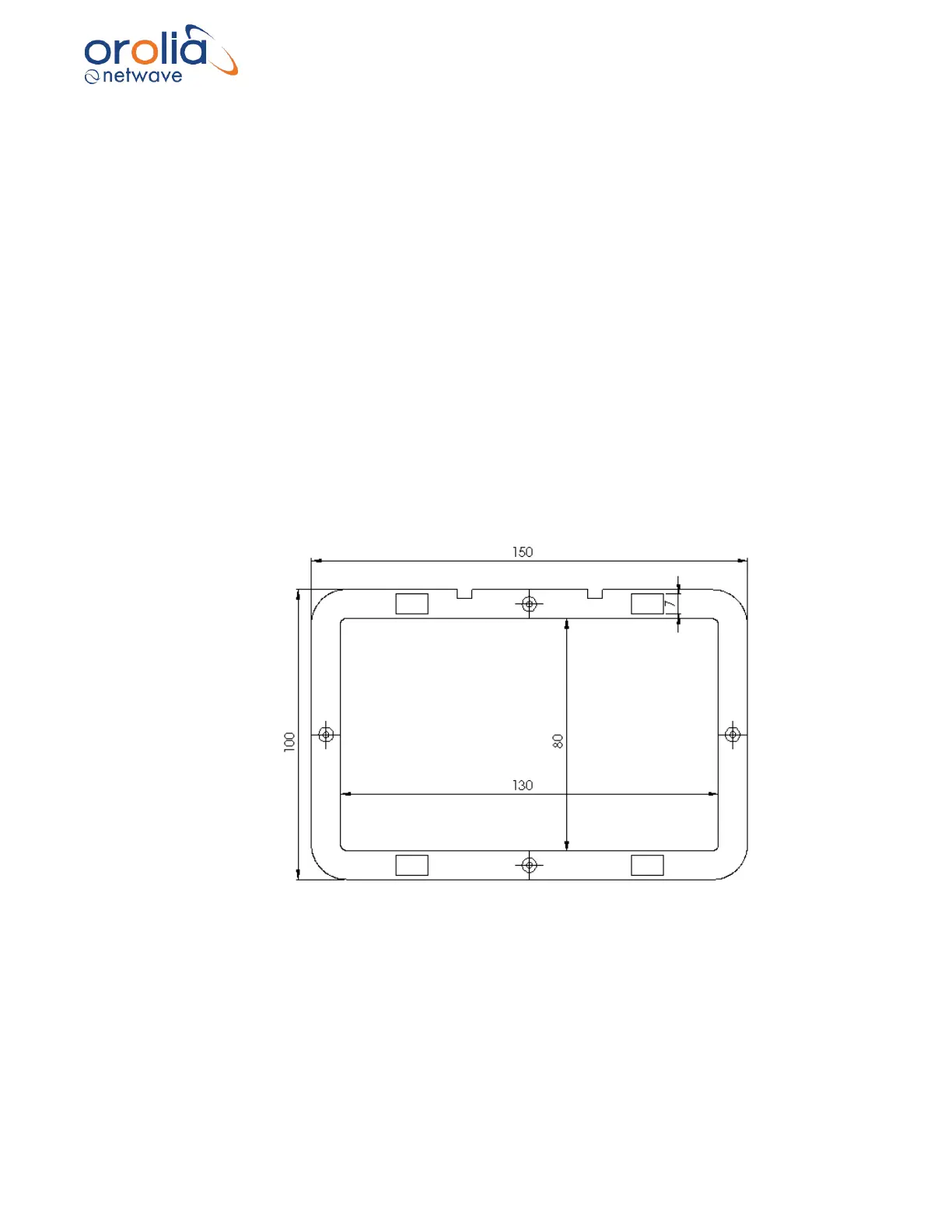
Prepare the location by cutting out a rectangle of 130x80 mm as well as 4 smaller rectangles as
per the drawing below.
Tip: Use the metal frame supplied to mark the cut-outs to be made.
Secure the metal frame to the console or panel with 4 self-tapping screws (supplied) and insert
the BCU unit until the back of the BCU aluminum front panel and the metal mounting frame are
flush. The snappers supplied will secure the unit into the panel to which the BCU is fitted.



 To Next Page