10.17 Dimensions
If part of the image is not visible in the Capture window after it is moved to the upper left corner, it
may be necessary to adjust the image height and/or width. To adjust the image size:
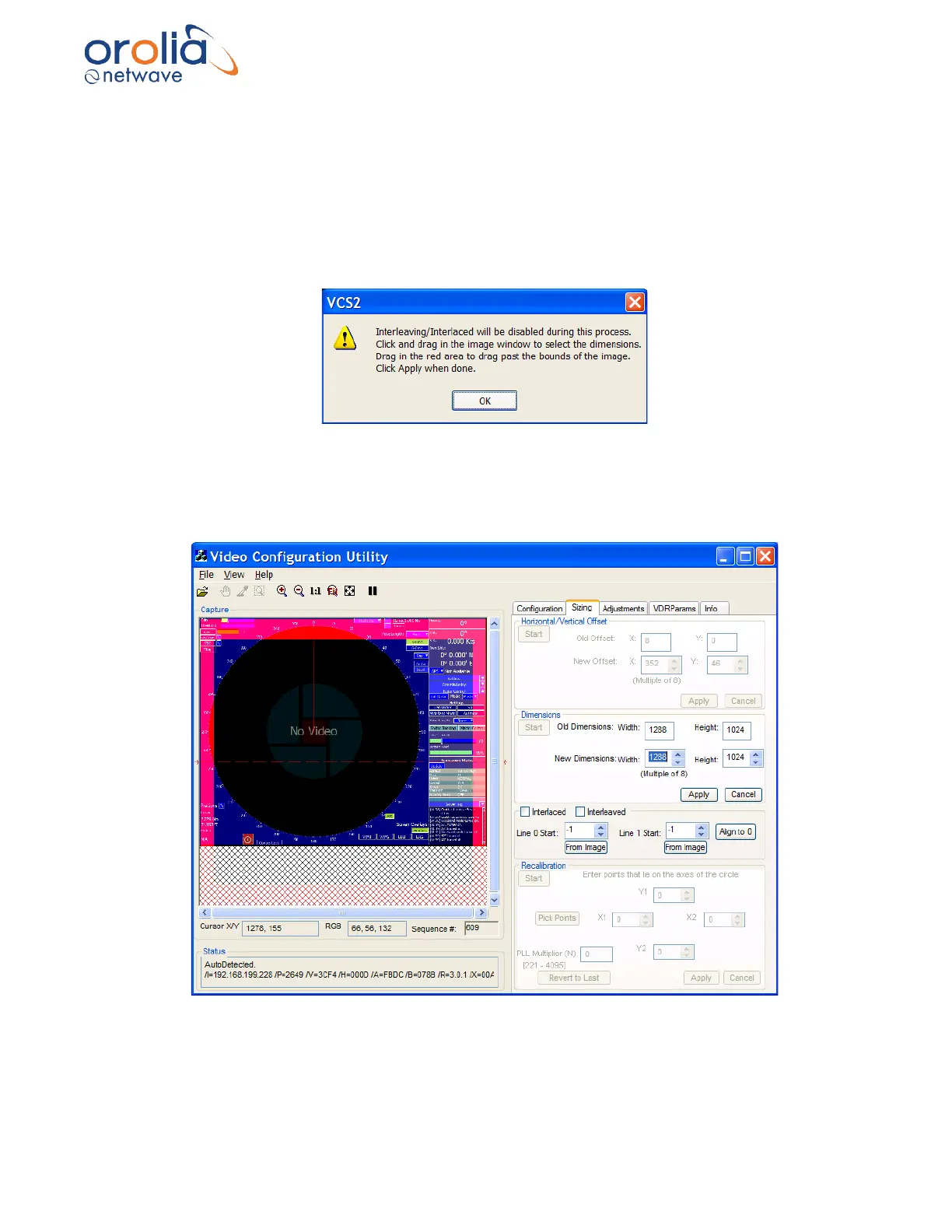
1. Click the “Start” button on the Dimensions section of the Sizing page.
2. The following warning will be displayed.
Figure 10.17.1 – “Adjusting the Image Size” Warning
3. Click Okay and the captured video image will appear as in below screenshot.
Figure 10.17.2 - Setting the dimensions
4. Click and drag the cursor on the image to reveal a rectangle that defines the image size.



 To Next Page