Preface
Copyright .............................................................................................. iv
Disclaimer .............................................................................................. iv
Acknowledgements ............................................................................... iv
Regulatory Compliance Statements ........................................................ iv
Declaration of Conformity ...................................................................... iv
RoHS Compliance ................................................................................... v
Warranty and RMA ................................................................................ vi
Safety Information ................................................................................viii
Installation Recommendations ...............................................................viii
Safety Precautions .................................................................................. ix
Technical Support and Assistance ............................................................ x
Conventions Used in this Manual ............................................................ x
Global Service Contact Information ........................................................ xi
Package Contents ................................................................................. xiii
Ordering Information ............................................................................xiv
Chapter 1: Product Introduction
Overview ................................................................................................1
Key Features ...........................................................................................1
Hardware Specifications .......................................................................... 2
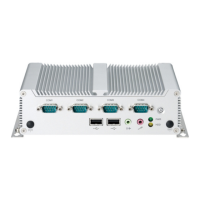
Knowing Your NISE 104 .......................................................................... 3
Mechanical Dimensions ...........................................................................5
Chapter 2: Jumpers and Connectors
Before You Begin ....................................................................................6
Precautions ............................................................................................6
Jumper Settings ......................................................................................7
Locations of the Jumpers and Connectors for NISB104 ............................8
Locations of the Jumpers and Connectors for NISKIO2 ..........................10
NISB104 ................................................................................................11
Jumpers ................................................................................................ 11
RTC Clear.......................................................................................11
Connector Pin Definitions .....................................................................11
External I/O Interfaces – Front Panel ................................................... 11
Power On/Off Switch .....................................................................11
COM1 Serial Port ...........................................................................12
COM2 Serial Port ...........................................................................12
COM3 Serial Port ...........................................................................13
COM4 Serial Port ...........................................................................13
External I/O Interfaces – Rear Panel .................................................... 14
9~36V DC Power Input ..................................................................14
DVI-I/VGA Connector .....................................................................14
HDMI ............................................................................................. 15
USB0/1 Ports .................................................................................. 15
USB2/3 Ports .................................................................................. 16
LAN1 Port ......................................................................................16
LAN2 Port .....................................................................................17
Internal Connectors ........................................................................... 17
NISB 104 ...........................................................................................17
CPU Fan Connector ........................................................................17


 To Next Page