Copyright © 2012 NEXCOM International Co., Ltd. All Rights Reserved.
33
NISE 104 User Manual
Chapter 3: System Setup
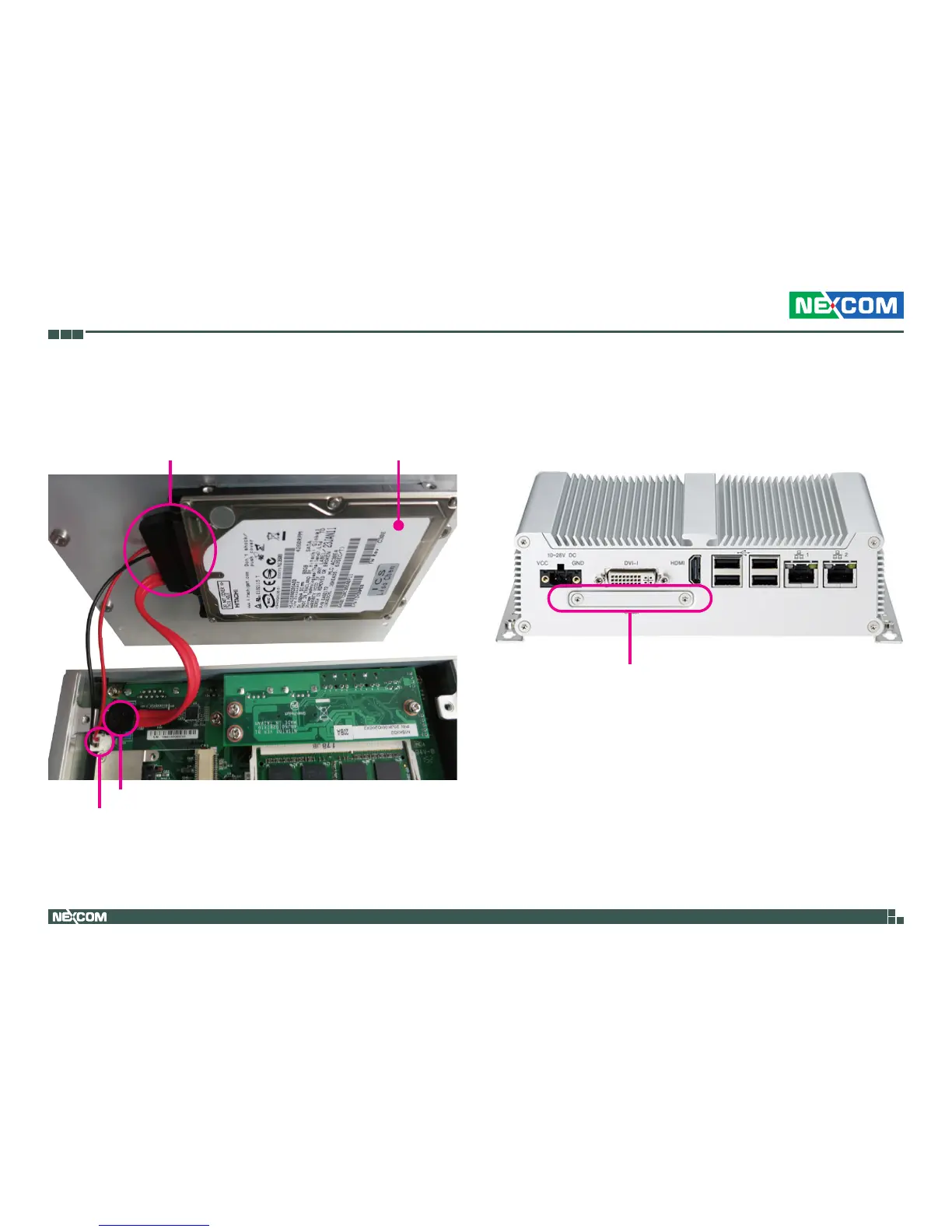
3.Connect the SATA data/power cable to the connector on the SATA drive.
4.Connect the SATA data/power cable to connectors CN6 and J4 on the
motherboard respectively.
SATA Data/Power Cable
SATA Drive
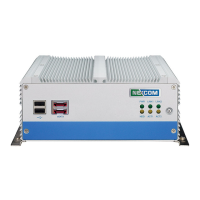
CompactFlash Slot
CN6
J4
Installing a CompactFlash Card
1.The CompactFlash slot is located at the rear side of the chassis


 To Next Page