Copyright © 2012 NEXCOM International Co., Ltd. All Rights Reserved.
49
NISE 104 User Manual
Chapter 4: BIOS Setup
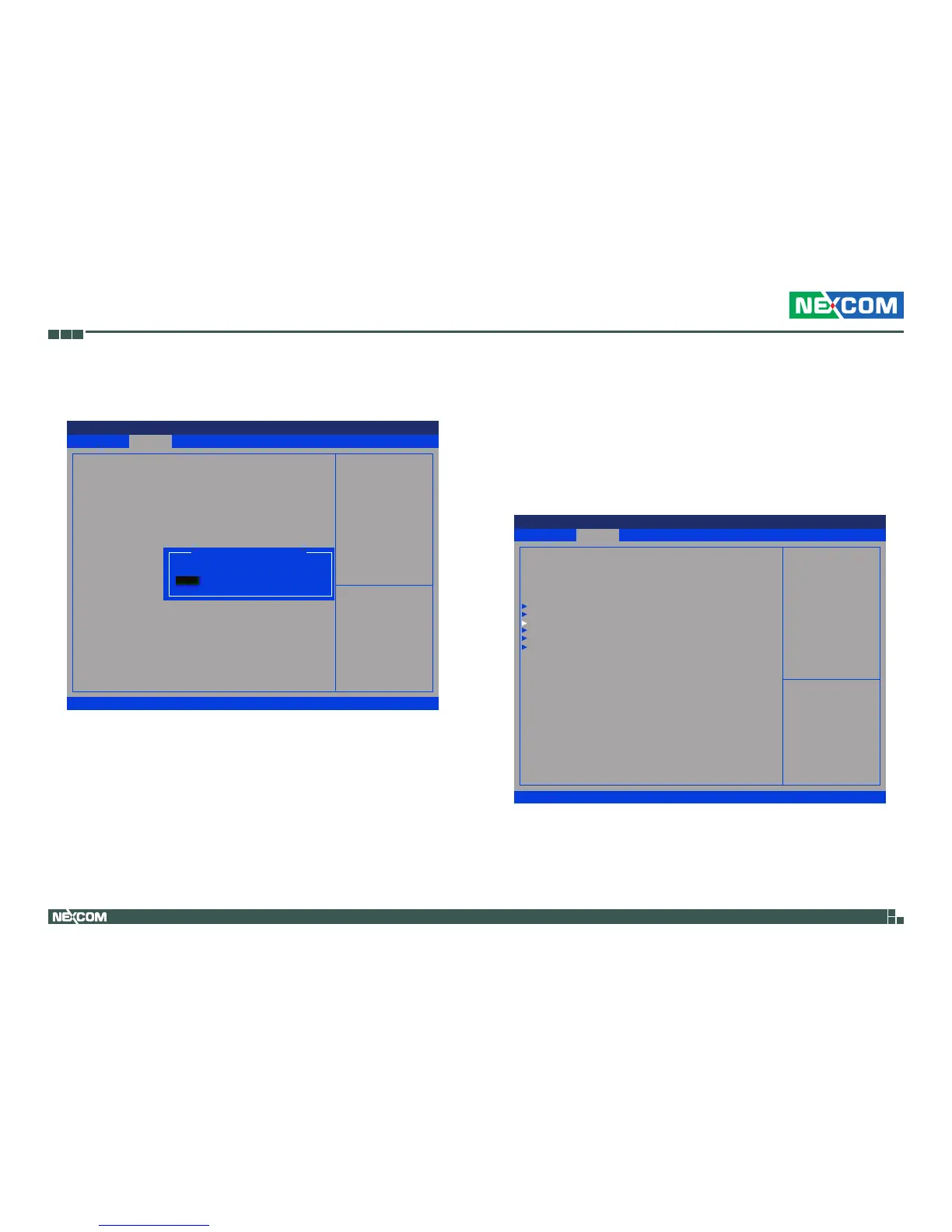
Configure SATA as
SATA Controller(s)
Enables or disables SATA controller.
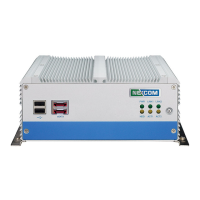
USB Configuration
This section is used to configure USB devices.
Configures the SATA as IDE or AHCI mode.
IDE
AHCI
This option configures the Serial ATA drives as Parallel ATA physical
storage device.
This option configures the Serial ATA drives to use AHCI (Advanced
Host Controller Interface). AHCI allows the storage driver to enable
the advanced Serial ATA features which will increase storage
performance.
Advanced
Version 2.14.1219. Copyright (C) 2011 American Megatrends, Inc.
Aptio Setup Utility - Copyright (C) 2011 America Megatrends, Inc.
→←: Select Screen
↑↓: Select Item
Enter: Select
+/-: Change Opt.
F1: General Help
F2: Previous Values
F3: Optimized Defaults
F4: Save & Exit
ESC: Exit
Select a conguraton for SATS
Controller
SATA Port0
SATA Port1
SATA Controller(s)
Congur SATA as
Not Present
Not Present
[Enabled]
[AHCI]
Congure SATA as
IDE
AHCI
Save & Exit
Advanced Chipset Boot SecurityMain
Version 2.14.1219. Copyright (C) 2011 American Megatrends, Inc.
Aptio Setup Utility - Copyright (C) 2011 America Megatrends, Inc.
→←: Select Screen
↑↓: Select Item
Enter: Select
+/-: Change Opt.
F1: General Help
F2: Previous Values
F3: Optimized Defaults
F4: Save & Exit
ESC: Exit
USB Conguration Parameters
Legacy OpROM Support
Launch Lan1 PXE OpROM
Launch Lan2 PXE OpROM
CPU Conguration
IDE Conguration
USB Conguration
Super IO Conguration
H/W Monitor
PPM Conguration
[Disabled]
[Disabled]


 To Next Page