Copyright © 2012 NEXCOM International Co., Ltd. All Rights Reserved.
50
NISE 104 User Manual
Chapter 4: BIOS Setup
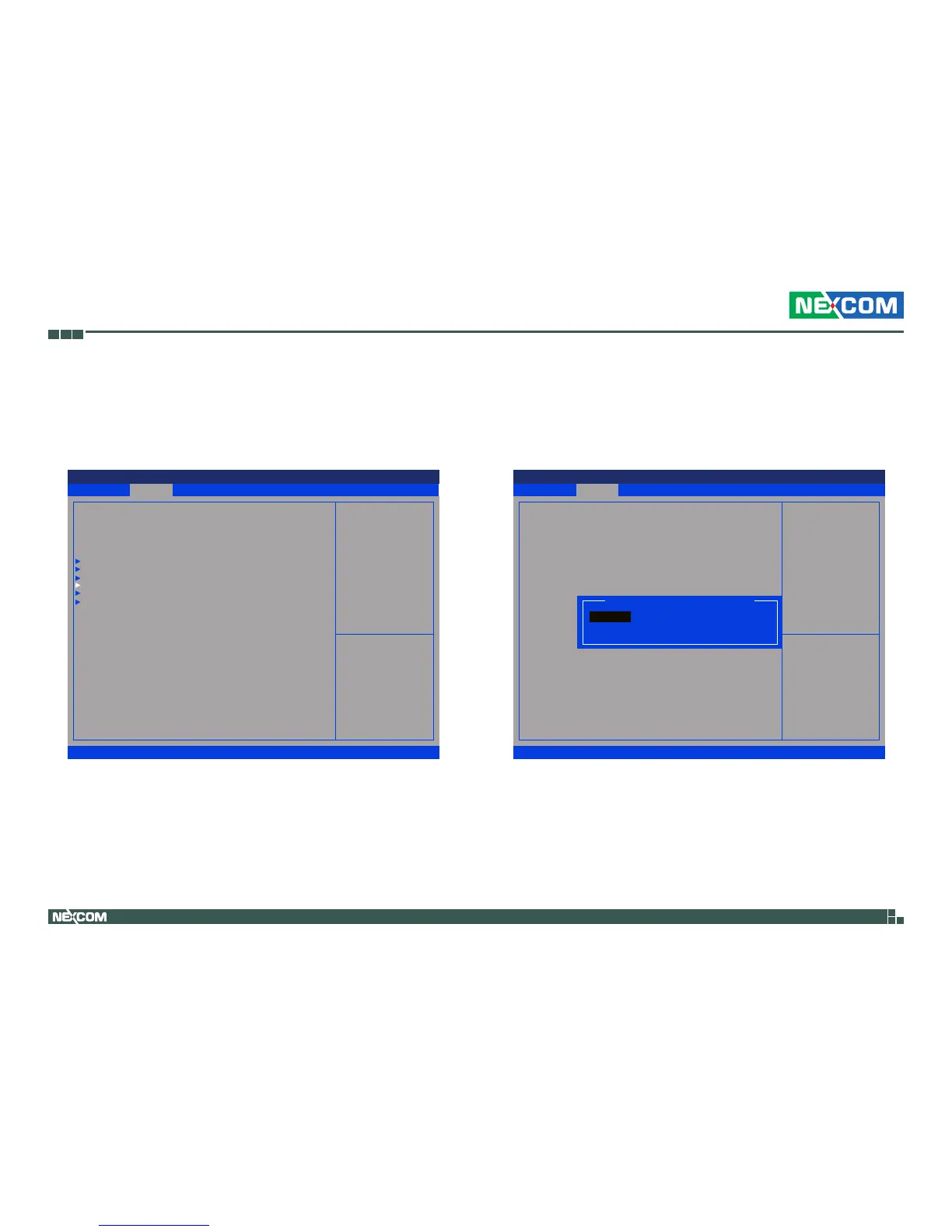
Super IO Configuration
This section is used to configure the I/O board Super I/O chip.
Serial Port 0 Configuration
This field configures the maximum baud rate of the serial port 0, the options
are 115200 bps and 921600 bps.
Save & Exit
Advanced Chipset Boot SecurityMain
Version 2.14.1219. Copyright (C) 2011 American Megatrends, Inc.
Aptio Setup Utility - Copyright (C) 2011 America Megatrends, Inc.
→←: Select Screen
↑↓: Select Item
Enter: Select
+/-: Change Opt.
F1: General Help
F2: Previous Values
F3: Optimized Defaults
F4: Save & Exit
ESC: Exit
System Super IO Chip
Parameters
Legacy OpROM Support
Launch Lan1 PXE OpROM
Launch Lan2 PXE OpROM
CPU Conguration
IDE Conguration
USB Conguration
Super IO Conguration
H/W Monitor
PPM Conguration
[Disabled]
[Disabled]
Save & Exit
Advanced Chipset Boot SecurityMain
Version 2.14.1219. Copyright (C) 2011 American Megatrends, Inc.
Aptio Setup Utility - Copyright (C) 2011 America Megatrends, Inc.
→←: Select Screen
↑↓: Select Item
Enter: Select
+/-: Change Opt.
F1: General Help
F2: Previous Values
F3: Optimized Defaults
F4: Save & Exit
ESC: Exit
Change the Serial Port Max Baud
Rate. Select <115200 bps> or
<921600 bps>
Serial Port 0 Conguration
Serial Port
Device Settings
Device Settings
Onboard Serial Port Max Baud Rate
[Enabled]
IO=3F8H; IRQ=4;
[IO=3F8H; IRQ=4;]
[115200 bps]
Onboard Serial Port Max Baud Rate
115200 bps
921600 bps


 To Next Page