Copyright © 2012 NEXCOM International Co., Ltd. All Rights Reserved.
53
NISE 104 User Manual
Chapter 4: BIOS Setup
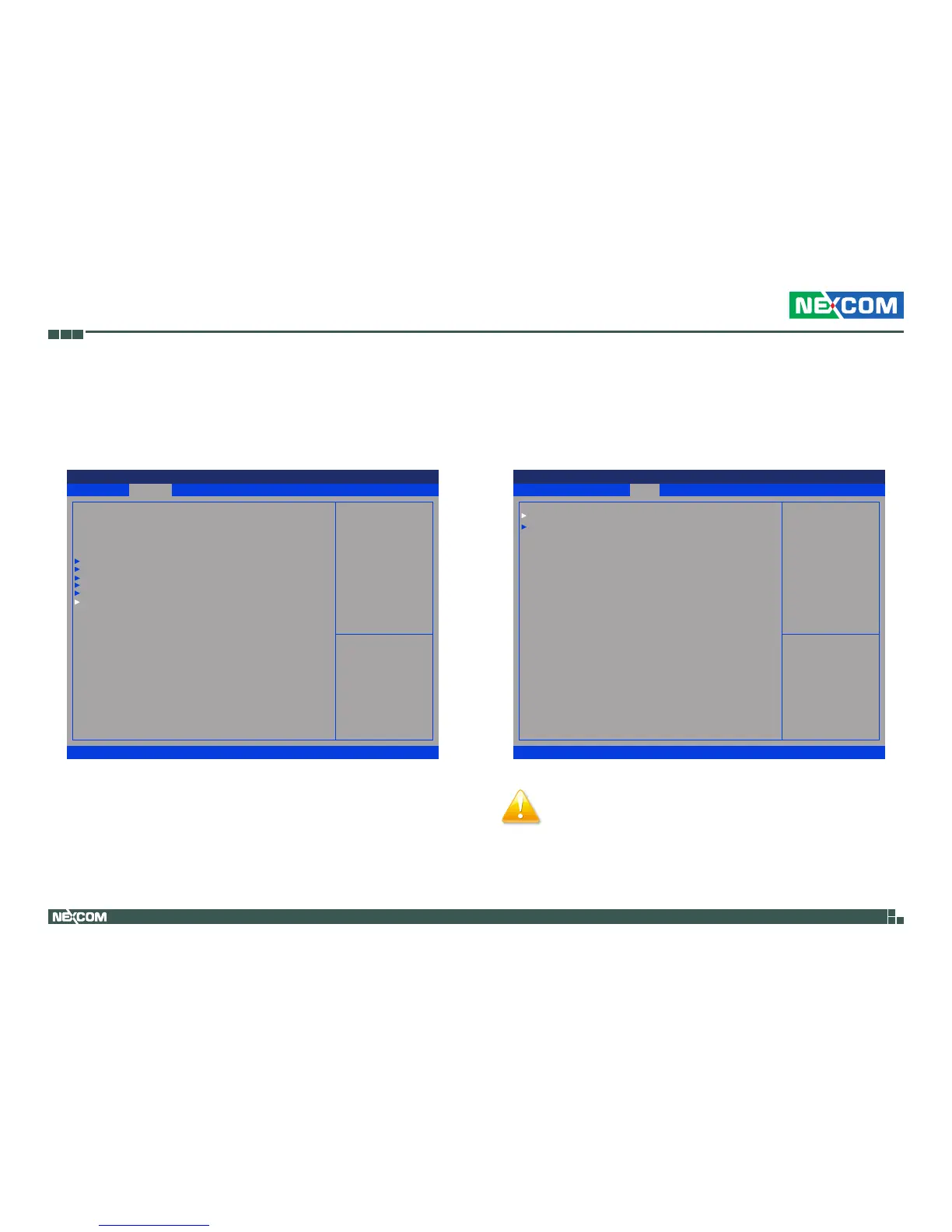
PPM Configuration
This section is used to configure Intel SpeedStep.
Chipset
This section is used to configure the system based on the specific features
of the chipset.
Save & Exit
Advanced Chipset Boot SecurityMain
Version 2.14.1219. Copyright (C) 2011 American Megatrends, Inc.
Aptio Setup Utility - Copyright (C) 2011 America Megatrends, Inc.
→←: Select Screen
↑↓: Select Item
Enter: Select
+/-: Change Opt.
F1: General Help
F2: Previous Values
F3: Optimized Defaults
F4: Save & Exit
ESC: Exit
PPM Conguration
Parameters
Legacy OpROM Support
Launch Lan1 PXE OpROM
Launch Lan2 PXE OpROM
CPU Conguration
IDE Conguration
USB Conguration
Super IO Conguration
H/W Monitor
PPM Conguration
[Disabled]
[Disabled]
Save & Exit
Advanced
Chipset Boot SecurityMain
Version 2.14.1219. Copyright (C) 2011 American Megatrends, Inc.
Aptio Setup Utility - Copyright (C) 2011 America Megatrends, Inc.
→←: Select Screen
↑↓: Select Item
Enter: Select
+/-: Change Opt.
F1: General Help
F2: Previous Values
F3: Optimized Defaults
F4: Save & Exit
ESC: Exit
Host Bridge Parameters
Host Bridge
South Bridge [Disabled]
[Disabled]
Setting incorrect field values may cause the system to
malfunction.


 To Next Page