Copyright © 2012 NEXCOM International Co., Ltd. All Rights Reserved.
31
NISE 104 User Manual
Chapter 3: System Setup
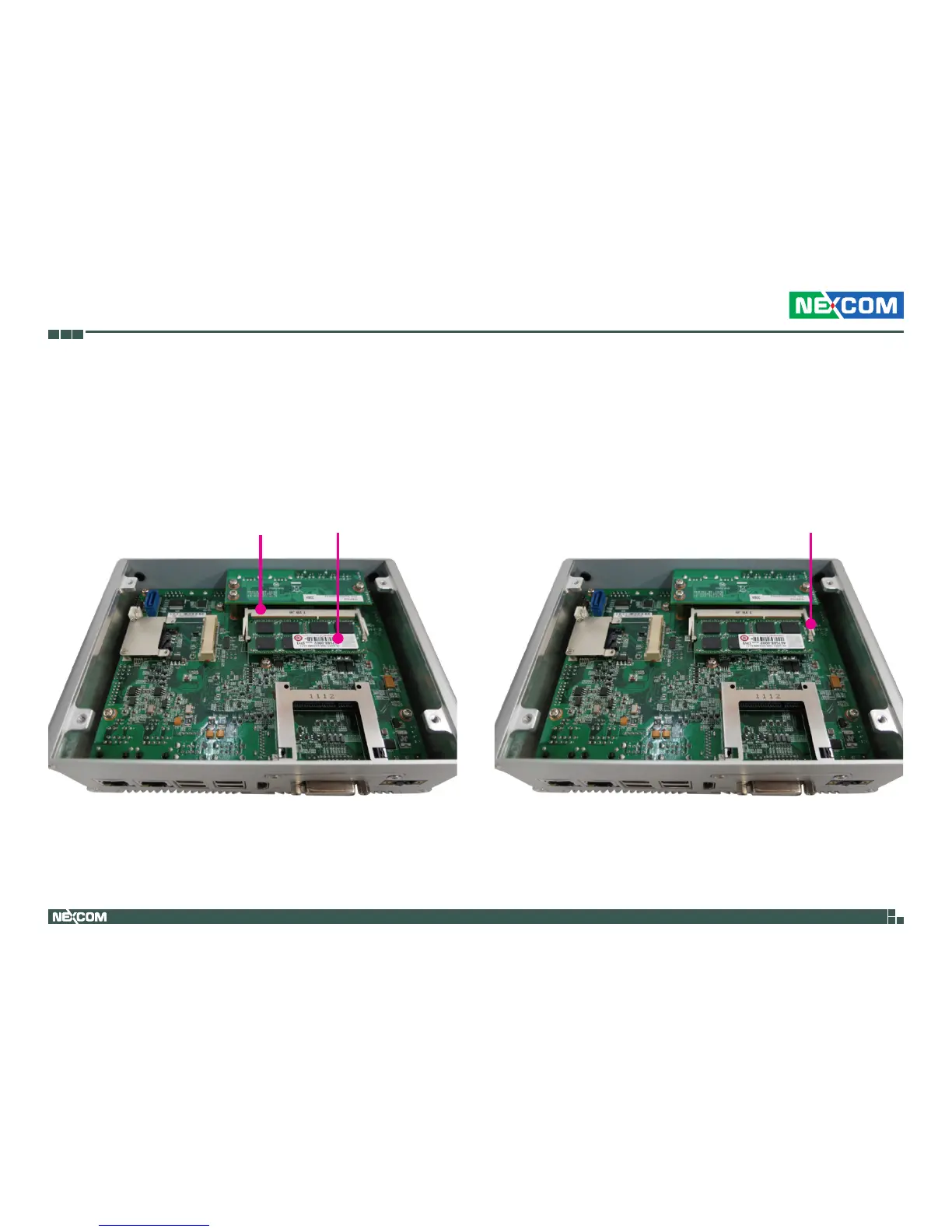
2.Insert the module into the socket at approximately 30 degrees angle. Apply
firm even pressure to each end of the module until it slips into the socket.
The gold-plated connector on the edge of the module will almost completely
disappear inside the socket.
3.Push the module down until the clips on both sides of the socket lock into
position. You will hear a distinctive “click” sound, indicating the module is
correctly locked into position.
SODIMM
Socket
Clip
SODIMM


 To Next Page