Copyright © 2012 NEXCOM International Co., Ltd. All Rights Reserved.
41
NISE 104 User Manual
Chapter 3: System Setup
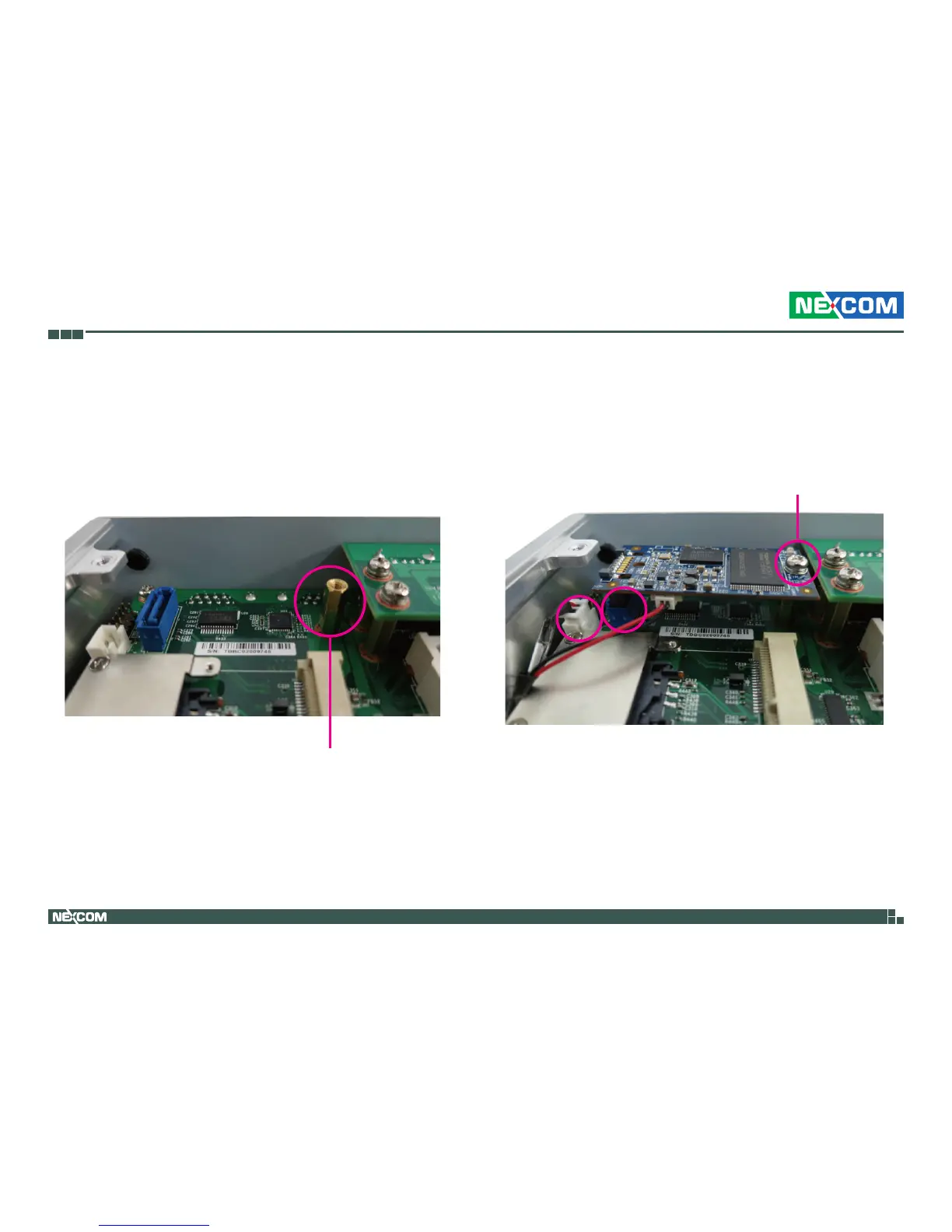
2.Screw and tighten the copper post (included in the accessory bag) into
the screw hole.
3.Install the SATA DOM and connect the SATA power cable to the SATA
DOM connector on the motherboard.
4.Tighten a screw on the top of the copper post.Copper Post
Screw


 To Next Page