22
X-COM2
8.3 Smart Volume Control (Default: Disable)
You can enable or disable Smart Volume Control through the Device
Manager or the Smartphone App. Enabling Smart Volume Control
automatically changes the level of the speaker volume based on the
level of the environment noise. You can enable it by setting the
sensitivity to low, medium or high.
9 GPS NAVIGATION
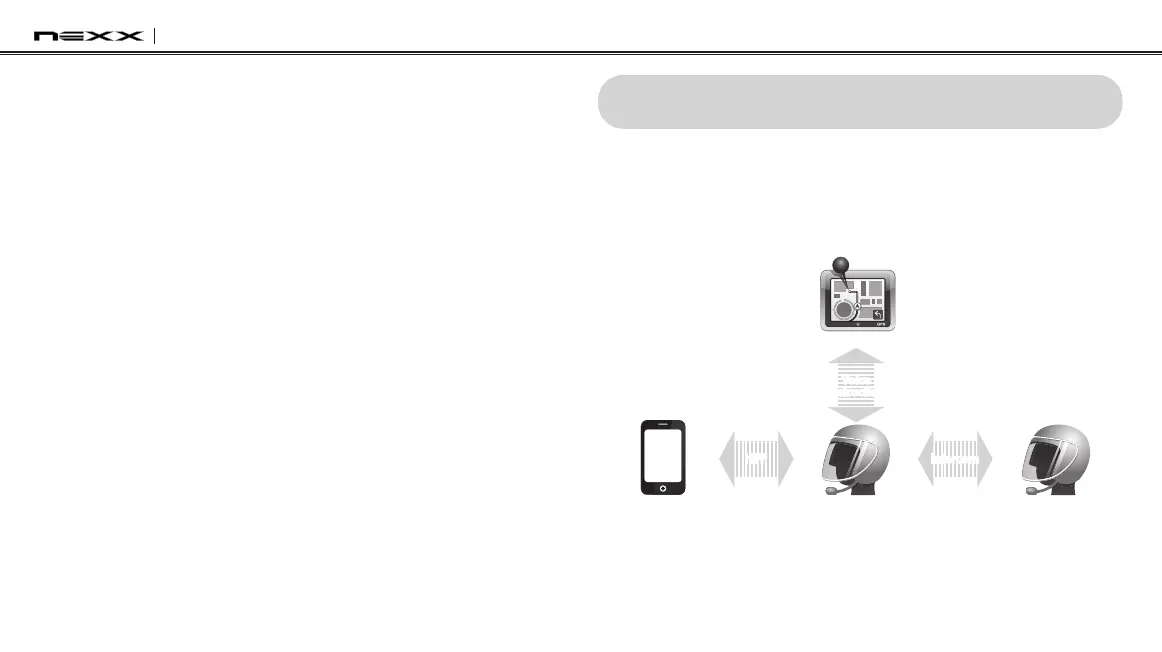
If you pair a Bluetooth GPS to the X-COM2 as described in
section 5.4,
“Bluetooth GPS Navigation Pairing”
, you can hear the voice instruction
of the GPS while having an intercom conversation. The GPS voice
instruction does not interrupt intercom conversations.
Intercom FriendSmart Phone
X-COM2
GPS
Voice
Instruction
GPS Pairing
Intercom
Pairing
Mobile Phone
Pairing
IntercomHFP
Intercom and GPS voice instruction


 To Next Page