28
X-COM2
13 INTERCOM PAIRING
13.1 Pairing with Other X-COM2 Headsets for Intercom
Conversation
The X-COM2 can be paired with up to nine other headsets for Bluetooth
intercom conversation.
1. Turn on the two X-COM2 headsets (A and B) that you would like
to pair with each other.
2. Press and hold the Center Button of two Bluetooth systems for 8
secondsuntilredLEDsofthebothunitsstarttoashrapidly.You
will hear a voice prompt saying “Intercom pairing”.
3. Simply tap the Center Button of any one of the two headsets A
or B (It doesn’t matter that you choose A or B.) and wait until
the LEDs of both headsets turn to blue and intercom connection
is automatically established. The two X-COM2 headsets A and
B are paired with each other for intercom conversation. If the
pairing process is not completed within one minute, the X-COM2
will return to stand-by mode.
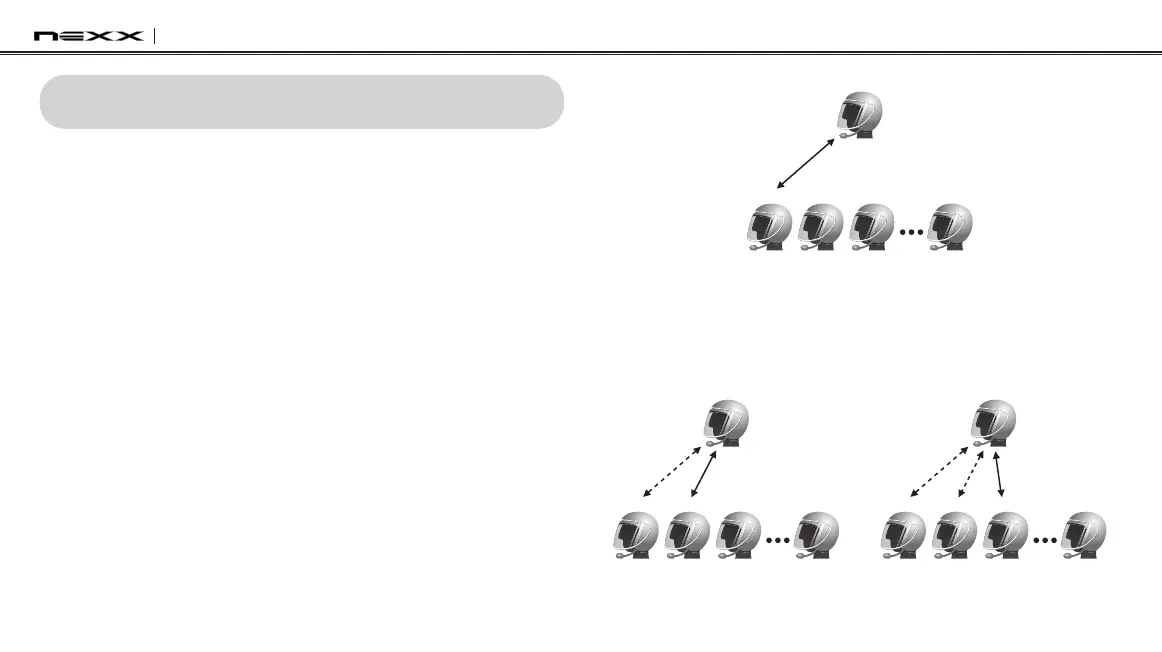
Pairing A & B
A
B C D J
4. You can pair with up to nine other headsets. To pair with more
headsets such as A and C, A and D, and more, simply follow the
same procedure as above.
Pairing A & C
A
B C D J
Pairing A & D
A
B C D J


 To Next Page