10
X-COM2
4.2 Powering On and Off
When powering on the headset, press the Center Button and the (+)
Button at the same time for 1 second. When powering off the headset,
tap the Center Button and the (+) Button at the same time until the red
LEDappearsbrieyandtheheadsetturnsoffcompletelywhilehearing
descending beeps.
4.3 Charging
WARNING
When charging the battery, use only the approved charger provided by
the manufacturer. Use of a non-approved charger may cause fire,
explosion, leakage, and other hazards which may also reduce the life
time or performance of the battery.
4 GETTING STARTED
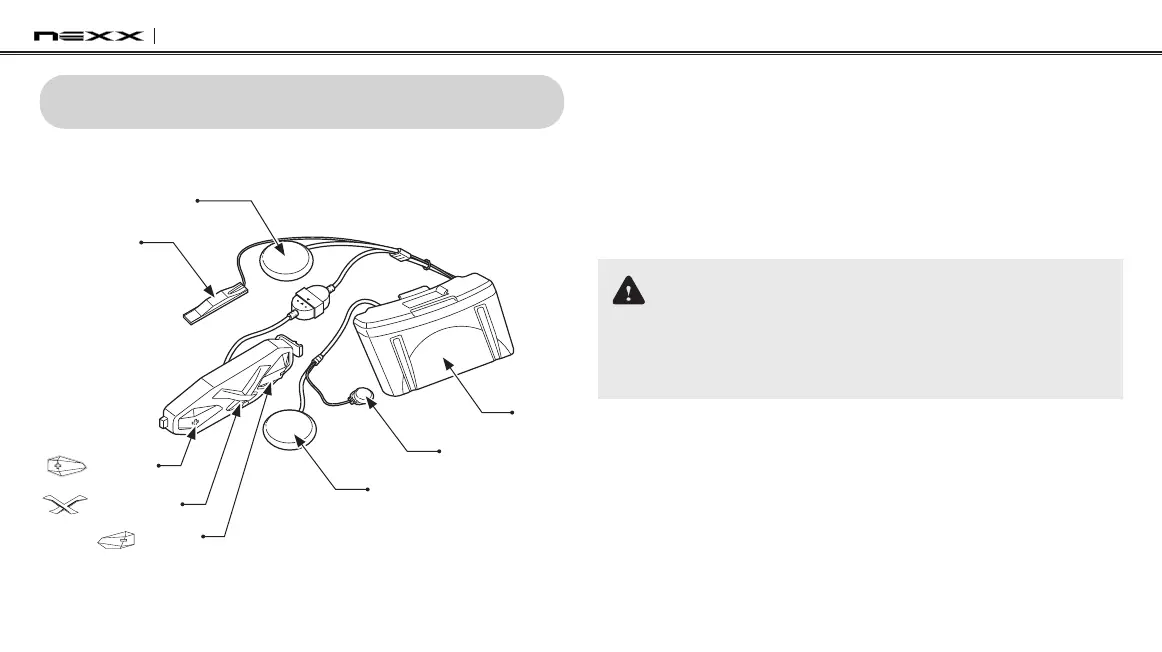
4.1 Product Details
Antenna
(+) Button
Center Button
(-) Button
Speaker (L)
Battery
Module
Microphone
Speaker (R)


 To Next Page