90
4. BASIC OPERATION
MULTIFUNCTION GENERATOR
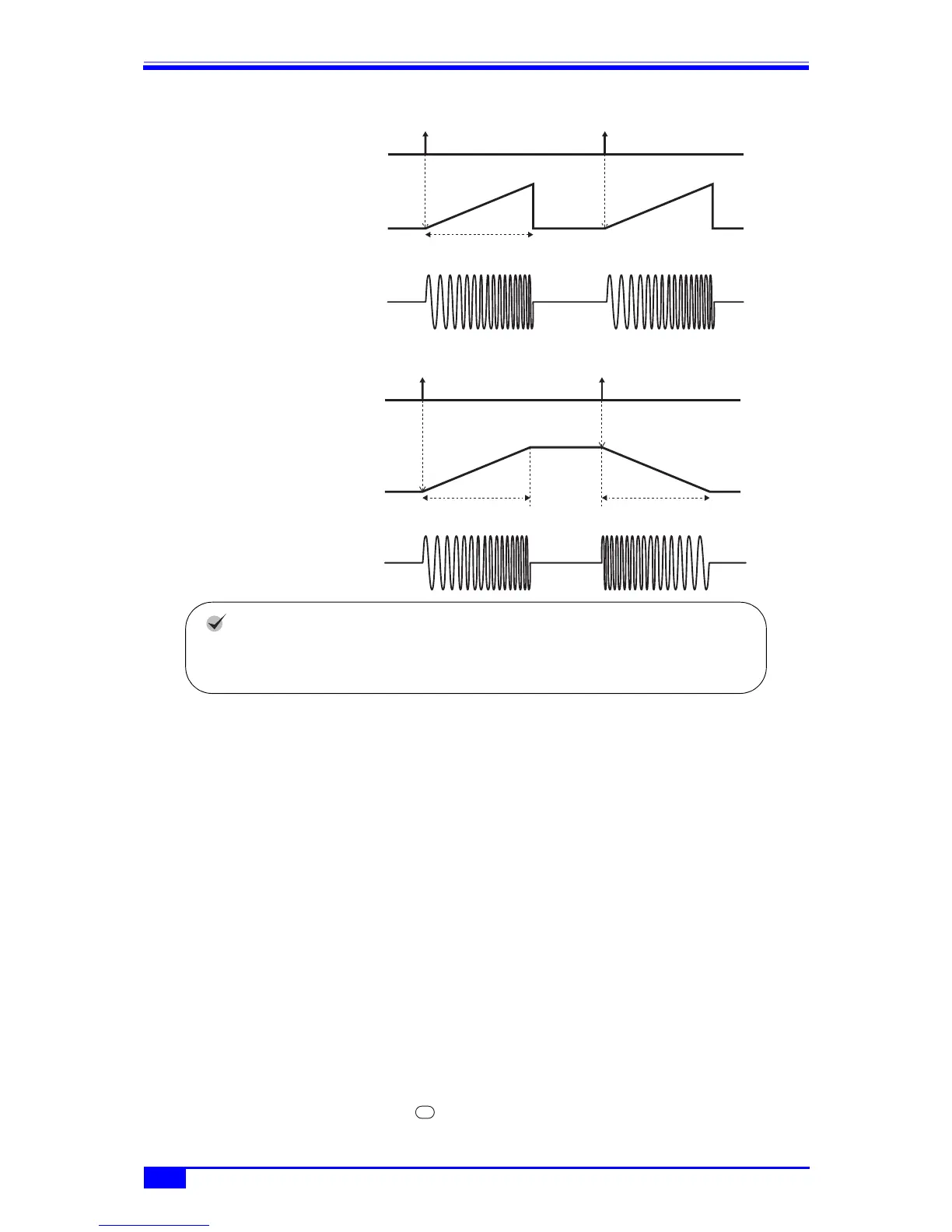
Gated single-shot one-way sweep
Gated single-shot shuttle sweep
k) To set trigger condition for single-shot sweep and gated single-shot sweep
The trigger can be selected from internal trigger oscillator, external signal, manual trigger
manipulation, and remote trigger manipulation.
Upon receipt of a trigger, the TRIG’D lamp next to the MAN TRIG key lights.
The trigger condition is set with [Trig] (trigger) on the 2nd page of the setting screen.
■ Trigger source setting
The trigger source can be chosen from [Int] (internal) and [Ext] (external).
When the trigger source is [Int] (internal), the trigger period can be set.
When the trigger source is [Ext] (external), the trigger polarity can be set.
If the trigger source is set to [Ext] (external), a TTL level trigger signal is input to the
external trigger input terminal (TRIG IN).
Sweeping can be started and stopped independently of the trigger source setting through
input of a logic signal to the multi-I/O connector. ) p. 94
■ Usage of manual trigger and remote trigger
Manual trigger manipulation and remote trigger manipulation are always effective
regardless of the trigger source setting.
The [Start] soft key and the MAN TRIG key can be used for manual trigger
Trigger
Sweep value
Frequency sweep example
Start value Start value
Sweep time
Stop value
Trigger
Sweep value
Frequency sweep example
Start value
Sweep time
Stop value
Sweep time
Check
In the case of phase sweep, the start phase setting is the oscillation start phase,
and the stop phase setting is the oscillation stop phase.
MANTRIG



 To Next Page