4.2 Screen Configuration and Operation
27
WF1973/WF1974
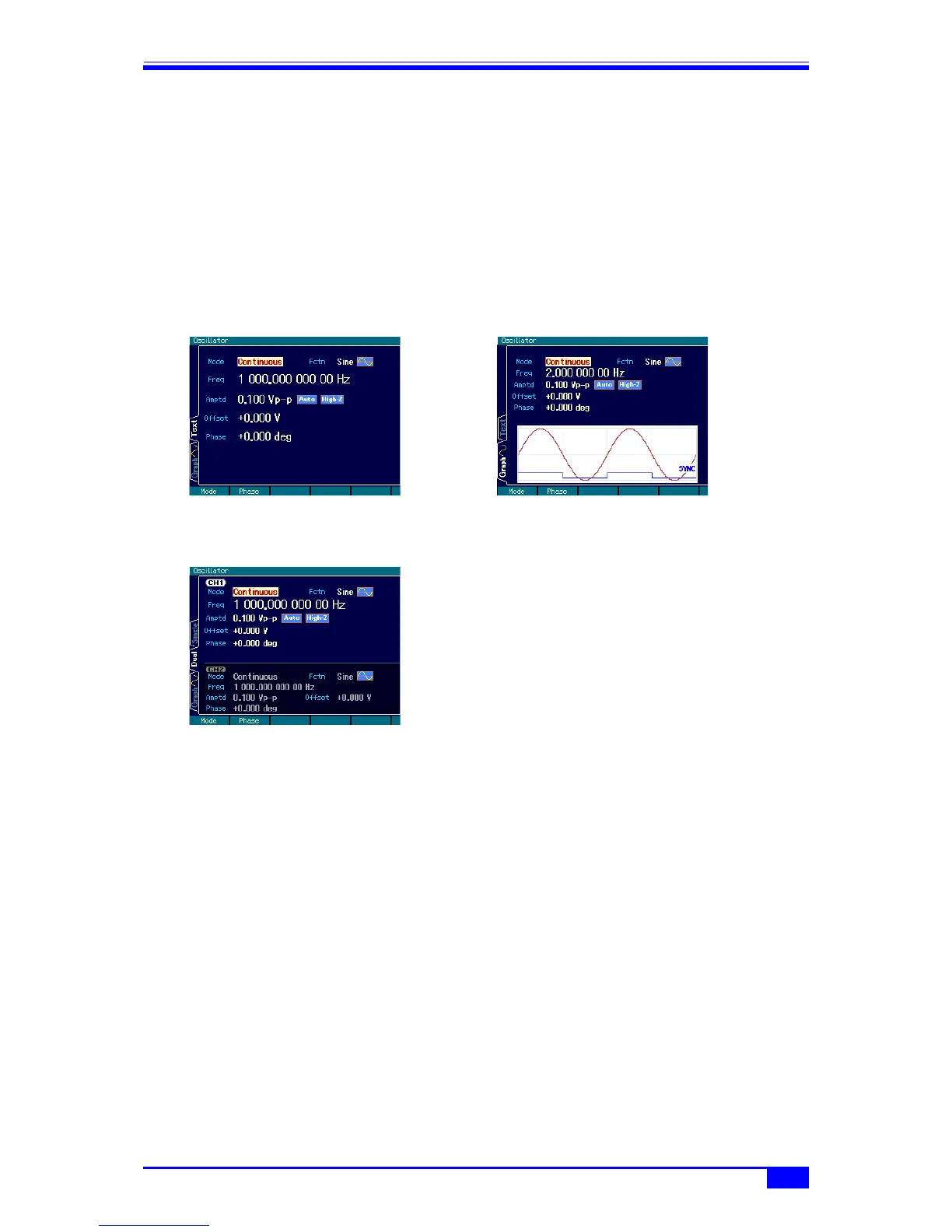
4.2.2 Switching display format with tabs (displaying waveform graph)
When a number of display formats can be selected, a display format switching tab is
displayed on the left side of the screen. When the Graph tab is displayed on the screen,
settings can be performed while checking the image of the output waveform.
a) Display format types
There are three types of display formats, as follows.
■ Text display [Text] (WF1973)
or [Single](WF1974)
Displays the settings of 1 channel in
text form.
■ Graph display [Graph]
Displays the settings of one channel in both
text and graph form, allowing the image of the
output waveform to be checked.
■ 2-channel simultaneous display [Dual] (WF1974 only)
Displays the settings of channel 1 and channel 2 in text form vertically superposed.
The channel to be set can be switched with the
CH1/CH2 key.



 To Next Page