86
4. BASIC OPERATION
MULTIFUNCTION GENERATOR
4.8.3 Common sweep settings and manipulations
This subsection describes the settings and manipulations that are used in common
regardless of the item to be swept.
a) To set the oscillation mode to sweep → Oscillation mode setting
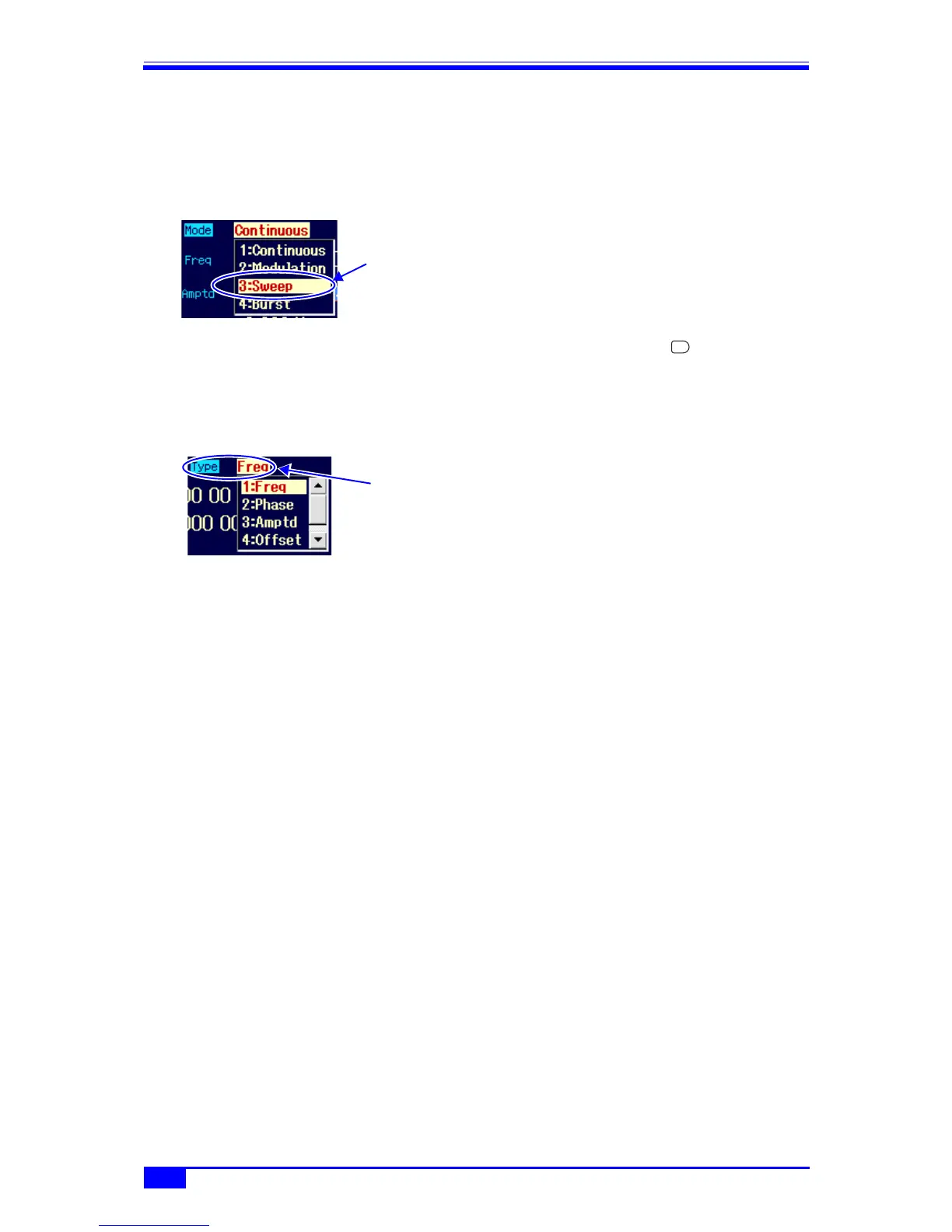
On the Oscillator setting screen, set
[Mode] (oscillation mode) to [Sweep]. This
changes the mode to the sweep oscillation
mode.
In the sweep oscillation mode, the setting
screen consists of three pages, which can
be switched with the NEXT key.
b) To select the item to be swept → Sweep type setting
The following five sweep items can be selected in [Type] (sweep type) on the 2nd page of the
setting screen.
• Frequency sweep [Freq] ) p. 95
• Phase sweep [Phase] ) p. 97
• Amplitude sweep [Amptd] ) p. 99
• DC offset sweep [Offset] ) p. 101
• Duty sweep [Duty] ) p. 103
c) To set the sweep range and time
Set the following items on the 2nd page of the setting screen.
• Start value [Start]
•Stop value [Stop]
• Sweep time [Time]: This is the transition time from the start value to the stop value.
For details, refer to the description of each sweep type.
d) To set the sweep range with center and span
When the start value or stop value input field is open on the 2nd page of the setting screen
and the current value is displayed, the [Center] or [Span] soft key is displayed. When this
key is pressed, the center value or span value input field opens, and the item displays
change from [Start] and [Stop] to [Center] and [Span], respectively.
The [Center] or [Span] soft key changes to [Start] or [Stop]. When the [Start] or [Stop] soft
key is pressed at this time, the start value or stop value input field is displayed.
The center value is the average of the start value and stop value. The span value is the
absolute value of the difference between the start value and the stop value. Even if
frequency log sweep is selected, the center value is the linear average of the start value and
stop value.
Even when center value and span value display are selected, the relation of magnitude
between the start value and stop value is saved.
e) To sweep a sawtooth wave → One-way sweep
Set [SwpFctn] (sweep function) on the 2nd page of the setting screen to [Lin-OneWay]
In the case of frequency sweep, it is also possible to set the slope to [Lin-OneWay] (linear) or
[Log-OneWay] (log).
Select [Sweep] in
[Mode] and then
press the ENTER
key
NEXT
Sweep type



 To Next Page