4.8 Sweep Setting and Manipulation
87
WF1973/WF1974
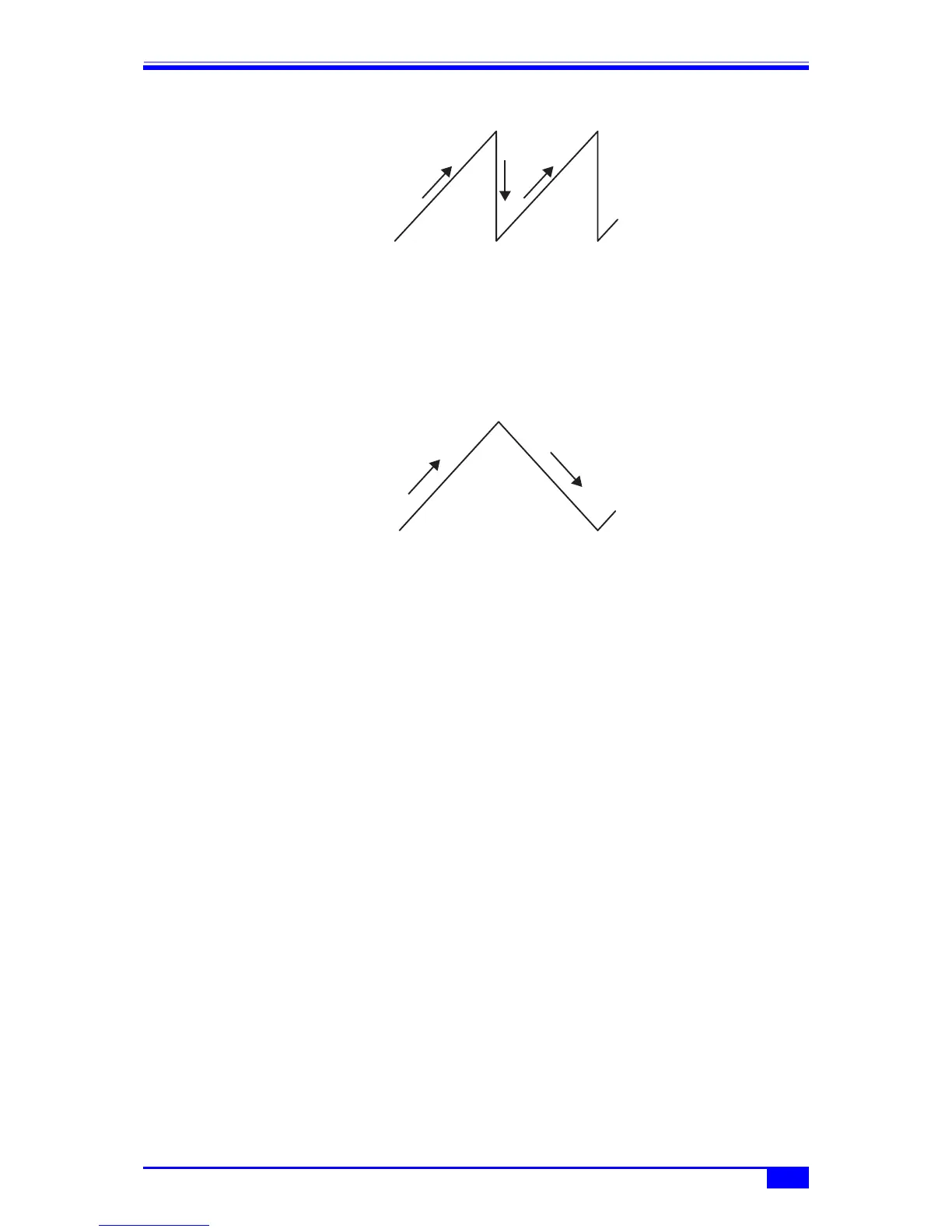
One-way sweep
f) To sweep a triangular wave → Shuttle sweep
Set [SwpFctn] (sweep function) on the 2nd page of the setting screen to [Lin-Shuttle]
(shuttle).
In the case of frequency sweep, it is also possible to set the slope to [Lin-Shuttle] (linear) or
[Log-Shuttle] (log).
Shuttle sweep
g) To change the rising/falling direction of the sweep → Magnitude relation of start
and stop values
When sweeping is done with a sawtooth wave (one-way sweep), sweeping is done from the
start value to the stop value. If start value < stop value, the value increases during sweep
execution. Reversely, if start value > stop value, the value decreases during sweep
execution.
When the [Stt⇔ Stp] soft key included in the second stage of the soft key set on the 2nd page
of the setting screen ([ ▼ 2/2] is displayed on the right-most soft key) is pressed, the start
value and stop value can be swapped.
h) To continuously repeat sweep → Continuous sweep
Set [SwpMode] (sweep mode) on the 2nd page of the setting screen to [Cont] (continuous).
No trigger signal is required.
The transition time from the start value to the stop value is set with [Time] (sweep time) on
the 2nd page.
Sweep value
Sweep value



 To Next Page