48
4. BASIC OPERATION
MULTIFUNCTION GENERATOR
4.4.7 Setting the amplitude
a) Setting method
1. Press the AMPTD shortcut key to
open the amplitude input field.
Alternatively, select the [Amptd] field and
then press the ENTER key to open
the amplitude input field.
Even if there are several setting screens,
the [Amptd] field is always displayed on
the first page. If [High] is displayed in the
[Amptd] field and the high level instead of
the amplitude is displayed, press the
AMPTD key once more to switch to the
amplitude display.
2. Select the digit to be changed with the left/right arrow keys, and increment/
decrement the value with the up/down arrow keys or the modify knob. The
change is instantly reflected to the output.
Alternatively, enter a numeric value using the ... numeric keypad. Then press the
ENTER key or one of the unit keys (soft keys) to set the input value and reflect it to
the output.
b) Changing the unit (Vp-p, Vpk, Vrms, dBV, dBm, user-defined unit)
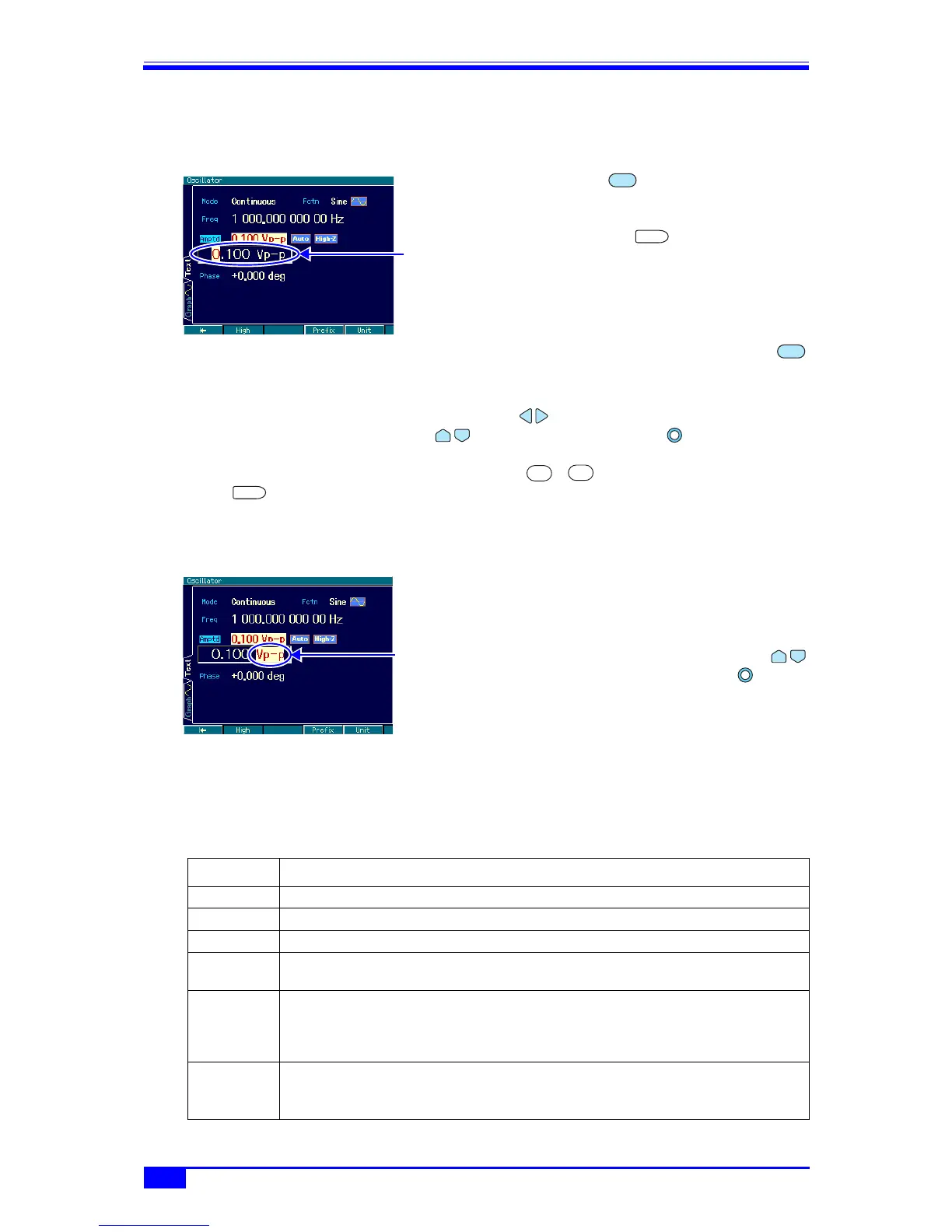
1. When the amplitude input field is open,
press the [Unit] soft key and move the
cursor to the unit position on the right end.
2. The unit can be changed with the
up/down arrow keys or the modify
knob. (Units that cannot be used are not
displayed.) Even if the display unit is
changed, the actual output value remains
unchanged.
c) The units that can be used differ according to the waveform
Vp-p, Vpk, Vrms, dBV, dBm, and user-defined units can be used as the amplitude units.
However, the applicable waveforms are limited as follows (not applicable to DC).
Unit Applicable Waveform
Vp-p Standard waveform and arbitrary waveform with amplitude range of ±FS
Vpk Standard waveform and arbitrary waveform with amplitude range of 0/+FS, −FS/0
Vrms Sine wave and noise
dBV Sine wave and noise
1 Vrms = 0 dBV
dBm Sine wave and noise
Voltage of 1 mW set as 0 dBm for the specified load impedance() p. 55)
Example: In the case of a load impedance setting of 50 Ω, 0 dBm = 223.6 mVrms/50 Ω.
Not usable when the load impedance setting is High-Z.
User-defined
unit
All waveforms.
For details on user-defined waveforms, ) “7. USING USER-DEFINED
UNITS”
in the Application Instruction Manual.
Amplitude input
field
AMPTD
ENTER
AMPTD
0
9
ENTER
Place cursor on
unit



 To Next Page