34
4. BASIC OPERATION
MULTIFUNCTION GENERATOR
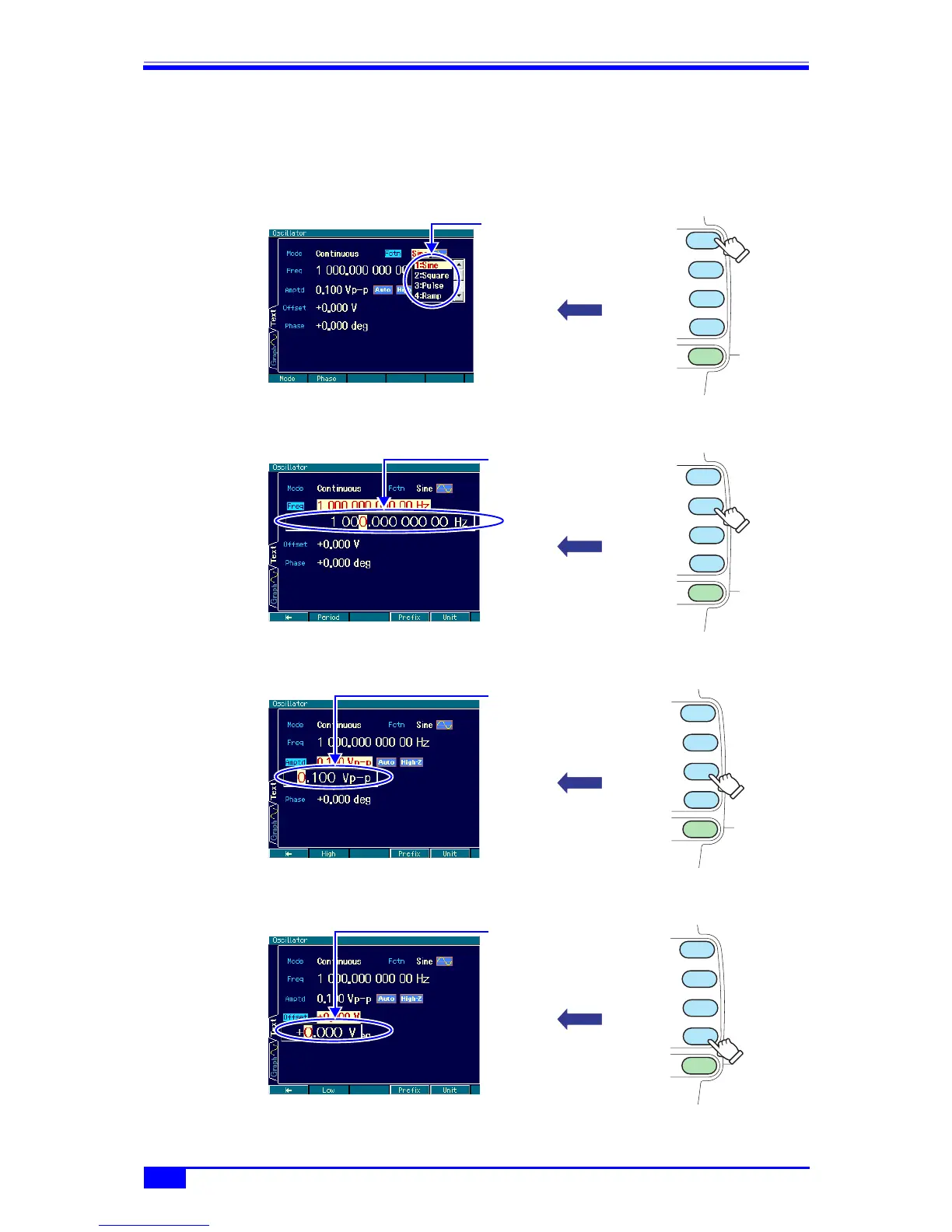
4.3.3 Manipulating shortcut keys for changing basic parameters
The choice list or input field for waveform, frequency, amplitude, and DC offset can be
immediately opened with the corresponding basic parameter shortcut key.
■ Waveform
) p. 44
■ Frequency
) p. 44
■ Amplitude
) p. 48
■ DC offset
) p. 50
MENU
OFFSET
FCTN
FREQ
AMPTD
The waveform choice list
opens.
MENU
OFFSET
FCTN
FREQ
AMPTD
The frequency input field
opens.
MENU
OFFSET
FCTN
FREQ
AMPTD
The amplitude input field
opens.
MENU
OFFSET
FCTN
FREQ
AMPTD
The DC offset input field
opens.



 To Next Page