4.8 Sweep Setting and Manipulation
83
WF1973/WF1974
4.8 Sweep Setting and Manipulation
4.8.1 Sweep types
The following five types of sweep can be done.
• Frequency sweep ) p. 95
• Phase sweep ) p. 97
• Amplitude sweep ) p. 99
• DC offset sweep ) p. 101
•Duty sweep ) p. 103
4.8.2 Screen for sweep setting and manipulation
This subsection describes the screen configuration used in common for the sweep oscillation
mode.
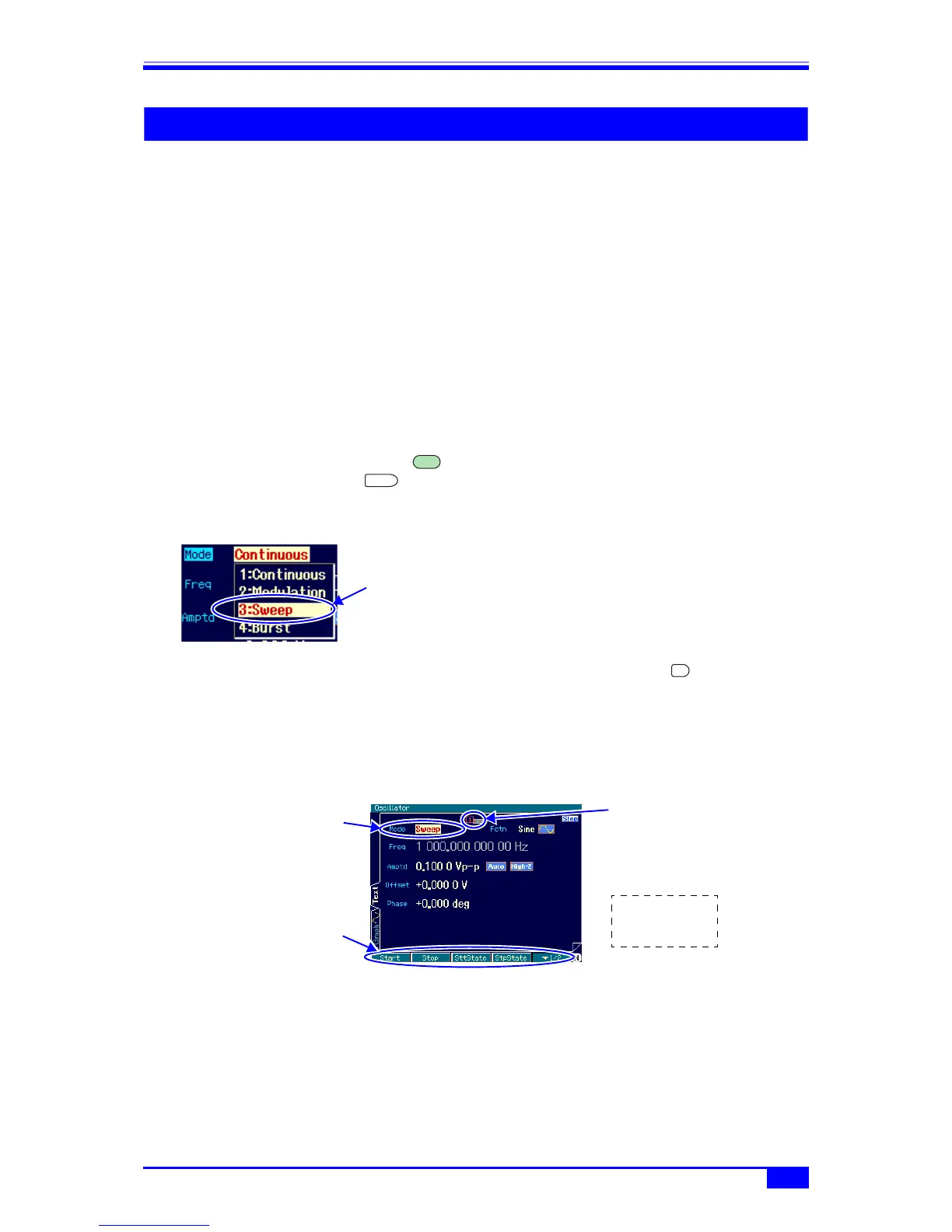
The settings and manipulations are done on the Oscillator setting screen. The Oscillator
setting screen is displayed as “Oscillator” in the top left part of the screen. When another
screen is displayed, press the MENU key to display the top menu, then select
[Oscillator] and press the ENTER key.
a) Setting the oscillation mode to sweep
Set [Mode] (oscillation mode) to [Sweep]
on the Oscillator setting screen. The
oscillation mode is switched to sweep as a
result.
In the sweep oscillation mode, the setting
screen consists of three pages, which can
be switched with the NEXT key.
b) 1st page of setting screen: Screen for setting the basic parameters
These are the common setting items that are common to all the oscillation modes. Some of
the settings may be invalid depending on the sweep type.
MENU
ENTER
Select [Sweep] in
[Mode] and then
press the ENTER
key
NEXT
Set the oscillation
mode to [Sweep]
Indicates that the
1st page is
displayed
Press the NEXT
key to display
the 2nd page
There are two
stages of soft
keys



 To Next Page