10
3. PANELS AND I/O TERMINALS
MULTIFUNCTION GENERATOR
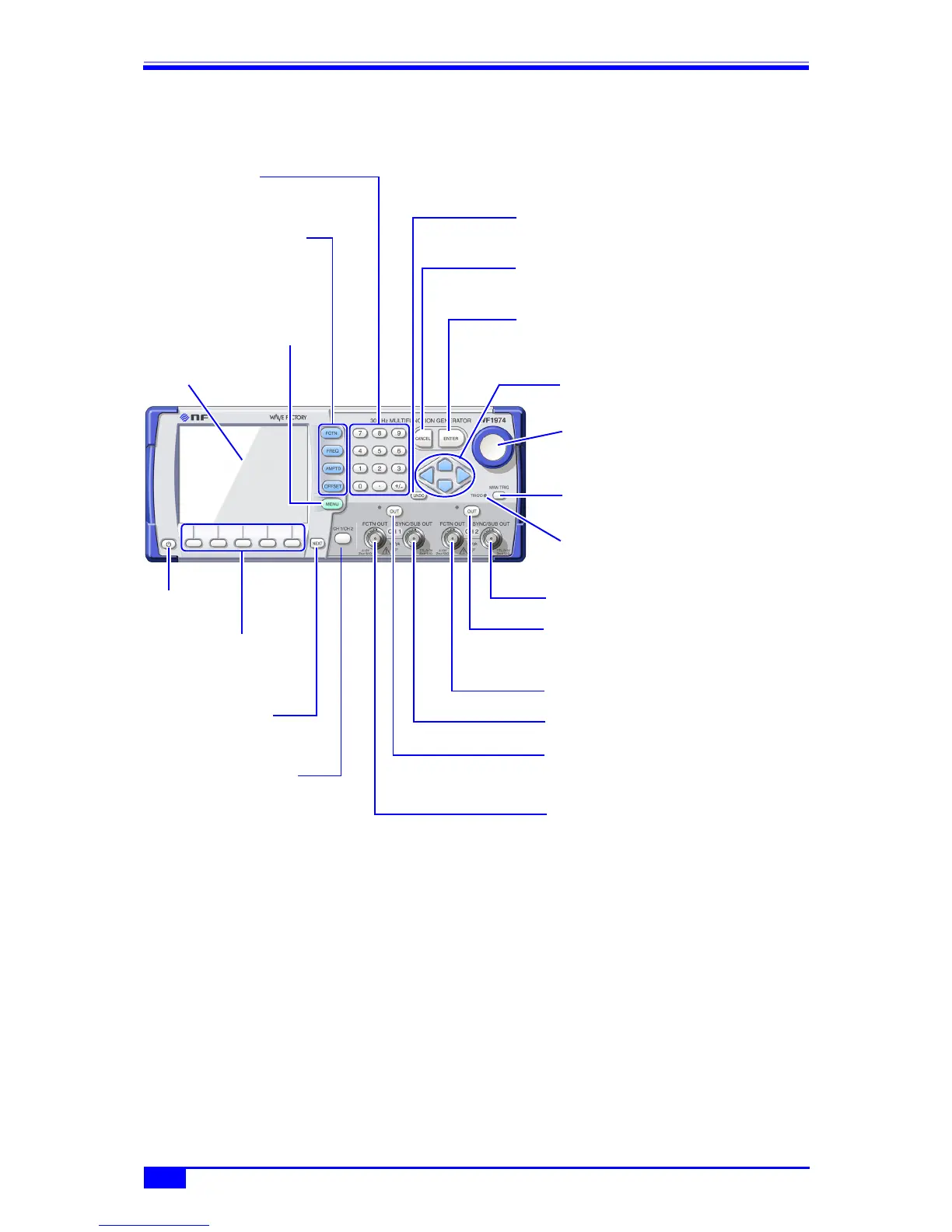
Figure 3-3. Fro nt Panel of WF1974
3.1.3 Front panel of WF1974
Figure 3-3. Front Panel of WF1974
CH2 sync/sub-output terminal
) p. 13
CH2 waveform output on/off key
Press to switch CH2 waveform output on/off.
When off, the lamp on the left is lit.
) p. 41
CH2 waveform output terminal
) p. 12
CH1 sync/sub-output terminal
) p. 13
CH1 waveform output on/off key
Press to switch CH1 waveform output on/off.
When on, the lamp on the left is lit.
) p. 41
CH1 waveform output terminal
) p. 12
CH1/CH2 switching key
Press to switch the channel
to be set on the LCD panel.
) p. 38
UNDO key
Press to undo setting changes
) p. 35
CANCEL key
Press to cancel.
) p. 35
ENTER key
Press to enter a setting
) p. 35
Arrow keys
Press to select items, or
increase/decrease values
) p. 30
Modify knob
Press to select items, or
increase/decrease values
) p. 30
Numeric keypad
Used for numerical input
) p. 31
Basic parameter
shortcut keys
Press to allow the waveform,
frequency, amplitude, and DC
offset to be changed
) p. 34
MENU key
Displays the top menu
) p. 29
Power switch
) p. 21
NEXT key
Press to switch setting
screen pages.
) p. 26
Soft keys
The manipulation
parameter is displayed on
the LCD panel.
) p. 26
LCD panel
Manual trigger key
Used for sweep, burst trigger
) pp. 90, 111, 115, 120
Triggered lamp
Lights when a trigger is accepted
) pp. 90, 111, 115, 120



 To Next Page