4.9 Burst Setting and Manipulation
113
WF1973/WF1974
4.9.4 Gate oscillation
Oscillation is done in integer cycles or half cycles while the gate is on.
The settings and manipulations are done on the Oscillator setting screen. “Oscillator” is
displayed at the top left of the Oscillator setting screen. When another screen is displayed,
pressing the MENU key displays the top menu, so select [Oscillator] and then press
the ENTER key.
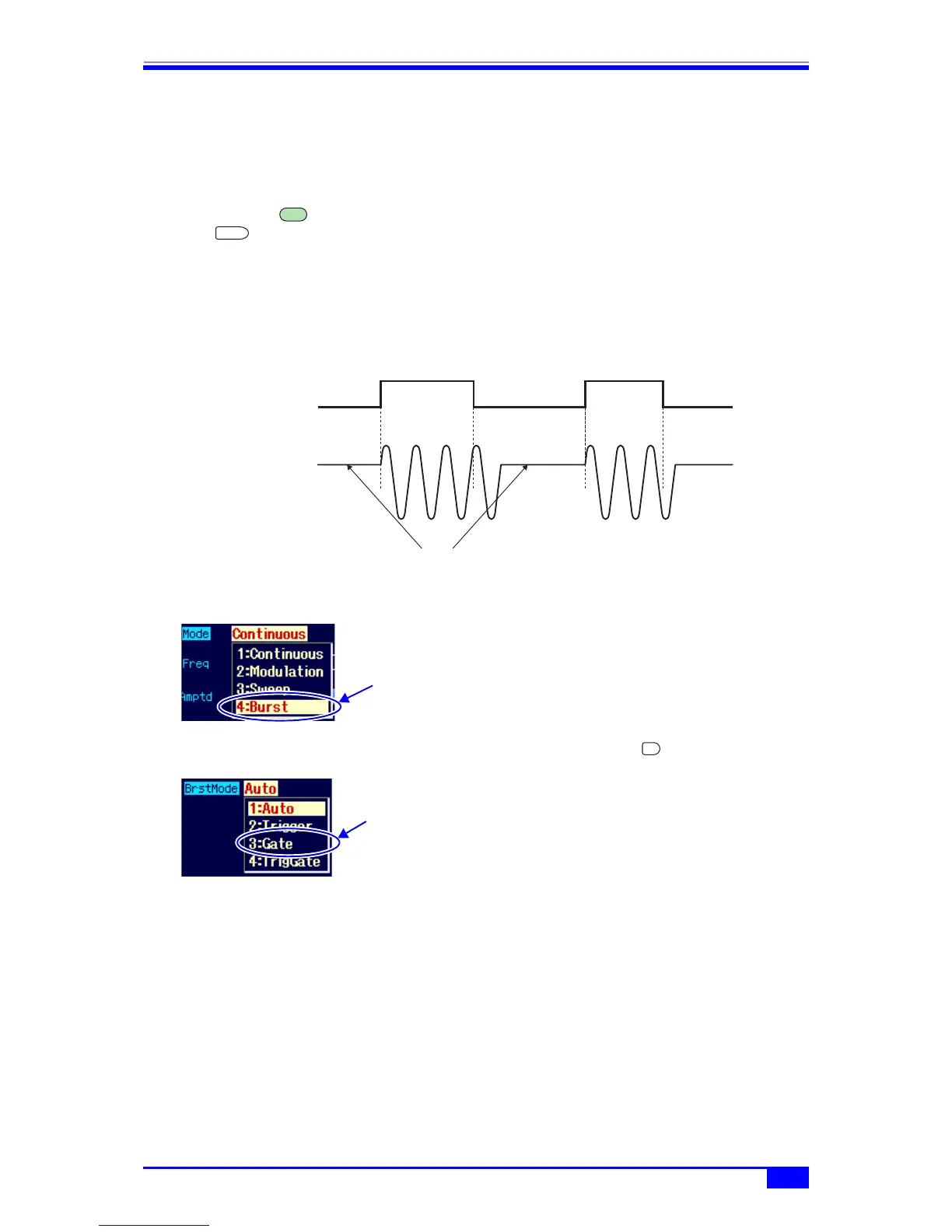
a) Gate oscillation example
The following example is for oscillation start/stop phase = 30°, oscillation stop unit = 1 cycle,
stop level = off.
After the gate signal becomes off, oscillation stops once the oscillation start/stop phase is
reached.
b) Setting the oscillation mode to gate oscillation
Set [Mode] (oscillation mode) to [Burst]
(burst) on the Oscillator setting screen.
The oscillation mode is switched to the
burst oscillation mode as a result. In the
burst oscillation mode, the setting screen
consists of two pages, which can be
toggled with the NEXT key.
Next, set [BrstMode] (burst mode) on the
2nd page of the burst oscillation mode
setting screen to [Gate] (gate oscillation).
MENU
ENTER
Gate on
Gate off
Gate signal
Output signal
Gate on
Gate off
Oscillation start/stop phase: 30°
Select [Burst] in
[Mode] and then
press the ENTER
key
NEXT
Select [Gate] in
[BrstMode] and
then press the
ENTER key



 To Next Page