4.2 Screen Configuration and Operation
29
WF1973/WF1974
4.2.3 Top menu
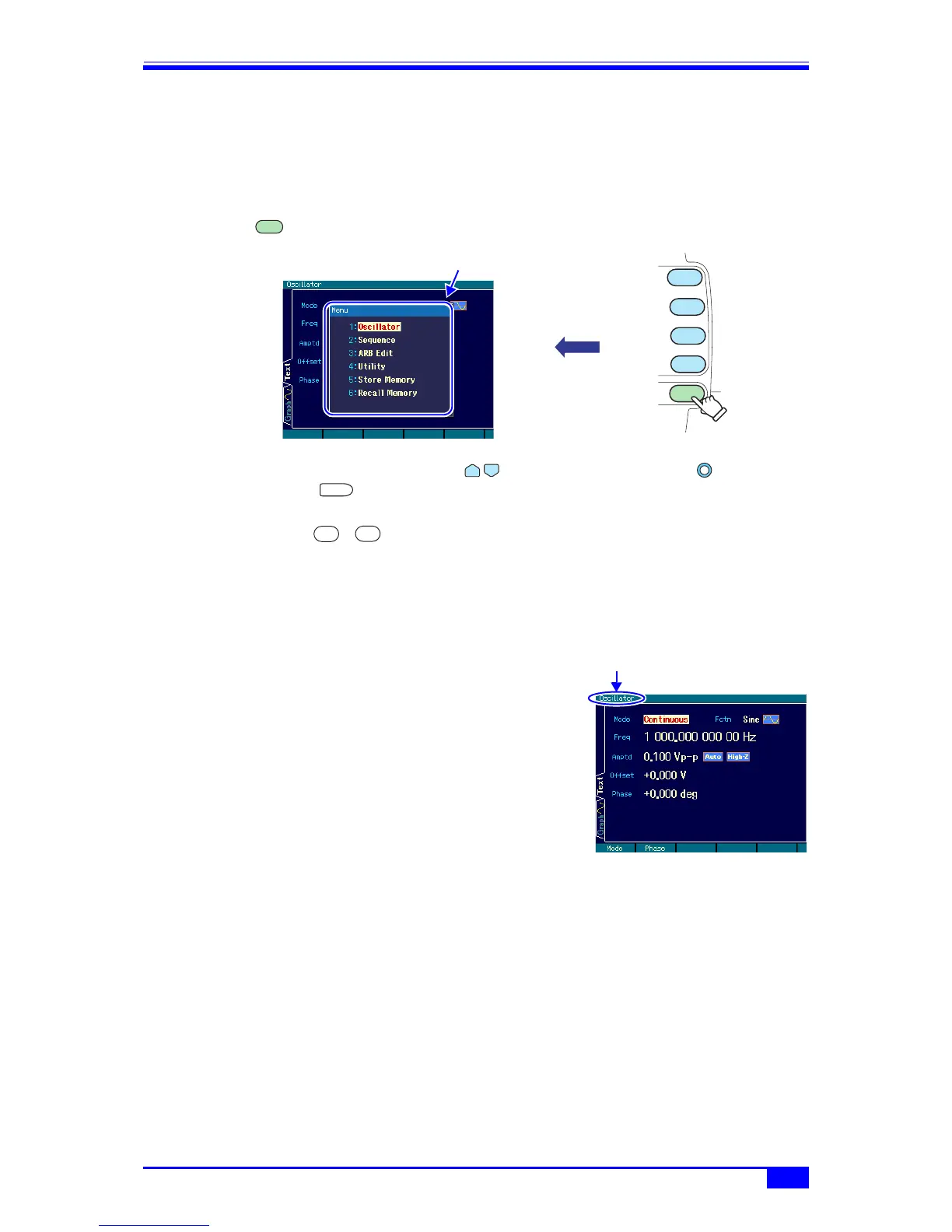
Sequence oscillation, arbitrary waveform editing, system settings, saving and recalling
settings, and other actions are done by selecting the desired item from the top menu.
a) Displaying the top menu
Press the menu key to display the following top menu window.
Select the desired menu item using the up/down arrow keys or the modify knob,
and then press the ENTER key to display the menu item setting screen.
With the top menu window open, the desired menu item can also be specified by inputting a
number using the ... numeric keypad.
b) Actions possible using the top menu items
The menu items are displayed at the top left of each setting screen.
Settings and operations such as those described below can be done with the various menu
items.
■ Oscillator
Almost all settings other than arbitrary waveform editing
and sequence oscillation can be set and manipulated.
When the power is applied, the Oscillator setting screen is
always displayed.
■ Sequence
Sequence oscillation setting and manipulation can be
done. ) “6. USING SEQUENCE OSCILLATON” in the
Application Instruction Manual
■ ARB edit
Arbitrary waveform editing can be done. ) “2. CREATING ARBITRARY WAVEFORMS” in
the Application Instruction Manual
■ Utility
Various settings and manipulations can be done. ) p. 39
■ Store memory
The settings can be saved to the setting memory. ) p. 122
■ Recall memory
The settings can be called from the setting memory. ) p. 124
MENU
MENU
OFFSET
FCTN
FREQ
AMPTD
The top menu window opens.
ENTER
0
9
Menu item



 To Next Page