11
Tools for autosampler maintenance
Laptop (optional)
1.1.3 Unpacking of OpenSPR-XT™ Instrument
1. Read the OpenSPR-XT™ Operation Manual.
2. Carefully remove all components from boxes. When removing the XT autosampler from its
box, ensure to keep it in an upright position (it is recommended to use 2 people to do this).
3. Set the XT autosampler on a stable, level surface ensuring that the cooling fan at the back of
the instrument is not obstructed and has proper ventilation.
4. Remove all tape and packaging found externally on the OpenSPR™ and XT autosampler.
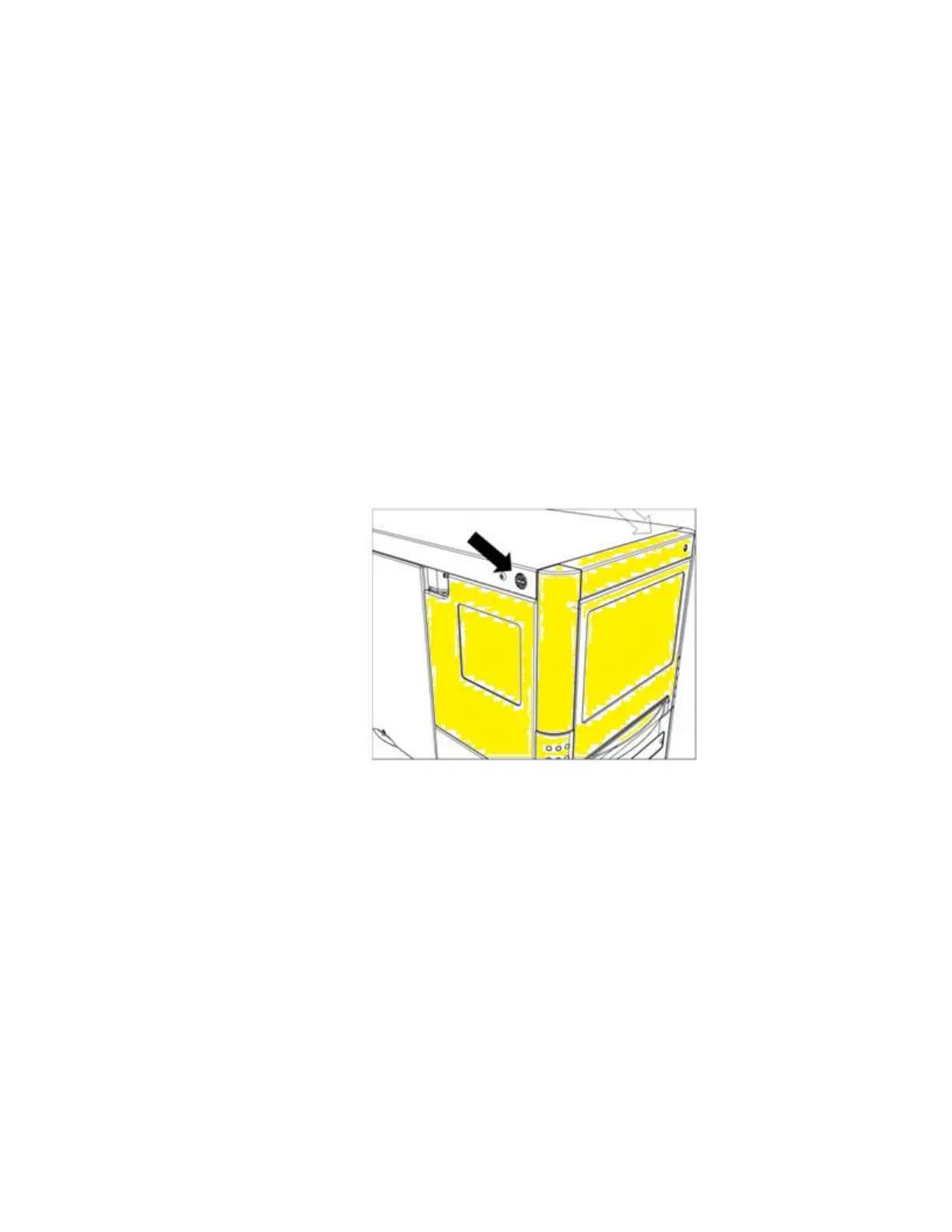
5. Remove the cover of the XT autosampler (highlighted in yellow in Figure 1.1) by following the
below procedure:
1. Press the two black buttons on either side (top) of the XT autosampler simultaneously.
Figure 1.1 Location of two black buttons on the XT autosampler to remove cover. The cover is highlighted in yellow.
2. Gently pull the cover towards you, removing it fully from the instrument.



 To Next Page