camera doesn’t give you a warning; it simply switches to the
already existing folder. Let’s look at how to create a new
folder with a number of your choice, from 101 to 999
(101D300S or 999D300S).
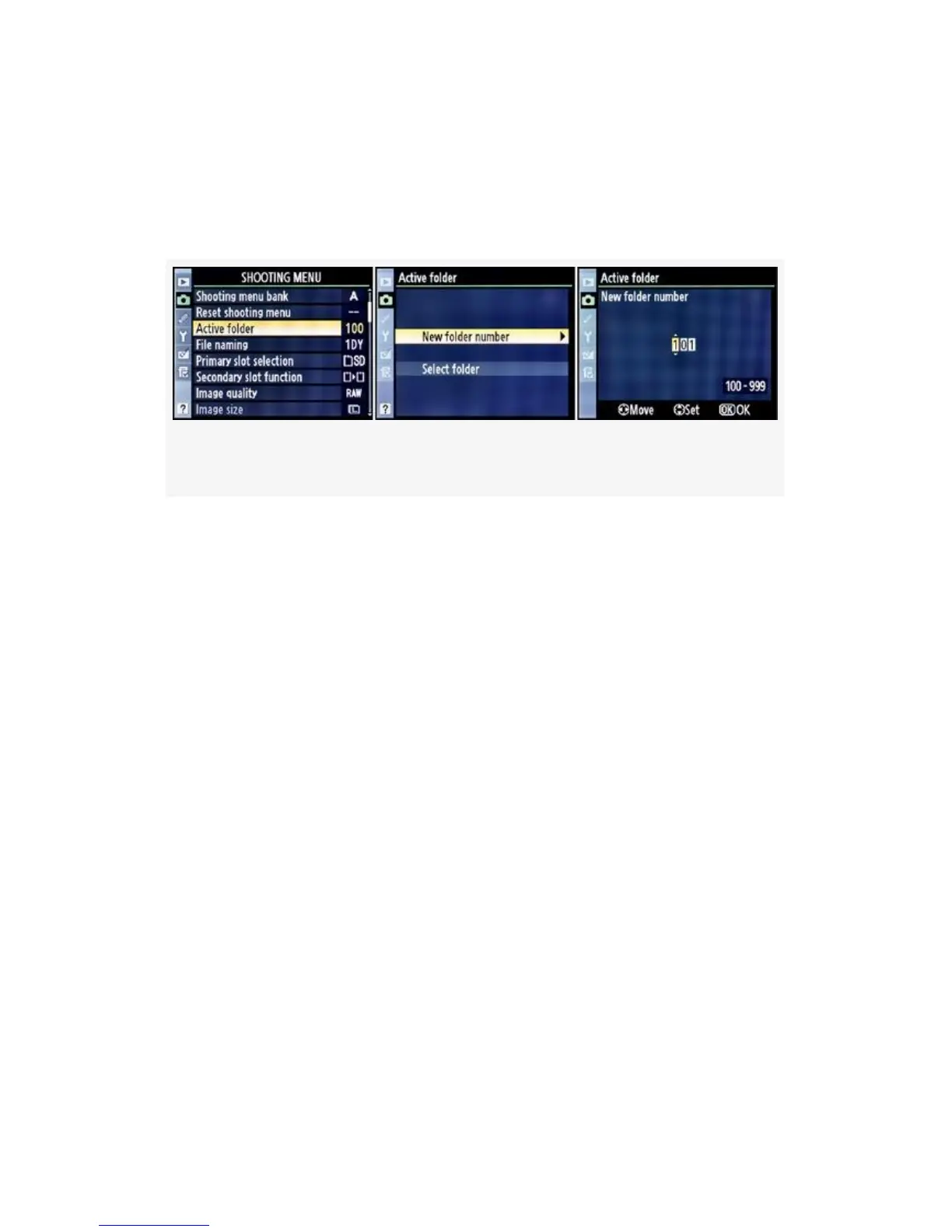
Figure 3-5. Creating a New folder number
Here are the screens and steps used to create a new folder (see
Figure 3-5):
1. As shown in Figure 3-5, to create a new folder, scroll to
the right when Active folder is selected.
2. Select New folder number and scroll to the right.
3. You’ll now see a screen that allows you to create a New
folder number between 100 and 999 (see Figure 3-5,
image 3). Create your number using the Multi Selector,
then press the OK button.
You cannot create a folder numbered 000 (I tried) or use any
other number less than 100. Remember that the three-digit
number you select will have D300S or ND300 appended to it
and will look something like 101D300S or 101ND300 when
you have finished.
Once you have created a new folder, the camera will
automatically switch to it. What if you want to simply start
using an existing folder instead of making a new one? The
105



 To Next Page